
Why Apple’s Vision Pro Is Forcing a Mixed-Reality Reset
From developer experiments and eye-tracking ergonomics to social acceptability and competitive pressure, Vision Pro is acting less like a finished product and more like a live, global usability study that is resetting how the tech world thinks about mixed reality.

Caption: A user immersed in a mixed-reality environment, similar in spirit to Apple Vision Pro use cases. Source: Pexels.
Mission Overview: What Apple Is Trying to Do With Vision Pro
Apple describes Vision Pro not as a VR headset, but as a “spatial computer.” That phrase is deliberate: the device is positioned as the first step toward a post-smartphone platform where digital content lives around you in 3D space rather than behind glass rectangles.
Since its early 2024 launch, Vision Pro has dominated coverage on The Verge, Engadget, TechCrunch, and Wired, as well as in sprawling Hacker News threads. Even months later, it remains a lightning rod because it touches multiple macro-trends at once:
- Mixed reality and spatial interfaces.
- AI-assisted, context-aware experiences.
- New app and content ecosystems beyond phones and laptops.
- Questions about the “next iPhone moment” for computing.
In effect, Vision Pro is the first large-scale consumer test of whether people actually want a head-worn computer for work, creativity, and entertainment—or whether headsets will remain niche tools for gaming and specialized workflows.
“First-generation hardware almost never defines the category. What it does is define the conversation about what that category could become.”
— Ben Thompson, technology analyst, paraphrasing commentary on spatial computing in Stratechery
Early Ecosystem Shake-Out: What Actually Works in Spatial Computing
By now, developers have had enough time with visionOS to publish real apps and ports, revealing what thrives in spatial computing and what falls flat.
App Categories That Are Showing Promise
- Virtual monitors and productivity dashboards: Multiple resizable “screens” arranged around you unlock ultra-wide, multi-monitor workflows without physical displays. Early adopters report that coding, writing, and research tasks benefit from this panoramic context.
- 3D design, CAD, and modeling tools: Architects, industrial designers, and game artists can manipulate 3D assets at true scale, walk around models, and inspect fine details from any angle.
- Immersive video and spatial media: 3D movies, Apple Immersive Video, and spatial photos/videos create a sense of presence that flat screens simply cannot match.
- Data visualization and analytics: Spatial graphs, flows, and dashboards allow complex relationships to be “seen” rather than inferred from dense charts.
What Is Struggling So Far
- Traditional 2D mobile games: Most are simply windowed iPad apps floating in space; they rarely justify headset friction.
- Quick-hit social apps: The form factor does not match casual, low-commitment scrolling. Pulling on a headset is a high-friction action for low-value content.
On Hacker News, developers routinely debate whether Vision Pro’s app economics will ever resemble the iOS App Store. High development costs, a small installed base, and an uncertain upgrade path make some teams treat Vision Pro as an R&D sandbox rather than a primary revenue driver.
“Spatial computing changes how apps exist in your space instead of on a flat screen. That shift means we’re still very early in discovering the native patterns that truly belong here.”
— Paraphrased from talks by Apple’s visionOS engineering team at Apple Developer
For developers, the practical takeaway is clear: lean toward use cases that either cannot exist on a laptop at all (true 3D, full-room spatial apps) or are dramatically better in a headset (ultra-wide multitasking, deeply immersive viewing).
Technology: Vision Pro’s New Human–Computer Interface
Vision Pro’s most radical feature is not its micro‑OLED displays or compute power; it is its interaction model. Instead of controllers, users rely on three primary modalities:
- Eye tracking to target interface elements.
- Hand gestures (pinch, swipe, grab) to execute actions.
- Voice commands via Siri and dictation for text and control.
Usability deep dives from outlets like Ars Technica and Wired highlight key patterns emerging from this large-scale experiment.
Ergonomics and “Gorilla Arm” Revisited
Classic studies of vertical touchscreens showed that extended mid-air interaction causes shoulder and arm fatigue—dubbed “gorilla arm.” Vision Pro tries to mitigate this by allowing small, low-effort pinches performed on your lap or armrests while your eyes do most of the targeting.
- Benefit: Reduced large muscle strain compared with waving hands at eye level.
- Trade-off: Eye tracking must be exceptionally accurate; mismatched targeting is immediately frustrating.
Early users report that short sessions feel magical, but prolonged work can still be tiring, especially when combined with the headset’s weight and heat.
Accessibility and Inclusive Design
For some users with motor impairments, eye tracking and voice can be empowering alternatives to mice and keyboards. However, accessibility depends on:
- Customizable gesture sensitivity and dwell times.
- Robust voice recognition in noisy environments.
- Support for external devices such as Bluetooth keyboards and trackpads.
Apple’s broader accessibility track record is strong, but Vision Pro’s long-term success will hinge on how well it serves users outside the “perfectly able-bodied early adopter” demographic.
Caption: Developer experimenting with spatial user interfaces and virtual windows. Source: Pexels.
Productivity vs. Entertainment: A Platform With Identity Issues
Tech outlets and YouTube creators are stress-testing Vision Pro as both a laptop replacement and an ultimate media device, and the results are mixed.
Vision Pro for Work
Case studies on TechCrunch and The Verge show developers and writers attempting full workdays inside floating windows:
- Coding in Xcode or VS Code via a virtual Mac display.
- Writing and research with multiple browsers and note apps in parallel.
- Design work with Figma or Adobe tools mirrored from a Mac.
Advantages include effectively infinite screen real estate and deep focus when you dim or blur the physical environment. However, common drawbacks are:
- Headset weight and heat during multi-hour sessions.
- Eye fatigue, especially at higher brightness settings.
- Subtle friction in text entry when not using a hardware keyboard.
If you are exploring Vision Pro for productivity, pairing it with a comfortable external keyboard like the Apple Magic Keyboard with Touch ID can dramatically reduce friction for coding and writing.
Vision Pro for Immersive Entertainment
Where Vision Pro consistently impresses is as a private cinema and immersive media screen:
- High‑resolution micro‑OLED displays and spatial audio deliver a “giant theater screen” effect.
- 3D and spatial movies feel more natural than older 3D TV gimmicks.
- Apple’s spatial videos, recorded on newer iPhones and Vision Pro itself, create powerful sense of reliving memories.
Many long-form YouTube reviews—including creators like Marques Brownlee (MKBHD)—conclude that Vision Pro is currently best-in-class for premium personal entertainment, while only a partial laptop stand-in for most professionals.
Social Acceptability, Privacy, and the New “Face Computer” Norms
Beyond pure technology, Vision Pro raises uncomfortable questions about how we want computing to look and feel in public and private spaces.
Wearing Vision Pro in Public
Short-form clips on TikTok and YouTube Shorts—people using Vision Pro on airplanes, in cafés, or even while walking—keep the device in public consciousness. They also highlight a reality:
- The headset is visually conspicuous and can feel socially awkward outside the home.
- EyeSight (the external display showing your eyes) reduces, but does not eliminate, the “black box” barrier between you and others.
- Conversation partners may be unsure whether they are being recorded or observed through pass-through video.
Eye-Tracking Data and Privacy Risks
Eye-tracking is both a usability breakthrough and a potential privacy minefield. Research shows that gaze patterns can reveal user intent, interests, and even emotional states. Privacy advocates ask:
- Will detailed gaze data be siloed on-device, or can apps infer your attention patterns?
- Could advertisers one day optimize content based on exactly what you look at, and for how long?
- How will regulators treat such sensitive behavioral data?
“Once your eyes become the cursor, the telemetry of what you look at is no longer just UX data—it is a map of your curiosity and vulnerability.”
— Paraphrasing concerns echoed by privacy researchers and organizations like the Electronic Frontier Foundation
Apple states that sensitive eye-tracking information is processed on-device and not shared with third-party apps in raw form, but skeptics argue that derived signals (e.g., attention metrics) may still leak through APIs over time if not carefully governed.
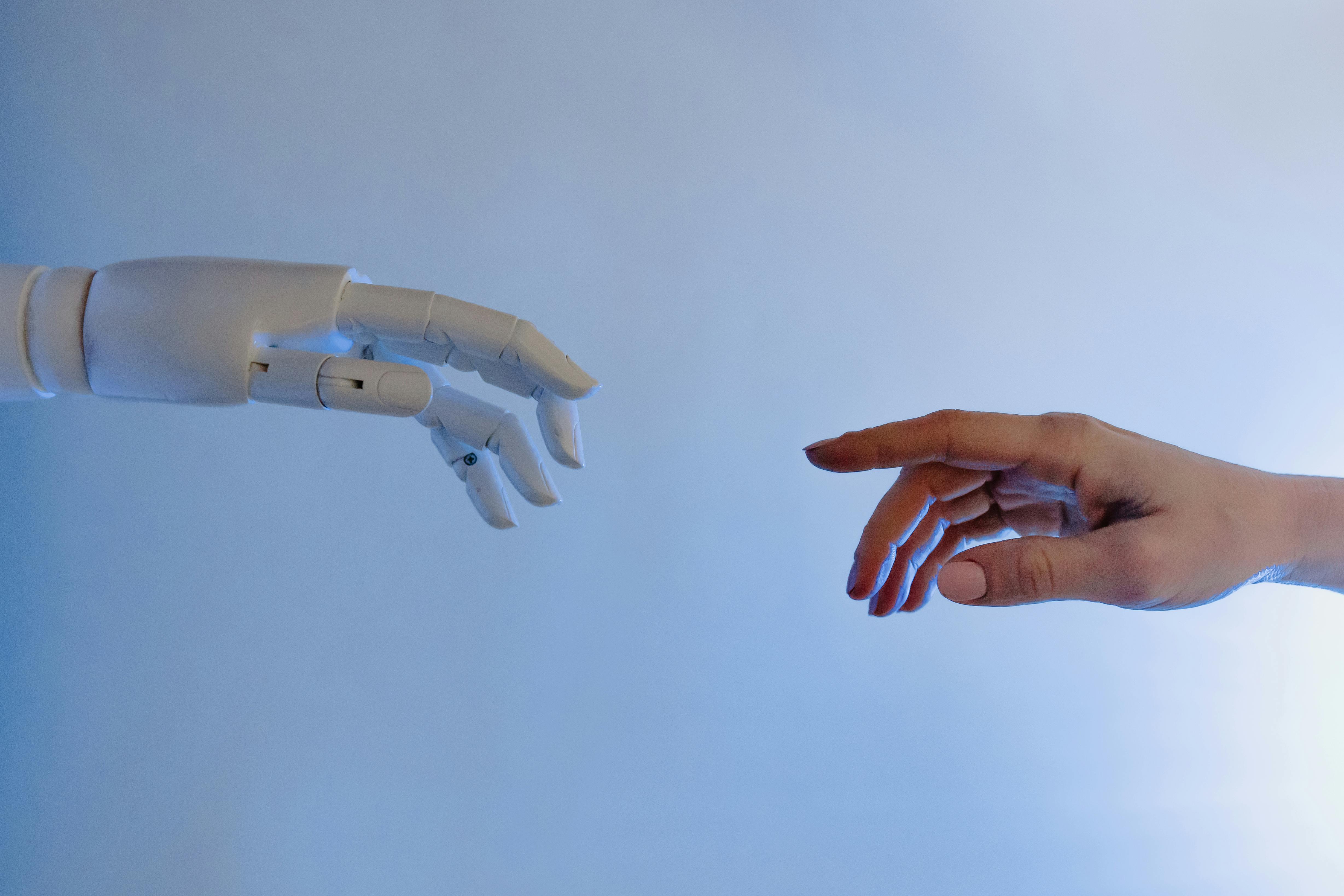
Caption: Mixed-reality headsets in semi-public spaces raise new questions about social norms and privacy. Source: Pexels.
Competitive Landscape: Meta, Samsung, and the Spatial Computing Arms Race
Vision Pro does not exist in a vacuum. It sits atop a growing stack of competitors, most notably Meta’s Quest line and upcoming Samsung/Google devices.
Premium Spatial Computer vs. Mass-Market Headset
Coverage in TechRadar and The Verge often frames the competition as:
- Apple Vision Pro: High-end, premium “spatial computer” focused on quality, tight hardware–software integration, and productivity.
- Meta Quest line: More affordable, gaming- and entertainment-oriented devices targeting a wider audience.
- Samsung/Google and others: Android-aligned headsets aiming to bring mixed reality into a broader ecosystem.
Investors and industry analysts increasingly view this not as VR vs. AR, but as a continuum:
- Fully immersive VR for games, training, and simulations.
- Mixed reality (like Vision Pro) for productivity and premium content.
- Lightweight AR glasses as the eventual mainstream endpoint.
Developer Strategy in a Fragmented Market
For teams deciding where to invest:
- Short term: Target Meta Quest for reach and Vision Pro for high-end experimentation.
- Medium term: Develop portable engines and content assets (Unity, Unreal, WebXR) that can span ecosystems.
- Long term: Watch for AR glasses platforms where daily-wear adoption could dwarf current headset usage.
Scientific and Societal Significance of the Mixed-Reality Reset
Beyond commerce and hype, Vision Pro touches important scientific and societal frontiers in perception, cognition, and collaboration.
Human Perception and Cognitive Load
Spatial computing exploits, and sometimes challenges, how our brains fuse visual, auditory, and proprioceptive signals. Researchers in human–computer interaction (HCI) and cognitive science are watching closely:
- How do persistent floating windows affect spatial memory and task switching?
- Does immersive focus improve deep work or lead to new forms of digital fatigue?
- How does stereoscopic vision at close range affect eye strain over months and years?
Academic groups, including those publishing in venues like ACM CHI, are already using consumer headsets as experimental platforms to study navigation, learning, and remote collaboration.
Collaboration, Telepresence, and the Future of Meetings
Vision Pro’s Personas (digital representations of users) and spatial FaceTime experiences aim to create a sense of “being there” with remote colleagues.
- Virtual shared spaces for design reviews or pair programming.
- 3D whiteboards and volumetric data exploration.
- Hybrid setups mixing headset users and traditional laptop participants.
We are still early in validating whether this actually improves outcomes compared with high-quality 2D video calls. Critical questions include:
- Does a sense of co-presence lead to better decision-making?
- Are people more engaged, or just more exhausted?
- How do we prevent constant presence from blurring boundaries between work and personal life?

Caption: Collaborative work today may evolve into shared spatial workspaces in mixed reality. Source: Pexels.
Milestones and What to Watch Next
As of 2025–2026, several key milestones are shaping the Vision Pro narrative and the broader mixed-reality reset.
Key Milestones to Date
- Launch of visionOS and first-gen Vision Pro: Introduced Apple’s spatial computing OS and design language to the public.
- Developer tooling matures: Unity, RealityKit, and WebXR pathways solidify, lowering the barrier to spatial app creation.
- First wave of “must-try” spatial apps: Flagship experiences in 3D design, data visualization, and immersive content emerge.
- Public debate on ergonomics and social norms: Extensive coverage in tech and mainstream media influences perceptions.
Signals to Track Moving Forward
- Hardware revisions: Lighter headsets, better weight distribution, and improved battery life will be crucial to mainstream adoption.
- Price compression: A more affordable Vision device could shift it from “luxury tech” toward a broader productivity tool.
- Enterprise adoption: Training, remote assistance, medical visualization, and engineering workflows may justify early large-scale deployments.
- Regulatory and privacy frameworks: How governments treat eye-tracking and biometric data will set important precedents.
Challenges: Why the Vision Pro Era Is Not Guaranteed
For all its technological prowess, Vision Pro faces serious obstacles—some technical, some social, some economic.
1. Hardware Comfort and Long-Term Wearability
Even with careful engineering, a high-end mixed-reality headset packs displays, sensors, and computing into a relatively small space. Common user complaints include:
- Pressure on the face, nose bridge, and cheeks.
- Neck strain during extended sessions.
- Heat buildup around the eyes and forehead.
These will likely improve over generations, but they strongly influence whether Vision Pro is something you wear for minutes, hours, or
2. App Economics and Developer Incentives
A small installed base and high expectations for premium experiences create a chicken‑and‑egg problem:
- Users want compelling apps to justify the cost.
- Developers want a large user base to justify investing in those apps.
Until Apple either massively grows the market or offers new incentives, many developers will use Vision Pro primarily as a future-facing prototyping platform.
3. Cultural Resistance to Face-Worn Tech
Google Glass, early AR headsets, and even Bluetooth earpieces demonstrated that social norms can be a stronger limit than hardware. If people feel isolated, awkward, or surveilled around headset users, Vision Pro will struggle to leave the living room—even if the technology is brilliant.
4. Competition and Platform Fragmentation
Meta, Samsung, and others are racing to define mixed reality on their own terms. Developers will have to choose between:
- Building deep, platform-specific experiences; or
- Maintaining cross-platform code that may sacrifice some native capabilities.
Conclusion: Transitional Gadget or Foundation of Post-Phone Computing?
Apple’s first-gen Vision Pro is less a finished product than a public prototype for a new computing paradigm. It proves that:
- Spatial interfaces can be fluid, intuitive, and breathtakingly immersive.
- Mixed reality unlocks genuinely new workflows and media experiences.
- Yet, physical comfort, social norms, and app incentives are powerful constraints.
Whether Vision Pro is remembered like the original iPhone or like 3D TV will depend on what happens next:
- Can Apple iterate quickly enough on hardware weight, comfort, and price?
- Will developers discover “native spatial” use cases that feel indispensable?
- Can privacy and accessibility be handled with enough care to earn broad trust?
For now, Vision Pro has already achieved one historic milestone: it has reset the conversation about mixed reality. Instead of asking “Is VR just for gamers?”, the industry is now asking “What should the next general-purpose computer look like—and do we want to wear it on our faces?”
Extra: How to Follow the Vision Pro and Mixed-Reality Journey
If you want to track this space with depth and nuance, consider:
- Following analysts and journalists such as MKBHD on YouTube, Joanna Stern on X, and Ben Thompson’s Stratechery.
- Exploring Apple’s own technical guidance at developer.apple.com/visionos.
- Reading human–computer interaction research from conferences like ACM CHI and IEEE VR.
- Watching in-depth user and developer diaries on YouTube, where creators document multi-week experiments working exclusively inside Vision Pro.
If you are considering building for spatial computing yourself, a practical path is:
- Prototype in Unity or WebXR to learn 3D interaction fundamentals.
- Study Apple’s Human Interface Guidelines for visionOS to understand native patterns.
- Start with a narrow, high-impact use case—such as a visualization or workflow that simply cannot exist on a flat screen.
References / Sources
Further reading and sources referenced in this article:
- The Verge – Apple Vision Pro coverage
- Engadget – Vision Pro articles and reviews
- TechCrunch – Vision Pro news and analysis
- Wired – Virtual and mixed reality features
- Ars Technica – Hardware and HCI deep dives
- Apple Developer – visionOS documentation
- ACM CHI – Human–Computer Interaction research
- Electronic Frontier Foundation – Privacy and digital rights
- MKBHD – YouTube reviews of Vision Pro and mixed reality
