
Inside Apple Intelligence: How On‑Device AI Is Reshaping the Race With Google and Microsoft
Apple’s long‑anticipated AI strategy has moved from rumor to reality, and it is reshaping how the industry thinks about “intelligent” devices. Rather than chasing the largest cloud models, Apple is betting on tight hardware–software integration, private on‑device computation, and a carefully controlled “private cloud” for heavier workloads. This shift puts Apple Intelligence in direct contrast with the largely cloud‑centric approaches of Google Gemini and Microsoft Copilot, raising new questions about performance, privacy, and what users should expect from AI built into their everyday devices.
In this article, we examine Apple’s AI push from multiple angles: the architectural choices behind on‑device inference, how Apple’s privacy stance stacks up against its rivals, what developers can realistically build on top of these capabilities, and why this strategy may redefine the competitive landscape in consumer technology over the next five years.
Mission Overview: What Is Apple Intelligence Trying to Achieve?
Apple Intelligence is Apple’s umbrella term for its new AI capabilities spanning iOS, iPadOS, macOS, and potentially visionOS. It is not a single chatbot or one product; rather, it is a system‑level layer that quietly augments existing apps and workflows—messages, mail, photos, notifications, writing tools, and device search.
At a strategic level, Apple’s mission can be summarized in three pillars:
- Personal AI: Models that understand your context—messages, documents, schedules, and photos—without exfiltrating that data into broad, centralized training pipelines.
- Private by Design: Keep as much computation as possible on the device, and when the cloud is needed, use a privacy‑preserving “Apple Private Cloud” with strong guarantees and verifiable architecture.
- Invisible Integration: Embed AI into the fabric of the OS so that it enhances existing experiences instead of forcing users into a separate “AI app.”
“Apple is not trying to win the model size race; it’s trying to win the experience and trust race.”
— Paraphrasing contemporary analysis inspired by Ben Thompson’s platform strategy commentary
This orientation differentiates Apple from Google’s Gemini—which is increasingly positioned as a universal conversational and multimodal interface—and Microsoft’s Copilot, which is tightly coupled with the Microsoft 365 productivity stack and Azure cloud.
Technology: Hardware–Software Co‑Design Behind On‑Device AI
Apple’s AI push is only possible because of years of investment in its custom silicon, especially the Neural Engine embedded in A‑series (iPhone/iPad) and M‑series (Mac, iPad) chips. These NPUs are optimized for matrix multiplications and convolution operations that dominate neural network inference.
Apple Neural Engine and Unified Memory
Modern Apple devices combine:
- Neural Engine (NPU): Specialized cores to accelerate inference for language, vision, and multimodal models.
- Unified Memory Architecture (UMA): CPU, GPU, and NPU share a single, high‑bandwidth memory pool, reducing data copying and latency.
- On‑die optimizations: High memory bandwidth and cache hierarchies tuned for ML workloads.
On Hacker News and Ars Technica, engineers have dissected how this architecture enables relatively large models—tens of billions of parameters in quantized form—to run efficiently at mobile power envelopes. Unified memory, in particular, allows models to operate without shuttling tensors back and forth across discrete memory boundaries.
Model Optimization: Quantization, Pruning, and Distillation
To fit powerful models on a phone or laptop, Apple leans heavily on model compression techniques:
- Quantization: Reducing numerical precision from 16‑bit or 32‑bit floating point to 8‑bit (or even lower) integer representations. This dramatically shrinks memory usage and increases throughput, with careful calibration to preserve accuracy.
- Pruning: Removing redundant or low‑impact weights to make models sparser and more efficient.
- Distillation: Training compact “student” models to mimic the behavior of a larger “teacher” model.
This stack of optimizations enables Apple to run “small” and “medium” models locally for tasks like:
- Summarizing notifications or email threads
- Rewriting or proofreading user text
- On‑device image understanding for Photos search
- Contextual suggestions in apps like Notes, Mail, and Safari
Core ML, MLX, and Developer Tooling
For developers, Apple exposes these capabilities through:
- Core ML: Apple’s flagship ML framework for production deployment, with support for quantization, flexible model formats, and tight OS integration.
- MLX: A more recent research‑oriented framework for Mac, designed for large‑scale training and experimentation on M‑series chips.
- Vision and Natural Language frameworks: Higher‑level APIs for common tasks like object detection, text classification, and tokenization.
Developers can convert models using tools like coremltools, then deploy them for fast, power‑efficient inference right on users’ devices. This closes the gap between cutting‑edge ML research and real‑world, privacy‑preserving apps.
Hybrid Architecture: On‑Device First, Private Cloud When Needed
Apple is not avoiding the cloud entirely; rather, it is reframing when and how the cloud is used. The company’s message is “on‑device by default, private cloud when necessary.”
When Apple Uses the Cloud
Heavier tasks—such as complex content generation, large‑context reasoning, or multimodal queries that exceed the resource limits of on‑device models—are offloaded to Apple‑run servers. Key design elements include:
- Private Cloud Compute: Apple‑designed servers running on Apple silicon, with a security model closer to an iPhone than a traditional data center node.
- Data Minimization: Only the minimum necessary data is sent, and is not retained for training generalized models.
- Verifiability: Use of signed, inspectable server images and third‑party security reviews to allow independent verification of privacy claims.
Apple emphasizes that even when cloud is involved, requests are tied to a per‑request anonymized identifier rather than a persistent user profile, limiting cross‑session correlation.
Sandboxing and Data Boundaries
One of the most scrutinized aspects is how Apple separates:
- AI runtime data (what the model sees to answer a particular query)
- Long‑term user data (messages, photos, health metrics, iCloud files)
- Training data used to improve models over time
Apple claims that personal data used for on‑device inference is never fed back into generic training pipelines. Instead, global models are trained on curated, presumably consented or licensed datasets, while personalization happens via on‑device fine‑tuning, embeddings, or caching without sharing raw content.
User Experience: How Apple Intelligence Changes Everyday Use
Consumer‑oriented outlets like The Verge, Engadget, and TechRadar have focused on how Apple’s AI shows up in daily workflows, not as a separate app but woven into existing interfaces.
System‑Wide Assistance Instead of a Single Chatbot
Instead of positioning a single chatbot front and center, Apple is distributing AI functionality across:
- Messages: Smart reply suggestions, tone‑adjusted rewrites (more formal, more friendly, more concise), and context‑aware summaries of long threads.
- Mail and Calendar: Automatic extraction of key dates, action items, and summaries of long email conversations.
- Notifications and Focus: AI‑powered prioritization, summaries of notification floods, and quieting of low‑importance alerts.
- Photos: Natural language search (“photos of my blue bike at the beach in 2022”), object recognition, and on‑device categorization.
- System Search: A more powerful Spotlight or system‑wide search that can answer contextual questions across apps and files.
This approach mirrors Apple’s historical playbook: don’t introduce a “revolutionary” app; instead, slowly infuse intelligence into familiar experiences.
Content Creation and Productivity
Apple Intelligence also targets productivity and creativity:
- Writing tools: System‑level actions for rewriting, summarizing, or translating text in any text field.
- Image generation: Style‑controlled visuals for messages, notes, and presentations, often with guardrails to avoid generating harmful content.
- Cross‑app reasoning: In principle, the ability to answer questions that span multiple apps (“What is the address from the email John sent and how long will it take me to drive there from my current location?”).
This is Apple’s alternative to the “AI desktop” experience that Microsoft is pursuing with Copilot in Windows and Office, and to Google’s Gemini‑powered Android experiences such as Circle to Search and Gemini in Workspace.
Scientific and Strategic Significance: Apple vs. Google Gemini vs. Microsoft Copilot
Apple’s AI strategy matters because it rebalances the competition among Big Tech and reframes expectations about where AI should live—on the device or in the cloud.
Cloud‑Centric vs. Device‑Centric AI
Google and Microsoft have largely pushed:
- Gemini: A family of large multimodal models optimized for cloud inference, with some “Nano” variants for Android on‑device use.
- Copilot: A unified assistant powered by models like GPT‑4‑class systems, heavily linked to Microsoft 365, GitHub, and Windows.
Apple, in contrast, has:
- A tightly controlled hardware base: Hundreds of millions of devices with similar architectures and Neural Engines.
- A strong privacy brand: Years of messaging around on‑device processing for biometrics, health, and location data.
- An app‑driven ecosystem: Where the OS and first‑party apps are the primary interaction surfaces.
By pushing much of the intelligence to the edge, Apple reduces its dependency on massive centralized compute and data centers, while also limiting the attack surface for privacy and security incidents.
“The next frontier isn’t just bigger models—it’s better deployment. Whoever can safely run powerful AI closest to the user will own the experience.”
— Contemporary sentiment frequently echoed by AI researchers and infrastructure engineers on LinkedIn and X
Regulation, Privacy Law, and Platform Economics
Regulators in the EU, US, and elsewhere are paying close attention to:
- Data collection and retention: Whether personal data used for AI is stored, combined, or sold.
- Model transparency: How explainable AI behaviors are, and whether users can meaningfully opt out.
- Platform power: Whether vertically integrated AI stacks lock in consumers and limit competition.
Apple’s on‑device emphasis and private cloud narrative are not just technical choices; they are pre‑emptive regulatory strategies designed to minimize legal risk while still capturing AI‑driven value.
Milestones: How Apple’s AI Story Evolved
Apple’s current AI moment did not appear out of nowhere. It is the result of nearly a decade of incremental capability building.
Key Milestones in Apple’s AI Journey
- Early Siri (2011–2015): Cloud‑based natural language understanding with limited context and personalization.
- On‑Device ML (2016–2019): Introduction of the Neural Engine, on‑device face recognition, and local photo categorization.
- Privacy as Differentiator (2018–2022): Public commitments to on‑device processing for sensitive domains such as biometrics and health data; privacy nutrition labels in the App Store.
- Apple Silicon Everywhere (2020–2023): Rolling out M‑series chips across Mac and iPad, standardizing a powerful ML baseline for developers.
- Consolidation into Apple Intelligence (2024+): A cohesive AI layer stitched across OSs, pairing on‑device models with a verifiable private cloud.
Each step expanded what could be done locally on users’ devices, paving the way for today’s more ambitious Apple Intelligence capabilities.
Challenges and Open Questions
Despite the promise of Apple Intelligence, several unresolved challenges will determine how successful this strategy becomes.
Technical Trade‑offs
- Model Size vs. Latency: On‑device models must be small enough to run smoothly but large enough to be genuinely helpful and fluent.
- Battery and Thermal Limits: Sustained inference on a phone can heat the device and drain the battery if not tightly optimized.
- Context Window Limits: On‑device memory and compute caps restrict how much text or multimodal input can be processed at once.
These constraints mean that for some advanced use cases—complex coding assistance, enterprise‑scale analytics—cloud‑first solutions like Copilot or Gemini might retain an advantage.
Ecosystem, Developer, and Partnership Risks
Apple’s walled‑garden approach raises questions:
- Third‑party model integration: How easily can developers plug in external models without losing OS‑level privileges or violating policies?
- Partnership dynamics: Reports of Apple exploring partnerships with major model providers suggest its own models may not always be state‑of‑the‑art for every task.
- Developer learning curve: Building performant, privacy‑sensitive AI apps for Apple’s ecosystem now requires understanding Core ML, privacy constraints, and UX guidelines.
Balancing control with openness will be a long‑term challenge, especially as open‑source models and alternative app platforms mature.
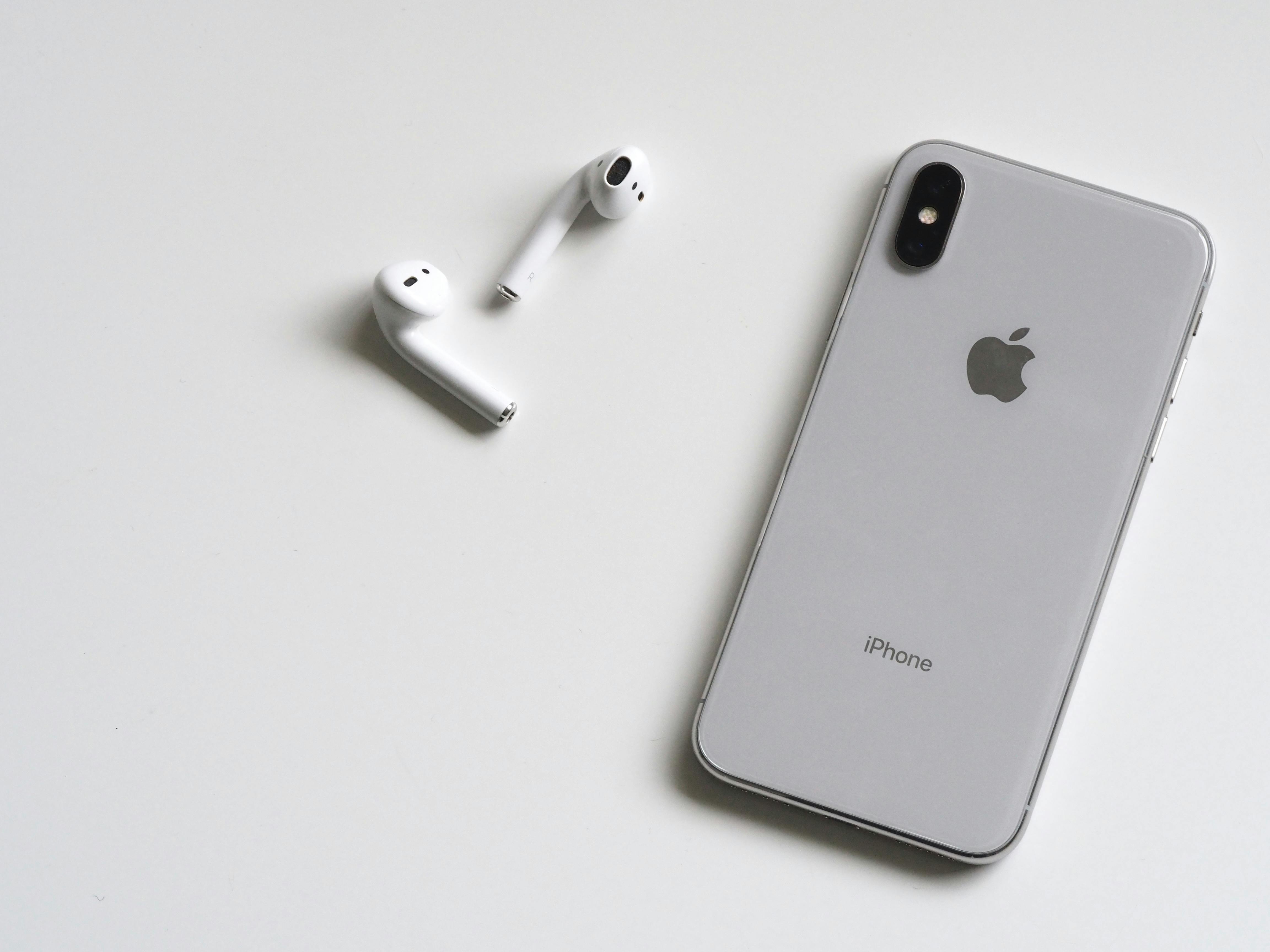
Visualizing Apple’s AI Push


Practical Tools and Devices for Exploring On‑Device AI
For practitioners and enthusiasts who want to experiment with on‑device AI in the Apple ecosystem, a combination of capable hardware and learning resources is essential.
Recommended Hardware
- Apple MacBook Air with M2 or M3: A highly efficient development machine for Core ML and MLX experiments. For example, the 13‑inch MacBook Air (M2, 8‑core CPU, 8‑core GPU, 8GB RAM, 256GB SSD) offers an excellent balance of performance, battery life, and portability for running on‑device models and Xcode.
- Recent‑generation iPhone or iPad with Neural Engine: Ideal for testing real‑world performance and UX of on‑device inference.
Learning and Experimentation Resources
- Apple Machine Learning portal – Official documentation, WWDC sessions, and sample code.
- MLX on GitHub – Apple’s framework for ML research on Apple Silicon.
- Core ML tutorials on YouTube – Community‑driven walkthroughs on converting and deploying models.
- Discussions on Hacker News and r/MachineLearning – Ongoing analysis of Apple’s AI architecture, quantization strategies, and benchmarks.
Conclusion: The Future of Apple Intelligence and On‑Device AI
Apple’s AI push is not about winning headline benchmarks; it is about redefining what “smart” feels like on a personal device. By betting on on‑device intelligence, privacy‑preserving cloud assistance, and deep OS integration, Apple is creating a differentiated path from the cloud‑heavy strategies of Google Gemini and Microsoft Copilot.
The next few years will test whether this approach can keep pace with the rapid innovation happening in frontier models and open‑source communities. Success will depend on three things:
- Keeping on‑device models competitive enough for the majority of everyday tasks.
- Maintaining user trust through verifiable privacy and security guarantees.
- Enabling developers to build rich, AI‑enhanced apps without compromising control or openness.
If Apple can deliver on these fronts, Apple Intelligence may turn out to be less a feature and more a new paradigm for how AI should live on billions of personal devices—ambient, context‑aware, and private by default.
Additional Insights: How Users and Developers Can Prepare
For users, the most impactful steps are straightforward:
- Keep devices updated to the latest OS versions to access new on‑device AI features and security patches.
- Review privacy settings regularly—especially app permissions for photos, microphone, location, and notifications.
- Experiment with system‑level AI features (rewriting, summarization, smart search) to understand where they genuinely add value.
For developers and technologists, preparation is more involved:
- Gain familiarity with Core ML, model conversion, and quantization workflows.
- Design UX flows that explain when AI is used and what data it touches, aligned with WCAG and privacy best practices.
- Architect apps so that sensitive computation stays on device while still leveraging cloud when appropriate.
Regardless of platform allegiance, Apple’s move forces the broader industry to reckon with a key question: if powerful AI can run locally, what justification remains for sending everything to the cloud? The answer will shape not just who wins the AI race, but how safe, private, and accessible intelligent computing becomes for everyone.
References / Sources
- Apple Newsroom – Official announcements on Apple Intelligence and Apple Silicon
- Ars Technica – Analysis of Apple’s on‑device AI architecture and Neural Engine
- The Verge – Coverage of Apple, Google Gemini, and Microsoft Copilot consumer features
- Wired – Strategic and regulatory perspectives on Big Tech AI competition
- TechCrunch – Developer‑focused reporting on Apple’s ML frameworks and APIs
- Hacker News – Community discussions on quantization, benchmarks, and on‑device inference
- Apple Developer – Machine Learning resources and documentation
- Microsoft Copilot – Official overview of Microsoft’s AI assistant
- Google Gemini – Official page for Google’s Gemini models
