
Inside the AI PC Revolution: How On‑Device Generative AI Is Rewiring Personal Computing
Across tech media, social platforms, and developer communities, “AI PCs” have become the focal point of the next hardware cycle. Devices built around Intel Core Ultra, AMD Ryzen AI, Qualcomm Snapdragon X Elite/Plus, and Apple’s M‑series chips ship with dedicated neural processing units (NPUs) capable of running sophisticated generative models locally—often at single‑digit watts of power. This article unpacks what AI PCs are, why NPUs matter, how on‑device generative AI changes privacy and performance, and what it means for users, developers, and the broader computing ecosystem.
In parallel, tooling like Ollama, LM Studio, and llama.cpp has made it easy for non‑experts to download and run open‑weight models such as LLaMA, Phi, Qwen, and Gemma entirely offline. Influencers on YouTube, X (Twitter), and TikTok showcase side‑by‑side comparisons of cloud vs local assistants, while enterprise IT teams quietly explore how on‑device AI might lower risk and infrastructure costs.
“The center of gravity for AI inference is shifting from remote data centers to personal devices, driven by privacy expectations and efficiency gains.”
Mission Overview: What Exactly Is an “AI PC”?
An AI PC is not just a marketing term for a fast laptop. It is a system designed from the ground up to run AI workloads efficiently and continuously, with:
- A dedicated NPU optimized for matrix and tensor operations.
- Tight hardware–software integration to offload AI tasks from the CPU/GPU.
- OS‑level features that expose AI capabilities to applications (e.g., Windows Copilot+, macOS on‑device models).
- Thermal and power design that supports sustained AI inference without overheating or draining the battery.
Industry definitions vary: Microsoft’s Copilot+ PC program, for example, currently mandates a minimum NPU performance measured in trillions of operations per second (TOPS). Apple, by contrast, leans on its vertically integrated M‑series SoCs and Neural Engine, emphasizing “on‑device intelligence” rather than the AI PC label. Regardless of branding, the pattern is clear: general‑purpose PCs are becoming AI accelerators in their own right.
For power users, this means familiar workflows—coding, video editing, research, note‑taking—can be augmented with always‑on assistants that never leave the device, can read local files, and can respond in real time with minimal lag.
Technology: NPUs and the New AI Hardware Stack
At the heart of the AI PC arms race is the NPU, a specialized accelerator tailored to the linear algebra workloads that underpin modern deep learning. While GPUs remain critical in data centers for training and large‑scale inference, NPUs offer a superior power‑to‑performance ratio for the smaller (7B–14B parameter) models suited to client devices.
Key NPU Players and Architectures
- Intel Core Ultra and successors – Integrate an NPU alongside CPU and GPU. Intel emphasizes mixed workloads, where the NPU handles sustained AI inference (e.g., background transcription) while CPU/GPU manage bursty tasks like gaming or rendering.
- AMD Ryzen AI – AMD’s latest laptop chips pair Zen CPU cores with RDNA graphics and an XDNA‑based NPU. Benchmarks in outlets such as Ars Technica and The Verge highlight competitive or superior NPU throughput versus Intel in some workloads.
- Qualcomm Snapdragon X Elite/Plus – Built on ARM, these SoCs target Windows laptops with impressive efficiency, enabling all‑day battery life while running on‑device assistants. Their integrated NPUs are pitched as ideal for local LLMs and multimodal models.
- Apple M‑series with Neural Engine – Apple’s Neural Engine has quietly powered on‑device features like Face ID, local dictation, and image understanding for years. With M‑series laptops and desktops, Apple is doubling down on local, privacy‑preserving generative AI in macOS and iOS.

Why NPUs Matter for On‑Device Generative AI
Generative models are computationally intensive: each token generated by an LLM requires large matrix multiplications, and image or video models compound this cost. NPUs speed up these operations while consuming far less energy than CPUs or GPUs.
- Efficiency: NPUs deliver higher TOPS per watt, enabling sustained inference on battery power.
- Thermals: Lower heat output allows thin‑and‑light designs without noisy fans.
- Parallelism: NPUs specialize in parallel tensor operations, exactly matching transformer workloads.
- Offload: They free the CPU and GPU for interactive tasks, gaming, and UI rendering.
“As models get more capable, NPUs aren’t a nice‑to‑have—they’re the only way to deliver AI experiences that feel instantaneous on a battery-powered device.”
Software Ecosystem: From OS Features to Developer Tooling
Hardware alone does not create compelling AI experiences. The AI PC trend is equally about the software stack—from the operating system to consumer apps and developer frameworks—that can exploit NPUs effectively.
OS-Level Integrations
- Windows Copilot+ PCs – Microsoft is embedding on‑device models into features like Recall (local context search), live captions, translation, and in‑app copilots across Office, Edge, and system utilities. Many of these are designed to run on the NPU so they can function even when offline.
- macOS and iOS on-device models – Apple is rolling out more generative features such as on‑device text summarization, image manipulation, and context‑aware suggestions, with an explicit focus on keeping personal data on the device unless the user opts into cloud services.
- Linux and open tooling – Enthusiasts and researchers lean on Linux distributions with toolchains like PyTorch, llama.cpp, and whisper.cpp for local speech recognition, often experimenting with NPU and GPU offload where drivers allow.
Developer Tools for Local Models
Developers who previously depended on APIs from OpenAI, Anthropic, or Google are exploring local‑first architectures. Popular approaches include:
- Ollama and LM Studio – GUI- and CLI‑based tools that simplify downloading, quantizing, and running models locally.
- GGUF / quantization formats – Compact, integer-based formats for LLM weights that trade minimal quality for substantial memory savings.
- ONNX Runtime and DirectML – Abstractions that allow developers to target NPUs without writing hardware‑specific code for each vendor.
This emerging software ecosystem lets small teams ship AI‑enhanced apps without running their own GPU clusters or paying per‑token API fees, a major draw for indie developers and privacy‑sensitive enterprises.
Scientific Significance: From Cloud-Centric to Hybrid AI
The AI PC trend represents a shift in system architecture analogous to the move from mainframes to personal computers. Instead of a single centralized AI model serving millions of users, we are moving toward a hybrid model where:
- Core reasoning happens locally for responsiveness and privacy.
- Heavy-duty tasks (very large models, long-context reasoning, training) remain in the cloud.
- Personal context—emails, documents, photos—is processed at the edge.

Privacy and Regulatory Impact
On‑device AI directly addresses regulatory and user concerns:
- Data locality: Keeping personal data on the device simplifies compliance with GDPR and CCPA because sensitive information never leaves user control.
- Consent and logging: When inference happens locally, less telemetry is required; companies can avoid storing query logs in the cloud.
- Edge anonymization: Devices can pre‑process and anonymize data before sending any subset to the cloud, reducing re‑identification risk.
“Edge AI is emerging as a natural ally for data protection by design, limiting unnecessary data collection and centralization.”
Latency and UX Improvements
Running models on-device cuts round‑trip network latency. For tasks like:
- Real‑time transcription and translation.
- Frame‑by‑frame video enhancement.
- Latency‑sensitive coding assistance in IDEs.
this can be the difference between “magic” and “maddening.” Offline capability is also critical for travelers, field workers, and users in regions with unreliable connectivity.
Milestones: How We Got to the AI PC Arms Race
The on‑device AI story has unfolded over several years, with key milestones along the way:
- 2017–2019: Early NPUs arrive in smartphones (Apple Neural Engine, Qualcomm Hexagon DSP) for camera and speech features.
- 2020–2022: M‑series Macs prove that integrated SoCs with neural engines can deliver desktop‑class performance with laptop‑class power.
- 2023: Open‑weight models like LLaMA and Mistral spark a wave of local LLM tools; hobbyists run 7B models on consumer GPUs and even high‑end phones.
- 2024 onwards: Intel, AMD, and Qualcomm ramp up NPU performance on Windows laptops; Microsoft brands “Copilot+ PCs”; Apple announces deeper on‑device generative features.

Today, reviewers on platforms like YouTube and journalists at Wired and TechCrunch routinely benchmark AI PCs by measuring tokens per second (TPS) for specific local models and evaluating how well NPUs handle multimodal tasks like text‑plus‑vision question answering.
Real-World Use Cases: What Users Can Do with AI PCs Today
While some marketing campaigns still lean on vague “AI‑powered” claims, concrete, high‑value use cases for AI PCs are already emerging:
- Personal knowledge management: Local LLMs can index emails, PDFs, and notes, then answer natural‑language questions without uploading documents to the cloud.
- Coding assistants: Developers are running open‑weight models fine‑tuned on code directly in VS Code or JetBrains, enabling autocomplete and refactoring suggestions that never touch proprietary repositories.
- Content creation: Writers and designers use local models for brainstorming, rewriting, and generating draft images or storyboards without exposing confidential campaigns.
- Accessibility: Real‑time captioning, summarization, and translation help users with hearing or language barriers, even during offline meetings.
- Gaming and modding: AI PCs can power NPC dialogue generation, procedural quest design, and voice synthesis locally, offering new forms of personalization.
On TikTok and X, creators frequently demonstrate workflows such as “offline AI secretary,” “air‑gapped coding assistant,” or “travel translator that works on a plane,” underscoring how powerful on‑device models can be in constrained environments.
Benchmarks: Measuring On‑Device Generative Performance
Tech outlets and independent reviewers are converging on a few standard metrics to evaluate AI PCs:
- Tokens per second (TPS): How many tokens per second an LLM can generate at a given quantization and context length.
- Model capacity: The largest model (in billions of parameters) that can run comfortably without exhausting RAM or VRAM.
- Battery drain: Power consumption when running sustained inference on the NPU vs GPU vs CPU.
- Thermal behavior: Surface temperature and fan noise during prolonged AI tasks.
Reviewers commonly test models like LLaMA 3, Gemma, Phi‑3, and Qwen in the 7B–14B range, sometimes stretching to 30B on high‑end systems. Multimodal tests may include image captioning, OCR, and vision‑language reasoning.
“For the first time, AI benchmarks—tokens per second and NPU TOPS—are sitting alongside FPS and battery life in our laptop reviews.”
Business and Economic Impact: Rethinking AI Economics
On‑device generative AI has far‑reaching implications for cloud providers, PC manufacturers, and software vendors.
Cloud vs Edge Economics
- Reduced inference costs: When inference shifts to client devices, cloud providers may see lower per‑user GPU demand—but also reduced bandwidth and storage costs.
- Hybrid monetization models: Vendors are exploring one‑time device‑based fees (for NPU hardware) alongside optional subscriptions for heavy cloud features or collaborative capabilities.
- Differentiated hardware SKUs: OEMs now market NPU performance as a key selling point, similar to how GPU tiers drive gaming laptop pricing.
Subscription Fatigue and Local-First Apps
Many users are wary of adding yet another monthly AI subscription. Developers of local‑first apps can offer:
- One‑time purchase licenses or perpetual tiers.
- Bring‑your‑own‑model options where advanced users supply their own checkpoints.
- Enterprise features emphasizing data residency and compliance.
This dynamic is leading analysts to question whether AI revenue will concentrate in cloud APIs or diffuse into device sales and local software ecosystems.
Challenges: Fragmentation, Trust, and Sustainability
Despite the excitement, the AI PC and on‑device AI movement faces several technical and societal challenges.
Platform Fragmentation
- Different NPUs expose different APIs, making cross‑platform optimization non‑trivial.
- Driver maturity and toolchain support lag behind the pace of hardware launches.
- App developers must decide which minimum NPU spec to target, risking inconsistent user experiences.
Model Size and Quality Constraints
Even with quantization and pruning, there are limits to what can run on a thin‑and‑light device:
- Smaller models may lag behind state‑of‑the‑art cloud models in reasoning, safety, or multimodal capabilities.
- Long‑context tasks (hundreds of thousands of tokens) remain impractical purely on‑device.
Security and Verification
On‑device AI enhances privacy but raises new security questions:
- How can enterprises verify that data truly never leaves the device?
- How do we secure local models against tampering or prompt injection via malicious files?
- What policies govern sensitive use cases when inference happens outside centrally monitored infrastructure?
“Moving inference to the edge does not magically solve security—it simply moves the trust boundary closer to the end user.”
Practical Buying Guide: Choosing an AI PC
For readers considering an AI PC today, a few criteria can help narrow the options:
- NPU performance (TOPS): Look for devices that meet or exceed current Copilot+ and equivalent thresholds.
- RAM: 16 GB is a minimum for comfortable LLM usage; 32 GB or more is recommended for heavier workloads.
- Storage: Large local models can consume tens or hundreds of gigabytes; prioritize fast NVMe SSDs with room to grow.
- Thermals and acoustics: Prefer systems designed for quiet, sustained loads rather than short synthetic bursts.
For Windows users looking for a ready‑to‑go AI laptop, a popular option in the U.S. market is the ASUS Vivobook S 15 Copilot+ Laptop , which pairs a Snapdragon X Elite processor with a capable NPU and all‑day battery life.
For macOS users who prioritize on‑device intelligence with strong battery performance, M‑series MacBooks such as the MacBook Air and MacBook Pro families offer mature Neural Engine support and tight integration with Apple’s privacy‑preserving AI features.
Advanced Workflows: Building Your Own On‑Device AI Stack
Technically inclined users can go beyond built‑in OS features to assemble a custom on‑device AI environment. A typical workflow might include:
- Installing a local model manager such as Ollama or LM Studio.
- Downloading a suitable 7B–14B model (e.g., a LLaMA 3 or Phi variant) in a quantized format.
- Configuring your IDE, note‑taking tool, or browser to call the local API instead of a cloud endpoint.
- Optionally fine‑tuning on your own documents using parameter‑efficient techniques (LoRA / QLoRA).
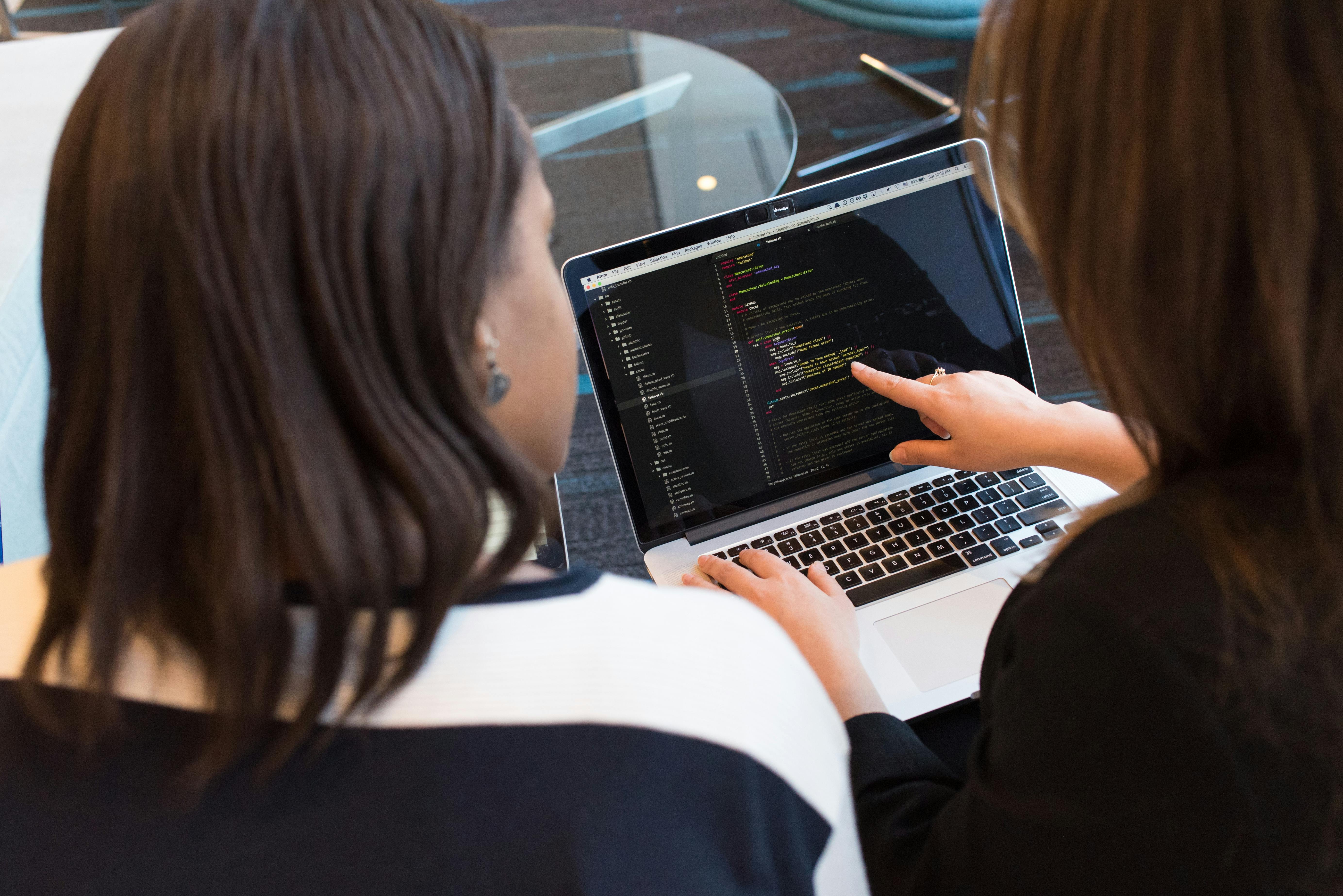
Many YouTube creators, including prominent hardware reviewers and AI educators, publish step‑by‑step tutorials on setting up such environments. Searching for “local LLM laptop setup” or “AI PC Ollama tutorial” on YouTube yields up‑to‑date guides tailored to specific hardware.
Conclusion: The Future of Personal AI Computing
AI PCs and on‑device generative AI are more than a short‑lived marketing wave. They mark a structural shift in how intelligence is distributed across the computing stack—one where personal devices are no longer passive clients but active participants in reasoning, synthesis, and perception.
Over the next few years, we can expect:
- Rapid NPU performance gains and standardization of AI performance metrics in consumer reviews.
- Richer hybrid architectures, with seamless transitions between local and cloud models.
- New application categories built around persistent, privacy‑preserving local agents.
For users, the most useful question is not “Which is the best AI PC?” but “Which combination of local and cloud AI best fits my privacy needs, latency requirements, and budget?” Understanding NPUs, local models, and hybrid workflows is the first step toward answering that question.
Further Reading, Tools, and Resources
To explore AI PCs and on‑device generative AI in more depth, the following resources are particularly helpful:
- Ars Technica – AI and hardware coverage
- The Verge – AI and PC ecosystem reporting
- Microsoft Copilot+ PCs overview
- Apple Machine Learning – on‑device ML technologies
- Ollama – local LLM runtime and model catalog
- LM Studio – desktop UI for running local models
Professionals interested in policy and governance aspects may want to follow AI and privacy experts on platforms like LinkedIn and X, where ongoing debates cover responsible deployment of edge AI, transparency standards, and the long‑term environmental footprint of distributing inference across billions of devices.
References / Sources
- Ars Technica – Technology & AI coverage
- The Verge – AI PC and hardware reporting
- Engadget – AI and PC news
- Wired – Artificial Intelligence features
- TechCrunch – AI startup and ecosystem coverage
- Ollama – Local LLM tooling
- llama.cpp – Inference of LLaMA and other models in C/C++
- Microsoft – Copilot+ PCs
- Apple – Machine Learning on Apple Silicon
- NIST – AI and cybersecurity publications
- CNIL – Data protection guidance related to AI
