
Can You Spot the AI Fake? Take This Visual Literacy Challenge Before Your Next Scroll
In this deep‑dive, you’ll learn how to play an “Is it AI?” quiz with friends, what expert fact‑checkers look for frame‑by‑frame, and how to build your own personal toolkit for surviving the next wave of synthetic media.
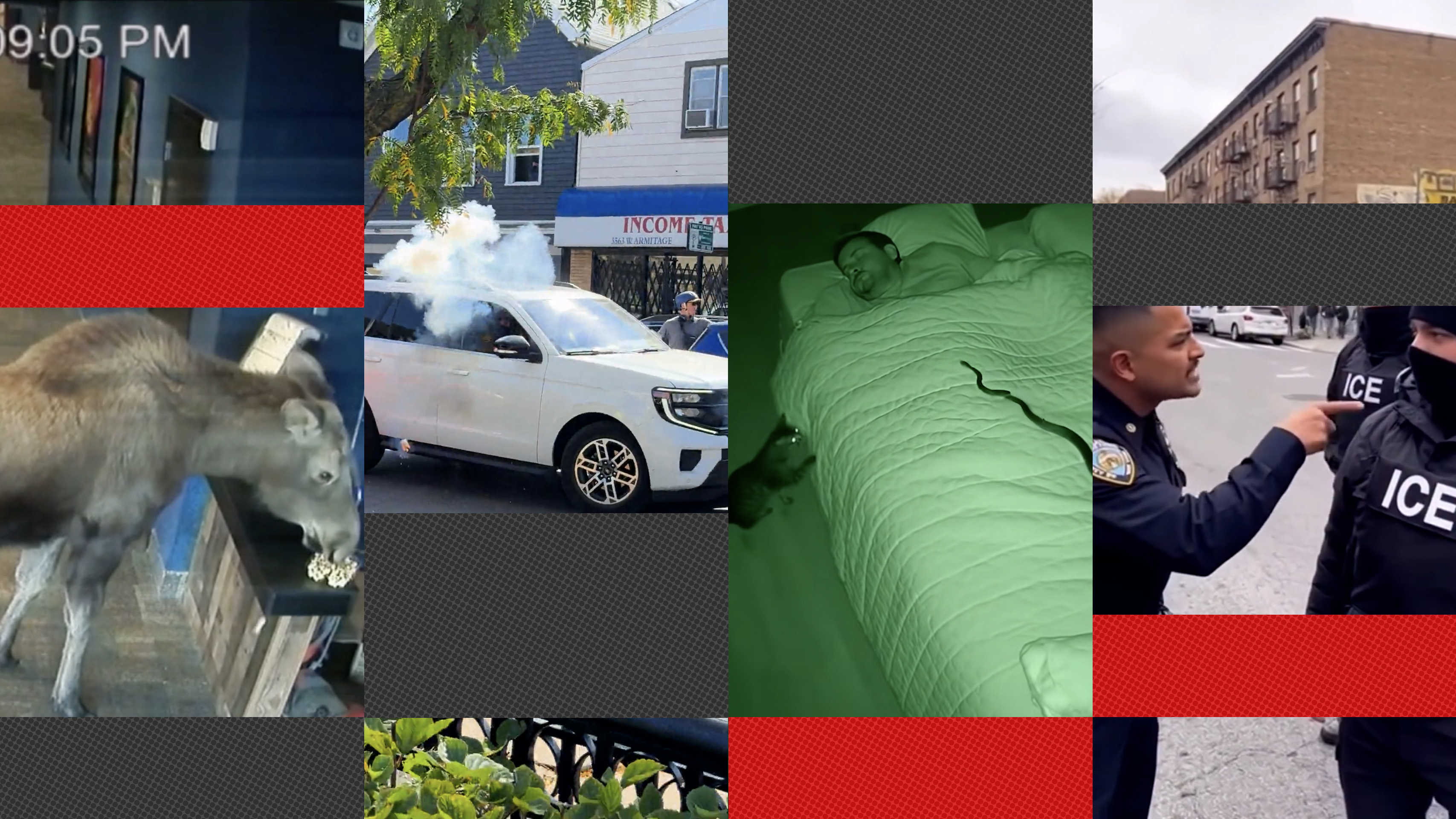
You’re stretched out on the couch after a big holiday meal. Someone opens TikTok, then Instagram Reels, then YouTube Shorts. A cat snatches a snake out of a bathtub. A plane skims a highway so low you can see the pilot’s eyes. A celebrity appears to confess to something unbelievable in flawless 4K. Everyone gasps, laughs, shares. But in 2025, there’s a new question hovering over every clip: Was any of that real?
What Is “AI Video Slop” and Why Is It Everywhere?
“AI video slop” is the term many journalists and researchers now use for low‑effort, algorithm‑friendly videos that are heavily edited, partially synthetic, or fully generated by AI. These clips are engineered to be:
- Eye‑catching in the first 1–3 seconds
- Emotionally triggering (cute, shocking, enraging, heart‑warming)
- Cheap and fast to produce at massive scale
- Optimized to keep you scrolling – not necessarily to tell you the truth
Platforms reward content that keeps people engaged, which means more creators – and opportunists – are turning to AI tools to pump out visually intense, plausibly real clips. NPR’s recent interactive quiz on spotting AI video highlights just how easy it is to get fooled, even when you think you’re media savvy.
“A lie can travel halfway around the world while the truth is putting on its shoes.”
Turn Scrolling Into a Game: How to Play “Spot the AI”
You don’t need a lab or a fact‑checking newsroom to practice. You can turn your everyday scrolling into a mini media‑literacy workout by treating each clip as part of a quiz:
- Before you see the comments, pause the video and guess: real, edited, or AI‑generated?
- Say your reasoning out loud (or type it in notes). Which clues tipped you off?
- Then check comments, creator profiles, and reverse‑search tools to see if your instinct was correct.
- Track your score across a week. Are you getting better?
NPR’s quiz walks you through exactly this process with expert commentary. Re‑creating that experience in your daily scroll is one of the most effective ways to inoculate yourself against future deepfakes and misleading clips.
7 Visual Clues That a Video Might Be AI‑Generated or Manipulated
No single sign proves a video is fake, but experienced fact‑checkers look for a cluster of anomalies. When you watch your next “too wild to be true” clip, scan for these common tells:
1. Weird Hands, Teeth and Ears
Even the most advanced models still struggle with the fine details of human anatomy – especially in fast‑moving or crowded scenes.
- Hands with too many or too few fingers
- Fused or melted knuckles and nails
- Teeth that look like a single sheet of white
- Ears that change shape between frames
2. Physics That Don’t Quite Add Up
Watch how objects move and interact:
- Liquids pouring in impossible ways
- Shadows not matching the motion of people or vehicles
- Clothing that doesn’t respond naturally to wind or gravity
- Animals behaving in oddly “scripted” ways with perfect timing
3. Lighting and Shadows That Clash
AI models can generate stunning lighting – but consistency is hard:
- Light hitting faces from different directions within the same shot
- Out‑of‑sync shadows or reflections in water and glass
- Faces lit perfectly while the background is strangely flat
4. Blurry, Glitchy Background People
To save computation, many generative systems focus on the main subject and “fudge” the rest.
- People in the background that seem to repeat, clone, or melt
- Signs, text, and logos that are unreadable or morphing
- Cars and buildings that warp at the edges of the frame
5. Unnatural Eye and Mouth Movement
For AI‑dubbed or synthetic talking‑head videos, experts zoom in on micro‑movements:
- Eyes that rarely blink, or blink in jerky, rhythmic patterns
- Lip‑sync that’s slightly off from the audio
- Teeth and gums that appear as a blur of white and pink with no depth
6. Overly Perfect Camera Moves
Dramatic drone‑like sweeps in footage shot from a “phone” can be a hint:
- Hyper‑smooth tracking shots in chaotic environments
- Camera flying through impossible spaces without any shake
- Transitions that look more like a game engine than real life
7. Audio That Feels Disconnected
Listen as closely as you watch:
- Background noise that doesn’t match the environment
- Voices with “radio‑like” clarity even in loud public spaces
- Emotional tone of speech that doesn’t fit the facial expression
Context Clues: What the Surrounding Information Tells You
Even the sharpest eye can be fooled visually. That’s why verification experts combine image analysis with contextual checks:
Check the Source and the Story
- Who posted it first? A brand‑new account with no history is a red flag.
- Is there a credible byline? Reputable newsrooms, NGOs or researchers?
- Is there a location and date? Vague captions like “this just happened” are suspicious.
Run a Reverse Image or Video Search
A clip labelled “breaking” might be old footage with a new caption. Try:
- Google Images “Search by image”
- Google Lens on your phone
- InVID WeVerify plugin for frame‑by‑frame checks
Compare With Trusted Coverage
For big claims – a disaster, a public figure, a major policy change – cross‑check with:
- Major news outlets and wire services
- Official agency or government accounts
- Specialized fact‑checkers such as Snopes or International Fact‑Checking Network
What Experts and Platforms Are Doing About AI Video Slop
Research labs, journalists and platforms are all scrambling to respond to the flood of synthetic clips. Several trends have emerged by late 2025:
- Watermarking and metadata: Companies including OpenAI, Google, and Adobe are rolling out content credentials to tag AI‑generated media at creation.
- Detection tools: Academic labs publish models that can detect certain generation patterns, though these tools are in an arms race with new models.
- Platform labels: Social networks increasingly apply “AI‑generated” labels when they’re confident, though coverage is far from complete.
- Media‑literacy campaigns: Outlets such as NPR, The New York Times, and the BBC are producing explainers and interactive quizzes to help audiences train their instincts.
“Technical detection will always be necessary, but never sufficient. A resilient public needs habits of verification.”
Build Your Personal AI‑Video Verification Toolkit
You don’t need to become a full‑time investigator to protect yourself. A small, consistent set of habits will catch a surprising number of fakes:
1. Adopt the “Pause, Don’t Panic” Rule
When a video makes you feel very angry, vindicated, or ecstatic, pause for 10–20 seconds before sharing. Ask:
- What’s the claim here, in one sentence?
- Who benefits if I believe this?
- Have I seen this from a source I already trust?
2. Save a Short List of Tools
Bookmark or install:
- A reverse‑image search tool (Google Images or Lens)
- A fact‑checking site or two
- A browser extension like InVID for repeated use
3. Train With Quizzes and Games
Regular exposure to side‑by‑side comparisons dramatically sharpens your intuition. In addition to NPR‑style quizzes, look for:
- Interactive “deepfake spot the difference” challenges on YouTube
- University or journalism‑school demos that show how they test clips
- Media‑literacy games produced by public broadcasters
Helpful Gear and Resources for Curious Viewers
If you want to go a step beyond casual scrolling and really study how videos are made and manipulated, a few affordable tools can make a big difference.
Recommended Viewing Setup
- A mid‑size monitor with accurate colors helps reveal subtle artifacts and inconsistencies in AI video. Many creators rely on displays like the Dell UltraSharp U2720Q 27‑Inch 4K Monitor to inspect footage in detail.
- Over‑ear headphones – for instance the Sony WH‑1000XM5 Wireless Noise Canceling Headphones – make it easier to hear odd edits, cuts and audio mismatches that might signal a manipulated clip.
Further Reading and Watching
- The NPR Technology section regularly publishes explainers and quizzes on AI and misinformation.
- The New York Times Visual Investigations team on YouTube breaks down how they verify and debunk viral clips.
- Media researcher and journalist accounts on platforms like LinkedIn and X (Twitter) search for “media literacy AI video” share ongoing case studies in real time.
Turn It Into a Family or Classroom Activity
The living‑room scenario – a group of relatives arguing over whether a clip is real – can actually be a powerful teaching moment if you frame it as a challenge, not a scolding.
- Pick 5–10 short videos (some real, some AI‑assisted) and play them without captions first.
- Have everyone vote by raising hands or using a simple score sheet.
- Reveal the answer and then discuss what clues people saw or missed.
- Keep a running “leaderboard” over a weekend or semester to make improvement visible.
Teachers can adapt this structure for digital‑citizenship lessons, pairing each clip with a short discussion about ethics, consent, and the responsibilities of sharing visual information online.
Looking Ahead: Why Visual Skepticism Will Be a Core Skill
By late 2025, consumer‑grade AI generators can produce high‑resolution, near‑photorealistic video from simple text prompts. That power is already being used for entertainment, advertising, political persuasion and in some cases, harassment or fraud. Regulatory debates continue in the U.S., Europe, and beyond, but there is no switch that can suddenly remove AI slop from your feed.
Instead, experts increasingly talk about “cognitive immunity” – your personal resilience against misleading visuals. Every time you pause, question a too‑perfect clip, run a quick search, or do a quick group “real or AI?” vote, you strengthen that immunity a little more.
No one will be right 100% of the time. Even seasoned investigators get fooled. What matters is building a habit of gentle skepticism: assuming there is always more to learn before you like, share, or take action based on a video that lands in your lap after dinner.
Extra Tips to Keep Sharpening Your Eye
To keep your skills fresh without turning every scroll into homework, try these small, sustainable practices:
- Limit autoplay so you consciously choose what to watch instead of passively absorbing a stream.
- Follow at least one media‑literacy or fact‑checking account on your favorite platform for bite‑size lessons.
- Bookmark one or two trustworthy explainers about AI video – including interactive quizzes – and revisit them every few months as tools evolve.
- Talk about what you see with friends and family. Explaining your reasoning out loud is one of the fastest ways to improve it.
AI‑generated video slop may be everywhere, but boredom and cynicism don’t have to be. Approached the right way, learning to spot the seams and glitches can make your time online more interesting, more empowering, and far less likely to be hijacked by someone else’s algorithm.
