
Inside the AI PC Era: How Copilot+ Laptops and Local LLMs Are Rewiring Personal Computing
The term “AI PC” has shifted from marketing buzzword to a concrete hardware and software direction for Windows laptops and desktops. With Microsoft’s Copilot+ PC initiative, Qualcomm’s Snapdragon X Elite/X Plus platform, and upcoming Intel Lunar Lake and AMD next‑generation APUs, the architecture of personal computing is being reorganized around on‑device AI workloads—especially large language models (LLMs) and real‑time media processing.

At the heart of this shift is the Neural Processing Unit (NPU)—a dedicated accelerator that handles tensor and matrix operations far more efficiently than traditional CPUs, and often at lower power than GPUs. AI PCs promise to run natural‑language interface layers, high‑quality transcription, image generation, and complex search tasks locally, reducing latency and dependence on cloud APIs while enabling new OS‑integrated experiences such as Windows Copilot, Recall (in revised form), and Cocreator.
Mission Overview: What Defines the AI PC Era?
An AI PC is more than a fast laptop with a preinstalled chatbot. It is a system architected so that AI workloads are first‑class citizens alongside traditional applications. This involves three pillars:
- AI‑centric silicon: CPU, GPU, and NPU co‑designed to execute mixed workloads efficiently.
- OS‑level integration: Windows and its services are restructured around a context‑aware assistant layer, primarily via Copilot and Copilot+ features.
- Local model execution: Optimized LLMs and vision models run fully or partially on‑device, limiting round‑trips to cloud services.
Microsoft has framed Copilot+ PCs as the largest change to the Windows PC platform since the ultrabook push over a decade ago. Reviewers at outlets like Ars Technica, The Verge, and TechRadar now routinely include NPU performance (TOPS), on‑device model latency, and battery draw under AI load in their benchmarks.
“We believe the next wave of computing will be defined by AI‑first experiences running on devices that are both powerful and personal.” — Satya Nadella, CEO, Microsoft
Technology: Inside Copilot+, NPUs, and Local LLMs
Under the AI PC umbrella, several hardware and software technologies are converging. While implementation details differ across vendors, the core pattern is similar: integrate a high‑efficiency NPU, provide APIs to target it, and ship system‑level features that rely on local inference.
Hardware Foundations: Snapdragon X, Lunar Lake, and Next‑Gen AMD
The first wave of Copilot+ PCs is primarily powered by Qualcomm Snapdragon X Elite and X Plus chips, built around Arm architecture with:
- High‑performance CPU cores for general workloads
- Integrated GPUs tuned for both graphics and some AI workloads
- NPUs rated around tens of TOPS (tera operations per second) for sustained on‑device inference
Intel’s upcoming Lunar Lake platform and AMD’s forthcoming AI‑centric APUs (building on Ryzen AI) similarly emphasize NPU performance, improved energy efficiency, and better memory bandwidth—critical for running 7B–13B parameter LLMs with reasonable latency.
What an NPU Actually Does
NPUs are specialized for dense linear algebra operations that dominate modern deep learning workloads:
- Matrix multiplications (GEMM) in transformer layers
- Convolutions in vision models
- Attention operations in LLMs (scaled dot‑product attention)
By tightly coupling compute units with high‑bandwidth on‑chip memory and low‑precision data types (e.g., INT8, FP8, mixed precision), NPUs can deliver much higher performance per watt than CPUs, which is essential for maintaining good battery life while continuously running AI assistants in the background.
Local LLMs and ONNX Runtime
On the software side, Microsoft is encouraging developers to target NPUs via Windows ML and ONNX Runtime. Open‑source communities are optimizing models such as:
These models are being quantized and pruned for edge devices, often down to 4‑bit or 8‑bit weights, and packaged into ONNX or GGUF formats that can run efficiently on NPUs or GPUs with minimal memory footprint.

Copilot+ Features: Recall, Cocreator, and Beyond
Microsoft’s Copilot+ branding bundles several AI‑centric capabilities:
- Copilot in Windows — a system‑level assistant accessible from the taskbar or shortcut, capable of natural‑language commands, summarization, and contextual help.
- Recall (under active redesign) — a timeline view of on‑device activity, powered by periodic screen snapshots and OCR, enabling semantic search over past work.
- Cocreator — AI‑driven image generation and editing integrated into tools like Paint or Photos.
- AI‑enhanced Office — Copilot features in Word, Excel, PowerPoint, and Outlook that assist with drafting, analysis, and summarization.
Early versions of Recall raised intense scrutiny from security researchers, leading Microsoft to add stronger encryption, clearer controls, and an opt‑in model. This pattern—ambitious AI features followed by rapid iteration under public pressure—has become typical in the AI PC rollout.
Scientific Significance: Why Local AI on PCs Matters
Shifting AI workloads from cloud servers to end‑user devices is more than a usability upgrade. It has implications for privacy, energy consumption, and the economics of AI deployment.
Latency and Interactivity
Running LLMs and vision models locally eliminates network round‑trips, which:
- Reduces response time for conversational interactions and UI automation
- Makes real‑time features (e.g., live captioning, automatic meeting notes) more reliable
- Improves experiences under constrained or offline connectivity
For applications like live video effects, on‑the‑fly translation, or AR overlays, even modest reductions in latency can translate into substantial subjective improvements in smoothness and usability.
Privacy and Data Governance
Many enterprises are wary of sending sensitive data—source code, legal documents, protected health information—to third‑party clouds for AI processing. Local inference offers:
- Data residency: user data never leaves the device unless explicitly configured.
- Reduced attack surface: fewer network hops and external storage locations.
- Customizable policies: IT admins can enforce encryption, disk protection, and audit logs within their existing endpoint frameworks.
“Moving inference closer to the data source is not just an optimization; it fundamentally reshapes the trust boundaries of machine learning systems.” — Paraphrased from recent edge AI research discussions
Energy and Environmental Impact
Large‑scale cloud inference is resource‑intensive: data centers consume substantial electricity and water for cooling. By offloading suitable workloads to billions of edge devices that would be powered on anyway, AI PCs may:
- Distribute inference energy cost more evenly across devices
- Reduce data‑center peak loads for interactive inference
- Enable more efficient use of idle compute capacity on user machines
However, the net environmental impact is complex. Local inference still consumes energy, and always‑on assistants can keep NPUs and radios active more often. Rigorous lifecycle analyses are still emerging in the literature.
Milestones: From Concept to Shipping AI PCs
The AI PC storyline spans several years of incremental progress in both AI and PC hardware. Key milestones include:
- Early AI accelerators in laptops (pre‑2020) — low‑power NPUs appeared mainly for camera effects and voice assistants.
- Transformer dominance — models like BERT, GPT, and Vision Transformers drove demand for tensor‑optimized accelerators.
- Apple M‑series integration — Apple’s Neural Engine demonstrated the usability and battery benefits of on‑device ML at scale.
- Windows on Arm maturation — Qualcomm’s PC‑class chips improved performance and compatibility, enabling AI‑heavy workloads.
- Copilot+ PC launch — Microsoft formalized AI PCs as a distinct category, with minimum NPU performance requirements and OS‑integrated AI features.
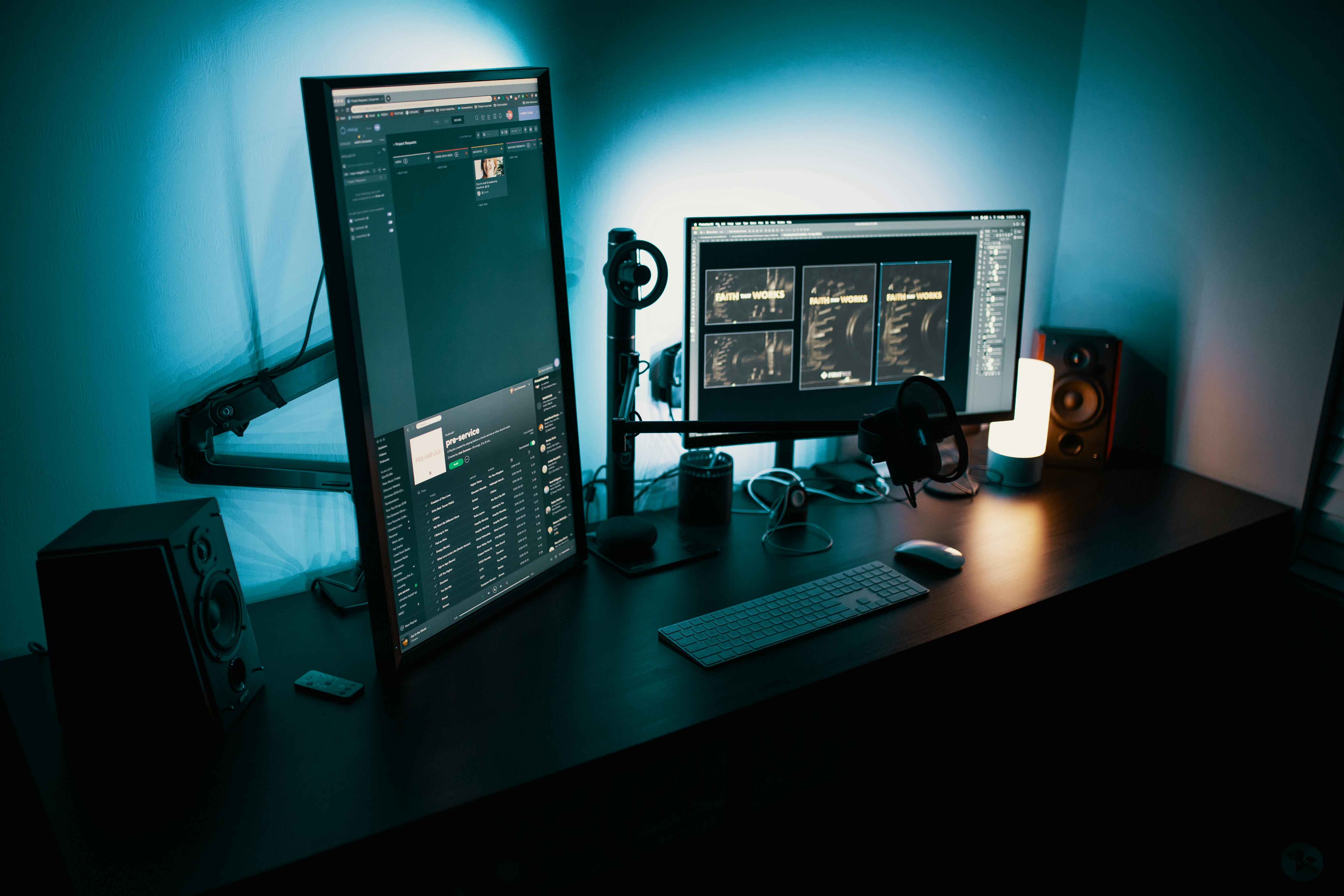
Coverage has evolved as well. Early pieces asked “What is an AI PC?”; current reviews focus on:
- Which AI PC has the most useful features?
- How do NPU benchmarks translate into real workloads?
- Are Copilot+ features worth the premium?
Community discussions on platforms like Hacker News and Reddit’s hardware forums show a mix of enthusiasm and skepticism, particularly around closed ecosystems and data collection.
Challenges: Hype, Privacy, Compatibility, and Control
Despite rapid momentum, AI PCs face a cluster of technical, social, and regulatory challenges that will determine whether the category matures or becomes another short‑lived marketing cycle.
Privacy and Security Concerns
Features like Recall sparked immediate pushback, as they involve continuous capture and indexing of screen content. Security researchers highlighted:
- The risk of malware exfiltrating the Recall database
- Potential misuse in surveillance or coercive environments
- User confusion about what is stored, how long, and under what encryption
Microsoft has since moved to an opt‑in design with stronger protections, but the episode illustrates the tension between “AI that remembers everything” and legitimate privacy expectations.
Vendor Lock‑In and Ecosystem Fragmentation
Another concern is whether AI PC features effectively lock users into a specific vendor’s ecosystem. Key questions include:
- Can users swap out Microsoft’s Copilot for open‑source assistants?
- Will third‑party developers get equal access to NPU acceleration APIs?
- How portable are AI workflows between Windows, macOS, and Linux devices?
“If your AI assistant is deeply welded into your OS, it had better be trustworthy and replaceable. Otherwise we’re trading convenience for long-term autonomy.” — Paraphrasing common critiques on Hacker News discussions
Application Compatibility and Developer Workload
For Windows on Arm‑based AI PCs, legacy x86 applications still rely on emulation layers. While performance is improving, developers must:
- Recompile or optimize for Arm64 where possible
- Integrate with ONNX Runtime or DirectML to leverage NPUs
- Test AI features across a wider range of hardware capabilities
This transition echoes prior shifts (e.g., 32‑bit to 64‑bit, Intel to Apple Silicon), but with the added complexity of heterogeneous compute (CPU, GPU, NPU).
Real Utility vs. Gimmicks
A recurring theme in tech press and user forums is skepticism about whether AI PC features solve real problems. Some questions being asked:
- Do users actually want generative‑AI features embedded into every application?
- Will on‑device assistants respect user boundaries and not over‑automate tasks?
- How will we measure productivity gains versus distraction costs?
The most successful features will likely be those that feel invisible—improving search, recall, and automation in subtle but powerful ways—rather than flashy demos.
Practical Considerations: Choosing and Using an AI PC
For professionals, creators, and enthusiasts evaluating AI PCs, it helps to approach the decision with clear criteria rather than pure hype.
Key Specs to Evaluate
- NPU Performance: Look at stated TOPS, but also independent benchmarks running real models (e.g., Llama‑based chat, Stable Diffusion image generation).
- Memory Capacity: At least 16 GB RAM is advisable for comfortable local AI workloads; heavy users may prefer 32 GB.
- Storage: Local models and vector indexes can consume tens of gigabytes; opt for fast NVMe SSDs with adequate capacity.
- Thermals and Battery: Sustained NPU workloads should not cause thermal throttling or drastic battery drain; check long‑run tests rather than short bursts.
Recommended Reading and Videos
To deepen understanding, consider:
- YouTube deep‑dives on Copilot+ PCs and Snapdragon X Elite teardowns
- Microsoft’s official Windows AI platform documentation
- ONNX Runtime documentation and samples
Developer and Power User Tooling
If you intend to run your own local models or experiment with AI workflows, you may want:
- Container or virtual environment support (e.g., WSL2, Docker where applicable).
- Open‑source runtimes like llama.cpp and whisper.cpp for efficient CPU/NPU inference.
- Local search/indexing tools that can integrate embeddings and vector databases on‑device.
Related Gear: Hardware and Accessories for the AI PC Era
While specific AI PC models evolve quickly, certain accessories materially improve the experience of using AI‑heavy laptops, especially for developers and creators.
High‑Quality External SSDs
Running and experimenting with multiple local models can consume large amounts of storage. A fast, portable SSD can help:
- Offload large model files and datasets
- Maintain quick load times for AI workloads
- Provide a physical separation layer for sensitive data
Many users opt for drives such as the Samsung T7 Portable SSD for its combination of speed, durability, and wide compatibility.
Ergonomics and Input
AI‑assisted workflows often involve long sessions of prompt design, coding, and editing. Investing in:
- An ergonomic keyboard
- A precise mouse or trackpad
- A laptop stand for eye‑level viewing
can significantly reduce fatigue and help you make better use of AI‑augmented tools, rather than being constrained by physical discomfort.
Future Outlook: Where AI PCs Are Headed Next
The AI PC era is still in its first innings. Over the next few years, several trajectories are likely:
- Richer Local Models: As compression and quantization techniques improve, running more capable multimodal LLMs entirely on‑device will become practical.
- Standardized AI APIs: Cross‑platform APIs for AI accelerators will reduce fragmentation and ease developer burdens.
- Policy and Regulation: Governments and standards bodies will likely issue guidance on AI logging, data retention, and transparency for OS‑level assistants.
- New Interaction Paradigms: Continuous, context‑aware assistance may change how we think about launching apps, managing files, and even using the desktop metaphor itself.

How this future unfolds will depend as much on social choices as on technical capabilities. Transparent design, user control, and open standards will be crucial to ensuring AI PCs augment human agency rather than eroding it.
Conclusion: Navigating the AI PC Transition
AI PCs with Copilot+ and local LLMs are not just faster laptops; they are early glimpses of a world where the operating system itself becomes an adaptive, semi‑autonomous collaborator. Dedicated NPUs, refined software stacks like ONNX Runtime, and OS‑integrated assistants are enabling experiences that would have seemed impractical on legacy machines.
Yet the transition brings genuine concerns around privacy, security, vendor lock‑in, and the risk of superficial AI features crowding out genuinely productive ones. For individuals and organizations, the pragmatic approach is to:
- Evaluate AI PCs based on real workloads, not only on benchmarks or marketing claims.
- Understand what data is processed locally vs. in the cloud, and configure privacy settings accordingly.
- Favor platforms and tools that are transparent, interoperable, and replaceable.
If those principles guide adoption, the AI PC era can deliver on its promise: faster, more personal computing that augments human capability while respecting user control.
Additional Resources and References
For readers who want to go deeper into the technical and policy aspects of AI PCs and local AI, the following resources provide high‑quality, up‑to‑date information:
- Microsoft Windows AI Platform Documentation
- ONNX Runtime: High-Performance Inference Documentation
- Ars Technica: Hardware and AI PC Coverage
- The Verge: AI and Copilot+ Reporting
- TechRadar: Computing and Laptop Reviews
- ONNX Runtime GitHub and Samples
References / Sources
- Microsoft Official Blogs
- Qualcomm Snapdragon X Elite Developer Resources
- Intel Newsroom (Lunar Lake and AI PC updates)
- AMD Ryzen AI Technology Overview
- Meta AI: Llama Models
- Microsoft Azure AI: Phi‑3 Announcement
- Mistral AI: Model and Platform News
Staying current with these sources will help you track how AI PCs evolve, what new capabilities become available locally, and how best practices around privacy and governance are changing over time.
