
Inside the AI PC Arms Race: How On‑Device Generative AI Is Rewiring Laptops and Phones
Across the tech ecosystem, a new “AI PC” and on‑device generative AI arms race is unfolding. Chipmakers are adding neural processing units (NPUs), PC and mobile vendors are shipping “AI‑ready” devices, and platform providers are baking generative assistants directly into operating systems. Meanwhile, developers on Hacker News and Reddit test these claims with open models, benchmarking real workloads and probing what actually changes for privacy, performance, and control.
This article explains what AI PCs and AI‑accelerated mobiles really are, how the hardware and software stack works, why the industry is pushing so hard in this direction, and which trade‑offs matter if you are a developer, power user, IT decision‑maker, or simply shopping for your next laptop or smartphone.

Mission Overview: What Is an “AI PC” and Why Now?
“AI PC” is not a strict technical standard; it is a marketing umbrella for PCs and mobile devices optimized to run AI workloads locally. In practice, it typically means:
- Dedicated on‑device accelerators (NPUs, TPUs, neural engines) alongside CPU and GPU.
- Firmware, drivers, and APIs tuned for low‑latency inference of language and vision models.
- OS‑level generative AI features such as assistants, copilots, and AI‑enhanced media tools.
- Power and thermal designs that sustain AI workloads without killing battery life.
The timing is no accident. PC and smartphone markets have matured: performance gains from each generation are less obvious to consumers. On‑device AI offers vendors a new narrative—your next upgrade is not just a bit faster; it is “AI‑native.”
“AI capabilities are becoming a fundamental expectation of modern computing, not an optional add‑on.”
— Satya Nadella, CEO of Microsoft, in public remarks on AI PCs (2024)
Media outlets such as The Verge, Ars Technica, and TechRadar now routinely benchmark “AI PC” features, from text summarization to real‑time transcription, asking whether they justify the premium.
Technology: Inside NPUs and On‑Device GenAI Hardware
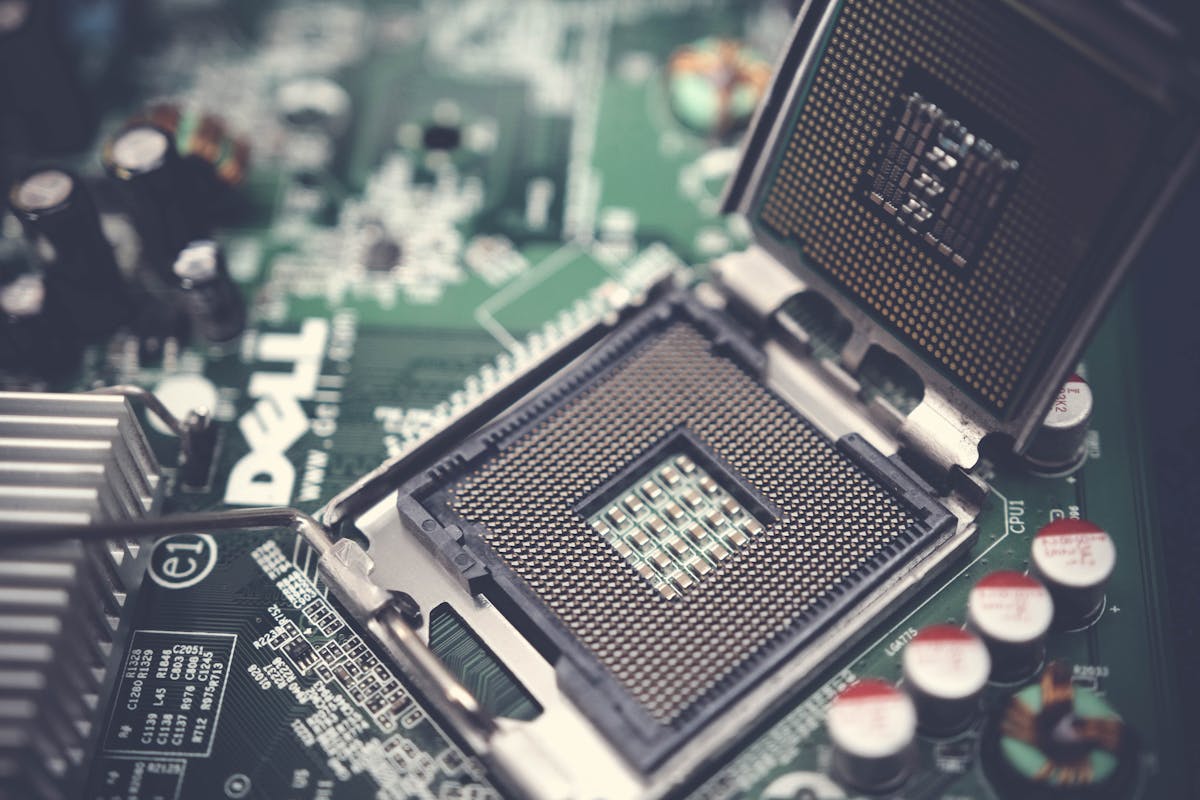
At the heart of the AI PC and AI phone trend is specialized silicon for accelerating neural network inference. While terminology varies—NPU, neural engine, AI accelerator—the architectural ideas are similar: massively parallel compute arrays, high bandwidth on‑chip memory, and low‑precision arithmetic.
Key Hardware Players
- Intel Core Ultra (Meteor Lake and beyond) with integrated NPU for Windows Copilot+ and Studio effects.
- AMD Ryzen AI processors combining CPU, GPU, and XDNA NPU on a single package.
- Apple Silicon (M‑series and A‑series) with a “Neural Engine” for on‑device Siri, dictation, and on‑device models in Apple Intelligence.
- Qualcomm Snapdragon X Elite and 8‑series mobile SoCs featuring powerful NPUs targeted at Windows on Arm and Android flagships.
Why NPUs Instead of Just CPUs and GPUs?
CPUs excel at general‑purpose tasks with tight control flow. GPUs offer massive parallelism but are comparatively power‑hungry. NPUs trade flexibility for efficiency:
- Low power: NPUs are optimized for INT8/INT4 operations, dramatically reducing power versus FP32 GPU inference.
- Deterministic throughput: They can sustain AI workloads without stalling other tasks.
- Thermal headroom: Essential for thin‑and‑light laptops and smartphones.
Benchmarking by reviewers at AnandTech and Tom’s Hardware shows that, for properly optimized models, NPUs can deliver multiple TOPS/W (tera operations per second per watt) compared with GPUs, making sustained on‑device AI plausible on battery power.
Software Stack and Tooling
Hardware alone is not enough; the AI PC race hinges on software stacks that let developers target these NPUs:
- Windows ML / DirectML / Windows Copilot+ Runtime for leveraging Intel, AMD, and Qualcomm NPUs.
- Apple Core ML and Metal Performance Shaders for the Neural Engine and GPU on macOS and iOS.
- Android Neural Networks API (NNAPI) connecting ML libraries to diverse mobile NPUs.
- Framework runtimes like ONNX Runtime, TensorFlow Lite, and PyTorch ExecuTorch with NPU delegates.
This is where many Hacker News discussions focus: cross‑platform portability is still messy, and vendor‑specific SDKs can feel like a step backward from the relative openness of CUDA and standard CPU instruction sets.
On‑Device Generative AI: From Assistants to Local Models
The hardware push is justified by promises of rich AI features that feel native to your device and context. These can be split into two broad categories: OS‑integrated experiences and user‑controlled local models.
OS‑Integrated AI Features
Platform vendors are weaving AI into the fabric of the OS:
- Generative assistants in search bars and system UI (e.g., Copilot+ on Windows, Apple Intelligence, Gemini on Android).
- System‑wide text tools for rewriting, summarizing, and translating across apps.
- Media tools: AI photo enhancement, background removal, video scene detection, and automatic captioning.
- Context‑aware help that can reason over on‑screen content to answer questions or automate tasks.
“The most compelling AI use cases are not separate apps; they are invisible capabilities that quietly improve everything you already do on your device.”
— Paraphrasing commentary from Wired reviews on AI‑enhanced operating systems
User‑Controlled Local Models
Parallel to vendor features, there is a grassroots movement around running open‑weight models locally. Popular workflows include:
- Running LLMs via GGUF / quantized formats with tools like llama.cpp and Ollama.
- Using Stable Diffusion or SDXL variants locally for image generation.
- Self‑hosting speech‑to‑text (e.g., Whisper variants) and text‑to‑speech.
- Private RAG (retrieval‑augmented generation) systems over personal notes, codebases, or documentation.
These approaches resonate strongly in developer communities because they deliver real control: models can be swapped, fine‑tuned, and wired into custom workflows without vendor lock‑in.
For hands‑on experimentation with local models, many enthusiasts pair AI‑capable laptops with compact GPUs like the NVIDIA GeForce RTX 4070 , which offers strong mixed‑precision performance for both cloud and local inference workloads.
Scientific Significance: Why On‑Device AI Matters
On‑device generative AI is not just a consumer feature race; it has deeper implications for security, human–computer interaction, and the economics of AI deployment.
Latency and Human–Computer Interaction
Interaction research consistently shows that response times above ~200–300 ms begin to feel sluggish. On‑device inference:
- Eliminates network round‑trips and congestion variability.
- Enables real‑time applications such as live translation, AR overlays, and interactive coding assistants.
- Allows more frequent, granular interactions that would be too costly in the cloud.
Privacy and Data Minimization
As awareness grows around data harvesting and model training, local AI becomes a powerful privacy tool:
- Sensitive context (emails, medical data, legal documents) never leaves the device.
- Personalization can occur through on‑device fine‑tuning or preference learning.
- Regulated industries can satisfy compliance constraints more easily.
Researchers at institutions like Google DeepMind and OpenAI have highlighted hybrid architectures where small on‑device models handle routine tasks, escalating to powerful cloud models only when necessary.
Energy and Cost Efficiency
Large‑scale cloud inference is energy‑intensive. By shifting a slice of workloads to edge devices:
- Cloud providers reduce peak compute requirements and operational spend.
- Enterprises can architect cost‑optimized systems where only aggregated or complex requests hit the cloud.
- Users benefit from AI features even when offline or bandwidth‑constrained.
Milestones in the AI PC and On‑Device AI Race
The on‑device AI story has evolved rapidly between 2022 and 2026. Some notable milestones include:
Key Industry Events and Product Waves
- 2022–2023: Apple accelerates adoption of Neural Engine–powered features (on‑device dictation, image segmentation) across macOS and iOS.
- 2023: Qualcomm and MediaTek announce mobile SoCs advertised with “AI TOPS” figures, kick‑starting AI‑marketing in phones.
- 2023–2024: Open‑weight models such as LLaMA, Mistral, and Phi give developers strong local LLM options.
- 2024: Microsoft unveils Windows Copilot+ PCs with strict NPU performance requirements and PC OEMs follow with AI‑branded laptops.
- 2024–2025: First mainstream laptops ship with NPUs exceeding 40 TOPS, enabling more capable on‑device copilots.
Each cycle has also fueled extensive coverage and debate across outlets like TechCrunch, Engadget, and community hubs such as Hacker News.
Developer Ecosystem Milestones
On the developer side, important inflection points include:
- Widespread support for quantization and sparsity in frameworks, enabling small, fast models.
- Release of cross‑platform runtimes like llama.cpp and Ollama that hide hardware differences.
- Growing number of open‑source UI shells (e.g., text‑generation web UIs) that treat local and remote models as interchangeable backends.
- Tooling for federated learning and on‑device personalization, although still early in consumer products.
These milestones collectively create the sense that on‑device AI is not a demo, but a permanent pillar of the computing stack.
Challenges: Hype, Openness, and Real‑World Performance
Despite the momentum, the AI PC and on‑device AI narrative faces serious critiques from developers, reviewers, and privacy advocates.
Performance vs. Marketing Claims
Many “AI features” demo well but under‑deliver in everyday use:
- Model quality: Small local models may hallucinate more than frontier cloud models.
- Latency gaps: Some tasks still fallback to cloud inference, eroding the latency advantage.
- Battery impact: Poorly optimized apps can drain laptops and phones quickly when NPUs or GPUs are pegged.
“We have to distinguish between genuinely transformative local AI capabilities and features that are little more than a checkbox to justify a new hardware cycle.”
— Common sentiment in developer discussions on r/MachineLearning and Hacker News
Openness, Drivers, and Firmware
AI accelerators add new layers of proprietary software:
- Closed‑source firmware and binary blobs required for NPU access.
- Limited documentation, restricting efforts by the open‑source community to optimize runtimes.
- Fragmentation across vendors, complicating cross‑platform deployment.
Linux users in particular are wary of buying hardware whose full capabilities are available only on specific proprietary OS builds.
Security and Trust
While on‑device AI is marketed as privacy‑preserving, it introduces new security questions:
- Model integrity: How do users ensure that the on‑device model has not been tampered with?
- Data provenance: Are local fine‑tuning datasets adequately protected and encrypted?
- Telemetry: Do “on‑device” assistants quietly send summaries or metrics back to the cloud?
Rigorous transparency reporting and independent audits will be critical if vendors want to retain user trust as AI capabilities deepen.
Practical Guide: Choosing an AI‑Ready PC or Phone
For many readers, the key question is practical: what should you look for in your next device if you care about on‑device AI?
Key Specs and Features to Evaluate
- NPU performance (TOPS) and software support in your preferred OS.
- RAM capacity (16 GB or more is strongly recommended for running local LLMs smoothly).
- GPU capabilities if you plan heavier local model experimentation.
- Thermal design and battery capacity for sustained workloads.
- Vendor commitment to OS updates and driver support over at least 4–5 years.
For developers and power users in the U.S., some popular AI‑capable laptops and accessories include:
- 16‑inch MacBook Pro with M3 Pro/M3 Max – strong Neural Engine, excellent battery life, and robust Core ML ecosystem.
- Microsoft Surface Laptop (Copilot+ PC, Snapdragon X) – early example of a Windows Copilot+ AI PC with dedicated NPU.
- Dell Precision or XPS laptops with modern Intel/AMD CPUs – good choices for mixed CPU/GPU AI workloads, especially when combined with external GPUs.

Beyond specs, consider your workflow: if most of your AI usage is coding assistance in the IDE or document summarization, modest on‑device capabilities may suffice; heavy model experimentation and media generation will benefit from higher‑end GPUs in addition to NPUs.
The Road Ahead: Where On‑Device GenAI Is Heading
Looking toward 2026 and beyond, several trends are likely to shape the on‑device AI landscape.
Smarter Hybrid Architectures
Devices will increasingly blend small, fast local models with large, cloud‑hosted models. Intelligent routing will decide:
- When to answer instantly on‑device using a distilled model.
- When to escalate to a cloud model for complex reasoning.
- How to keep personalization logic on‑device while sharing only anonymized signals.
Standardization and Open Tooling
Pressure from developers and regulators should drive:
- More standardized AI hardware abstraction layers (e.g., ONNX Runtime, WebNN).
- Clearer disclosures of when data leaves the device and why.
- Open‑source reference implementations that show best practices for efficient, privacy‑preserving on‑device AI.
New Interaction Paradigms
As devices gain persistent, context‑rich local models, we can expect:
- Proactive copilots that quietly prepare drafts, summaries, or suggestions before you ask.
- Multimodal assistants that see, hear, and interpret surroundings in real time.
- Personal knowledge bases that continually digest and connect your documents, chats, and notes.
These capabilities raise profound design, ethics, and governance questions—but they also hint at a future in which your primary computing device truly “knows” you, while still keeping that knowledge under your physical control.
Conclusion: Separating Signal from Noise in the AI PC Era
The AI PC and on‑device generative AI arms race is reshaping how hardware is designed, how operating systems are built, and how users think about privacy and performance. Beneath the branding, the core shift is clear: meaningful slices of AI inference are moving from remote data centers onto personal devices.
For users, the opportunity lies in faster, more private, and more personalized experiences. For developers, it is a chance to build applications that take full advantage of CPUs, GPUs, and NPUs without surrendering control to any single platform. For enterprises and policymakers, the challenge is to ensure that this new layer of capability is deployed responsibly, with transparency around data usage, energy impact, and long‑term support.
The winners in this new phase of computing will not necessarily be those who shout “AI PC” the loudest, but those who deliver tangible, reliable improvements to everyday workflows—while giving users the clearest possible understanding of when the “AI” label actually means something.
Further Learning and Resources
To dive deeper into on‑device AI, consider the following resources:
- YouTube reviews of AI PCs from established channels that benchmark NPUs and generative features.
- OpenAI developer guides for understanding how cloud and edge can complement each other.
- Apple’s Machine Learning portal for Core ML and on‑device model deployment.
- Microsoft Windows AI documentation for building AI experiences on Windows with NPUs.
- Google’s AI on‑device documentation covering Android and beyond.
Staying current in this fast‑moving space means following both hardware roadmaps and open‑source model progress. The most capable “AI PC” in 2026 will be the one where both layers—silicon and software—are thoughtfully aligned with your real‑world needs, not just the latest buzzwords.
References / Sources
- Ars Technica – Hardware and AI PC coverage
- The Verge – AI and device reviews
- TechRadar – Explainers on AI PCs
- TechCrunch – AI industry analysis
- Hacker News – Community discussions on on‑device AI
- NVIDIA Developer Blog – Edge AI and inference optimization
- Google AI Blog – On‑device and federated learning research
- Microsoft – Windows AI documentation
- Apple – Machine Learning on Apple platforms
