
AI Assistants Everywhere: How OS-Level Copilots Are Quietly Rewiring Your Digital Life
Generative AI assistants—marketed as “copilots,” “agents,” or “AI companions”—have entered a new phase: instead of being destinations you visit in a browser, they are becoming ever-present layers across Windows, macOS, iOS, Android, web browsers, IDEs, and office suites. Tech media from The Verge to Ars Technica now treats them not as novelties, but as core parts of modern computing that change expectations for how software should work.
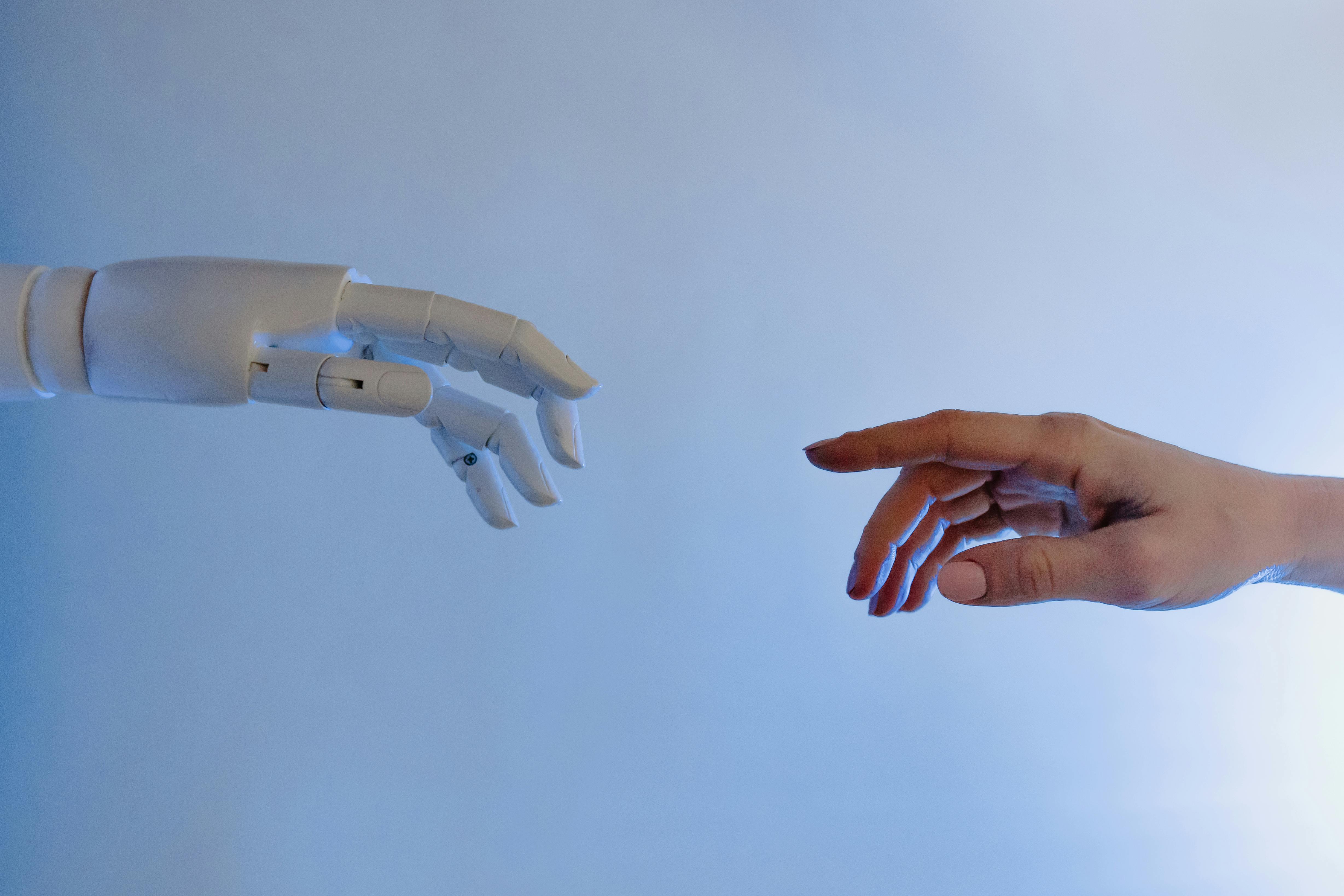
Mission Overview: From Static Software to Ambient Copilots
The mission behind OS-level copilots is straightforward but ambitious: turn every digital environment into an interactive collaborator that understands natural language, adapts to context, and can take meaningful actions on your behalf.
Instead of manually navigating menus, searching through help docs, or scripting tools, users should be able to say:
- “Summarize today’s emails and draft responses in my usual style.”
- “Refactor this code for performance and add tests.”
- “Prepare a 5‑slide briefing from this 30‑page report.”
- “Book a 30‑minute meeting with my team next week and resolve any conflicts.”
“We’re moving from a world where you had to learn the software to a world where the software understands you.”
This shift reframes the operating system as an orchestrator of tasks and agents rather than a static collection of apps, ushering in what many researchers describe as the era of “agentic computing.”
Mission Overview (Continued): Platform Integration Everywhere
The fastest-moving frontier is deep, contextual integration. Instead of visiting a chatbot website, users encounter AI suggestions embedded in:
- System search bars (e.g., Windows Copilot, macOS Spotlight‑like experiments)
- Email clients and calendars for drafting, scheduling, and summarization
- Office suites like Microsoft 365 Copilot and Google Workspace Duet
- Creative tools (Adobe Firefly, Photoshop Generative Fill, Figma AI features)
- Developer environments (GitHub Copilot, JetBrains AI Assistant, VS Code extensions)
Reviewers in outlets such as The Verge and Ars Technica increasingly ask a pragmatic question: Do these integrations truly reduce friction and cognitive load, or do they add visual noise and distraction? The answer varies by product maturity, but the direction of travel—more ambient, more contextual, less siloed—is clear.
Technology: How Modern AI Assistants Actually Work
Under the hood, today’s AI assistants are layered systems that combine large foundation models with retrieval, tools, and guardrails. At a high level, a typical OS-level copilot involves the following components.
1. Large Language Models (LLMs) as Core Reasoners
Models like GPT‑4 class, Claude‑3.5 class, Gemini‑1.5, and open-weight models such as Llama 3 and Mistral serve as flexible, probabilistic engines that:
- Parse natural language instructions
- Generate human-like text, code, and structured outputs
- Perform chain-of-thought reasoning and planning
- Coordinate tools and APIs through function calling

2. Retrieval-Augmented Generation (RAG)
Because LLMs are trained on static snapshots of data, assistants augment them with live retrieval:
- Index user or enterprise documents into vector databases.
- Embed user queries and find the most relevant chunks.
- Feed those chunks into the model as context (“grounding”).
- Generate answers that explicitly cite sources where possible.
This architecture both reduces hallucinations and allows personalization around private data without retraining the entire model.
3. Tool Use, Function Calling, and Agent Frameworks
The real leap from “chatbot” to “copilot” comes when models can call tools autonomously:
- Calendar and email APIs
- Filesystem search and document converters
- Browser automation (for booking, research, and navigation)
- DevOps and CI/CD systems (for deployments, tests, and monitoring)
Frameworks like LangChain, Microsoft AutoGen, and various in‑house orchestration layers implement agentic behavior: planning multi‑step tasks, monitoring intermediate results, and backtracking if something goes wrong.
“Agents that can reliably use tools and act in the world will be far more useful—and far more challenging to align—than pure text models.”
4. Guardrails, Policy Engines, and Observability
Enterprises add safety and compliance layers on top of models:
- Input and output filters to catch sensitive data and unsafe responses
- Role-based access control (RBAC) to restrict which tools an assistant can invoke
- Audit logs capturing prompts, tool calls, and decisions
- Policy engines that enforce data residency and retention rules
This “governed copilot” pattern is emerging as a de facto standard for large organizations adopting AI at scale.
Technology in Practice: Developer Tooling and Coding Copilots
Nowhere is the impact of AI assistants more visible than in software engineering. Coding copilots are changing both how code is written and how teams reason about architecture and review.
Key Capabilities in Modern Coding Assistants
- Autocomplete for entire functions and classes, not just single lines
- Inline documentation and explanation of unfamiliar code
- Automated generation of unit tests and property-based tests
- Refactoring proposals and migration help (e.g., framework upgrades)
Studies published by GitHub and Microsoft report productivity gains ranging from 20–55% on certain classes of tasks, particularly boilerplate-heavy work. However, communities like Hacker News regularly debate:
- Whether AI-produced code is more prone to subtle security flaws
- How reliance on AI affects the development of junior engineers’ skills
- Whether organizations will compress team sizes based on perceived productivity boosts
For practitioners, a practical way to experiment is using tools like GitHub Copilot for Individuals, which integrates deeply into editors like VS Code and JetBrains IDEs, offering real-time suggestions tailored to your codebase.

Scientific Significance: A New Human–Computer Interaction Paradigm
The move from deterministic, menu-driven interfaces to probabilistic, conversational systems has deep implications for computer science, cognitive science, and design.
1. Probabilistic Interfaces
Traditional UIs are deterministic: given the same input, they behave the same way. AI copilots are stochastic: prompts with the same wording can yield different outputs, and even the internal reasoning pathways vary run‑to‑run. This implies:
- Users must develop intuitions about prompt engineering and system behavior.
- Designers must communicate uncertainty, confidence, and provenance.
- Testing and QA require statistical thinking rather than binary pass/fail checks.
2. Cognitive Offloading and Extended Cognition
Ambient assistants encourage users to offload tasks like memory, drafting, and initial research. Cognitive scientists frame this in terms of extended cognition—tools becoming part of our functional thinking apparatus.
The benefits include:
- Reduced working memory load for complex projects
- Faster iteration cycles during brainstorming and prototyping
- More time for higher-order reasoning if low-level work is reliably automated
But there are risks of over-reliance and skill erosion if users stop practicing foundational skills such as careful reading, structured writing, and debugging.
“The danger is not that machines will become more like humans, but that humans will learn to think more like machines—outsourcing nuance and judgment to systems they barely understand.”
Scientific and Social Significance: Labor, Skills, and Productivity
AI assistants have become central in debates about the future of work. Coverage in outlets like TechCrunch and Wired highlights both promising productivity data and serious concerns about displacement.
Areas of Significant Impact
- Customer support: Automated triage, suggested replies, and fully AI-driven chat can reduce response times but may deskill entry-level roles.
- Copywriting and marketing: Draft ad copy, social posts, and SEO content can be generated in seconds, pressuring freelance and junior roles.
- Basic coding and scripting: Non-specialists can now automate workflows with natural language, potentially shifting who is considered “technical.”
A growing body of empirical work suggests that average workers benefit the most from copilots, narrowing performance gaps with top performers. But this also raises organizational questions:
- Will companies redesign roles to assume AI-augmented productivity as baseline?
- How will career ladders change if entry-level “grunt work” is automated?
- What new skills—prompting, tool orchestration, AI oversight—become core competencies?
Several think tanks and economists argue that complementarity design—intentionally allocating tasks so that humans and AI amplify each other—is more important than raw automation potential. This design mindset will likely separate organizations that see sustainable gains from those that simply cut headcount and hope for the best.
Milestones: Key Moments in the Rise of AI Assistants
The current “copilot” wave builds on decades of research and product iteration. Some notable milestones include:
1. Early Conversational Agents
- Rule-based chatbots and virtual assistants (Siri, Alexa, Google Assistant) focusing on narrow voice commands.
- FAQ-driven web chatbots for customer service using explicit decision trees.
2. Large Language Models and General Chatbots
- Transformer architectures (2017 onward) enabling scalable pretraining.
- Public releases of systems like ChatGPT (late 2022) bringing LLMs into mainstream awareness.
3. Deep Productivity Integration (2023–2025)
- Microsoft 365 Copilot and Windows Copilot introducing AI into the operating system and core office apps.
- Google’s Duet AI and later Workspace assistants embedding generative AI into Docs, Sheets, and Gmail.
- Adobe Firefly integrating text-to-image and generative fill into Photoshop and Illustrator.
- Widespread adoption of GitHub Copilot in professional development teams.
4. Emerging OS-Level and Cross-App Agents (2025–2026)
More recent experiments, reported across The Verge, TechCrunch, and Ars Technica, focus on:
- Assistants that can persist goals over time, not just respond to single prompts.
- Cross-application workflows (e.g., read a PDF, draft an email, update a project tracker).
- Mobile OS features that proactively suggest actions based on user behavior and context.

Challenges: Privacy, Safety, and Governance of Agentic Systems
As assistants move closer to the core of our digital lives, risks scale up dramatically. The central concerns cluster around privacy, security, control, and robustness.
1. Privacy and Data Governance
Because copilots operate on personal documents, chats, and corporate data, organizations must answer:
- What data is sent to third-party model providers, and under what legal basis?
- Is user data used for model training or only for inference?
- Where is data stored, and how long is it retained?
- How are data residency and regulatory requirements (GDPR, HIPAA, etc.) honored?
Many enterprises are adopting virtual private clouds or fully on-premise deployments for sensitive workloads, as well as data loss prevention (DLP) tools that scan prompts and outputs.
2. Security and Agentic Behavior
Agentic assistants that can click links, execute scripts, or call APIs introduce new attack surfaces:
- Prompt injection: Malicious content instructs the model to leak or overwrite data.
- Data exfiltration: Compromised tools are used to move sensitive data out of secure environments.
- Supply chain risk: Third-party plugins and tools may have weak security postures.
Security researchers emphasize the need for:
- Strict scoping of what agents can do by default.
- Human-in-the-loop approvals for high-impact actions.
- Runtime monitoring and anomaly detection for agent behavior.
“As we give models the ability to act, we also give them the ability to amplify both beneficial and malicious intent; robust guardrails are not optional.”
3. Reliability, Hallucinations, and Debugging
A persistent issue is that LLMs can produce confident but false statements—“hallucinations.” When assistants act on these, the stakes rise:
- Incorrect legal or medical summaries
- Faulty configuration changes to infrastructure
- Misinformation in financial or strategic reports
To mitigate this, leading designs incorporate:
- Citations and source links for generated content
- Separate “draft” and “apply” stages with user review
- Automated evaluation harnesses benchmarking assistants on real workflows
Debugging probabilistic systems remains a difficult research problem, and observability tools for agents are an active area of development.
Practical Adoption: Building Your Own AI-Powered Workflows
Beyond headline features from major vendors, individuals and small teams are assembling bespoke “AI-powered workflows” using a mix of cloud services, browser extensions, and automation tools.
1. Typical Building Blocks
- LLM APIs (OpenAI, Anthropic, Google, open-source deployments)
- Automation platforms like Zapier, Make, or n8n
- Browser automation tools and headless Chrome wrappers
- Vector databases for personal or team knowledge bases
Popular YouTube and TikTok creators demonstrate workflows like:
- Automated research agents that read dozens of articles and produce structured briefs
- Content pipelines that take a single prompt and output blog posts, social clips, and email campaigns
- Back-office automations for invoicing, CRM updates, and scheduling
For non-technical users, one practical on-ramp is using modern laptops or tablets with strong AI support and battery life, such as devices built around recent AI-accelerating chip architectures, then layering in assistants from platform vendors plus specialized tools for your profession.
For a deeper conceptual overview targeted at professionals, consider titles like “Architects of Intelligence” by Martin Ford, which collects perspectives from leading AI researchers and business leaders on how these tools may reshape industries.
Conclusion: Designing a Future with Ambient, Accountable AI
The rapid integration of AI assistants into operating systems, productivity suites, and consumer apps marks a structural transition in computing. Software is shifting from static tools to dynamic collaborators that share agency with their users.
Over the next several years, the most important questions will not be about which model scores highest on a benchmark, but about:
- How we govern access to data and tools
- How we preserve human judgment and skills while leveraging automation
- How we design transparent, debuggable, auditable AI systems
- How we ensure that productivity gains are broadly shared rather than narrowly captured
For individuals, the near-term imperative is to build AI literacy: understand what assistants can and cannot do, learn to critically evaluate outputs, and cultivate workflows that make you more effective without ceding control. For organizations, the challenge is to pair technical deployment with thoughtful policy, training, and change management.

The story unfolding across tech media, developer forums, and social networks is not about any single copilot. It is about a new contract between humans and machines—a shift toward ambient, conversational, probabilistic computing that will shape how we learn, work, and govern our digital lives for years to come.
Additional Resources and Next Steps
To explore this topic further, consider:
- Watching technical deep dives on YouTube from channels like Two Minute Papers and Andrej Karpathy.
- Following AI researchers and practitioners on professional networks such as LinkedIn to track real-world deployment stories.
- Reading applied AI guidance from cloud providers (e.g., Azure, AWS, Google Cloud) about building secure, governed copilots for enterprises.
No matter your industry, it is increasingly valuable to map your daily tasks into three buckets:
- Automatable now with off-the-shelf assistants (drafting, summarization, formatting).
- Automatable soon as tools improve (more complex workflows, domain-specific reasoning).
- Uniquely human for the foreseeable future (ethics, strategy, relationship-building, original insight).
Intentionally redesigning your workflows around these categories will help you capture the upside of AI assistants while staying resilient to the rapid pace of change.
References / Sources
- The Verge – AI and Copilot Coverage
- TechCrunch – Artificial Intelligence Tag
- Ars Technica – AI Articles
- Wired – Artificial Intelligence
- Hacker News – AI and Copilot Discussions
- OpenAI – Research Publications
- GitHub Blog – Copilot Posts
- Microsoft WorkLab – Future of Work with AI
- Google Research – AI Publications
- Anthropic – Research
