
Inside Apple’s Vision Pro: How Spatial Computing Is Rewiring the Future of Work, Play, and Privacy
Apple’s Vision Pro is more than another VR/AR headset; Apple insists on calling it a “spatial computer,” signaling a shift from flat, glass-bound screens to digital content that inhabits the same 3D space as the user. This framing matters: it aligns Vision Pro with the long-sought “post‑smartphone” platform where productivity, entertainment, and real‑time sensing converge in a single, body‑worn interface.
Coverage from outlets such as The Verge, Wired, and TechCrunch underscores three themes: a substantial hardware and UX leap, an early‑stage but intense developer gold rush, and a tangle of media, gaming, and privacy implications that could define how spatial computing is regulated and perceived.
In parallel, social media feeds are packed with teardown videos, “day in the life with Vision Pro” vlogs, and productivity experiments involving floating virtual monitors. This mix of serious engineering analysis and meme‑driven culture war reveals a central tension: can Apple normalize face‑worn computers the way it normalized smartphones, watches, and wireless earbuds—or will spatial computing remain a niche domain for enthusiasts and professionals?
Mission Overview
Apple’s long‑term mission with Vision Pro appears to be threefold:
- Define “spatial computing” as a mainstream category—in hardware, software, and design language.
- Extend the Apple ecosystem beyond handheld and desktop devices into a continuous, body‑centric computing layer.
- Capture high‑value use cases in productivity, collaboration, media, and 3D design before competitors like Meta, Microsoft, and Sony can entrench their own ecosystems.
“Spatial computing is about dissolving the boundary between digital information and the physical world. The headset is just the first—imperfect—vehicle for that idea.”
— speculative synthesis of commentary from XR researchers and HCI experts
Apple’s branding around “Vision Pro” and visionOS signals a platform mindset. The device is not positioned as a gaming console (like PlayStation VR2) or a social VR hub (like Meta Quest) but as a general‑purpose computer where windows, apps, and content are freed from the confines of a 2D display. In practice, this means:
- Traditional apps (e.g., productivity suites, browsers, creative tools) run in resizable, floating windows.
- Immersive “environments” can replace or augment the user’s physical surroundings.
- 3D objects, volumetric video, and spatial audio can be layered onto the user’s real room via pass‑through video.
The strategic backdrop is the search for a platform that can eventually match or exceed the iPhone’s economic gravity. Even if first‑generation Vision Pro sales are modest, the goal is to plant a technical and cultural stake in the ground around what mainstream spatial computing should look like.
Technology
Underneath the sleek industrial design, Vision Pro is essentially a wearable, multi‑sensor computer with a high‑bandwidth display pipeline and a novel interaction stack centered on eye, hand, and voice input. Several pillars define this technology package.
High‑Resolution Micro‑OLED Displays
Early reviews have focused heavily on the micro‑OLED displays, which pack an extremely high pixel density into a relatively small area. Each eye gets a dense field of pixels, dramatically reducing the “screen door effect” and enabling:
- Crisp text rendering for productivity tasks.
- High‑fidelity video playback (including 3D and spatial video formats).
- Detailed 3D models for design, engineering, and medical visualization.

Custom Silicon and Sensor Fusion
Vision Pro integrates multiple chips—most notably the Apple M‑class processor alongside a dedicated R‑series chip engineered for real‑time sensor fusion. Together they handle:
- Low‑latency head tracking via gyroscopes, accelerometers, and external cameras.
- Room‑scale environment mapping to understand walls, furniture, and surfaces.
- Processing of eye‑tracking and hand‑tracking data for interaction.
- On‑device machine learning for scene understanding and object recognition.
This architecture is designed to minimize motion‑to‑photon latency, which is crucial to reducing motion sickness and enabling accurate alignment between virtual content and the physical world.
Eye‑ and Hand‑Tracking Interaction
Unlike many VR systems that rely on handheld controllers, Vision Pro leans on:
- Eye tracking to determine what you are looking at.
- Subtle finger gestures (like a pinch) for selection and manipulation.
- Voice input via Siri for text entry and system commands.
“Gaze‑and‑pinch interaction feels like a natural extension of pointing with your eyes. It’s closer to how humans already allocate attention, which is why it can feel so intuitive when done right.”
— HCI researchers commenting on early Vision Pro demos
From a human‑computer interaction perspective, this is significant: Vision Pro is not merely porting mouse or touch paradigms into 3D—it is attempting to exploit innate human behaviors like gaze direction and hand micro‑movements as primary input channels.
visionOS and Spatial App Model
Apple’s visionOS sits at the heart of the spatial computing stack:
- RealityKit and ARKit provide 3D rendering, physics, and spatial understanding.
- Developers can port iPadOS and macOS apps, then layer on spatial features.
- Window management is 3D‑aware, with “volumes” and “spaces” instead of just 2D windows.
Developer communities on GitHub, Hacker News, and X (Twitter) are dissecting Apple’s SDKs to understand how to build “hero apps”: spatial productivity suites, immersive collaboration tools, and 3D design platforms that justify the headset’s price and complexity.
Scientific Significance
Spatial computing sits at the intersection of several scientific and technical disciplines:
- Computer vision and robotics (for environment mapping and object recognition).
- Cognitive science (for understanding perception, attention, and motion sickness).
- Human‑computer interaction (HCI) and ergonomics.
- Neuroscience and psychology (for presence, embodiment, and behavioral effects).
The Vision Pro push accelerates research and commercialization in all of these areas, because it sets high performance expectations for:
- Accurate, low‑latency head and hand tracking.
- Comfortable long‑duration wear with reduced eye strain.
- Natural, low‑friction interaction models.
“Every major wave of computing—from mainframes to smartphones—has coincided with breakthroughs in how humans perceive and interact with information. Spatial computing is poised to be the next such wave.”
— Adapted from talks by XR pioneers and HCI academics
Economically, spatial computing could reshape:
- Enterprise workflows: remote collaboration, digital twins for manufacturing, architectural visualization, and training simulations.
- Media and entertainment: spatial video, volumetric sports replays, immersive concerts and theater.
- Education and healthcare: anatomy visualization, surgical planning, and interactive lab simulations.
Vision Pro’s early experiments—such as spatial replays from sports leagues and immersive cinema experiences—are test beds for what could eventually become standard modalities in these sectors.
Developer Gold Rush and Productivity
The most intense activity around Vision Pro is happening in developer communities eager to claim early mover advantage in spatial computing. Key areas of focus include:
- Virtual monitors for knowledge workers, allowing multiple, resizable displays in small physical spaces.
- 3D design tools for engineers, architects, and artists.
- Spatial collaboration platforms that recreate or enhance in‑office presence.
- Immersive media apps for streaming video, live events, and games.

Porting Apps to visionOS
Apple has designed visionOS so that many iPadOS and macOS apps can run with minimal changes in 2D windows. But the real opportunity lies in:
- Re‑thinking UI layouts in 3D, where depth and spatial positioning matter.
- Using spatial audio and haptics (when available) to provide feedback.
- Leveraging environment understanding to anchor content to surfaces or objects.
Articles on platforms like The Next Web and TechCrunch have documented funding rounds for startups pitching Vision Pro‑first software, including spatial productivity suites and collaboration tools for hybrid workforces.
Tools and Learning Resources
For developers and designers interested in spatial UI/UX, a few practical resources and tools stand out:
- Apple’s official visionOS developer portal with documentation, sample code, and design guidelines.
- Human‑centered design books and courses on XR; for example, many practitioners still rely on traditional UX references, supplemented by XR‑specific papers at conferences like IEEE VR and CHI.
- 3D modeling and asset creation tools such as Blender (open source) or professional suites used in VFX and game development.
Developers who want to understand the ergonomics and comfort side of spatial computing often study human factors research from institutions like the MIT Media Lab, Stanford’s Virtual Human Interaction Lab, and industry labs at Meta and Microsoft.
Media, Gaming, and Consumer Culture
Vision Pro arrives at a time when streaming and gaming already dominate leisure screen time. Its success hinges on whether it can deliver experiences that feel meaningfully different from a 4K TV, gaming PC, or console.
Immersive Video and Sports
Media companies and sports leagues are piloting:
- Spatial video content shot with multi‑camera rigs or depth‑capture devices.
- 3D replays and “courtside” experiences that place users virtually near the action.
- Immersive film screenings where the “screen” floats in a darkened virtual theater.
Outlets like TechRadar and The Verge have highlighted early experiments from major streaming services, which see Vision Pro and similar devices as a way to differentiate premium content tiers.
Gaming and Interactivity
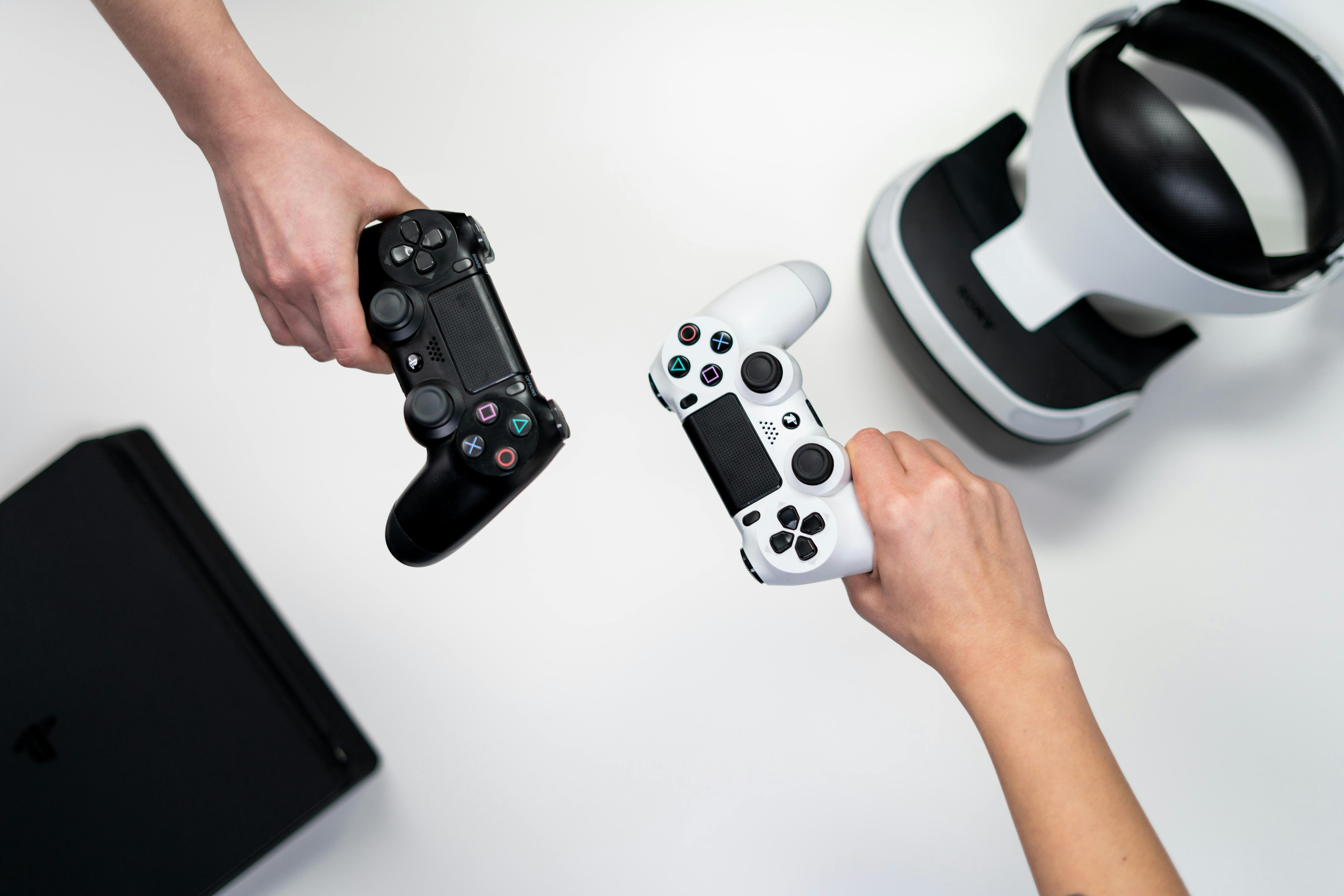
While Meta Quest and PlayStation VR2 have a head start in pure gaming, Vision Pro is gradually picking up:
- Ported titles from existing VR ecosystems.
- New games designed specifically for gaze‑and‑gesture input.
- Hybrid experiences that blend casual gaming with spatial storytelling.
On YouTube, content creators have embraced the device as both subject and tool: teardown videos examine its hardware design, while vloggers share “day in the life” experiments using Vision Pro at home and in public spaces. TikTok and Instagram Reels amplify short clips of people wearing headsets in airplanes, cafés, and sidewalks—fueling debates over social norms, distraction, and situational awareness.
Hardware, Ergonomics, and the Competitive Field
Despite its engineering feats, Vision Pro still faces classic head‑worn device problems: bulk, weight distribution, thermal management, and battery life.
- Bulk and aesthetics: Even with premium materials, wearing a computer on your face remains a social and ergonomic challenge.
- Battery constraints: External battery packs and limited runtime complicate all‑day use scenarios.
- Prescription lenses and fit: Custom inserts and strap options introduce friction and cost.
Competing devices—such as Meta Quest lineups and enterprise‑focused headsets like Microsoft HoloLens—approach similar trade‑offs with different priorities (e.g., cost, openness, or enterprise integration).
“First‑generation spatial computers are defined as much by what they can’t yet shrink or power efficiently as by what they can render on the micro‑OLED displays.”
— Observations from hardware teardown analysts
For readers interested in hands‑on comparative evaluations, long‑form reviews by Road to VR, UploadVR, and major tech outlets offer deep dives into display metrics, tracking fidelity, and comfort across devices.
Privacy, Security, and Ethics
Perhaps the most contentious aspect of Vision Pro and spatial computing is data: continuous environment scanning, biometric eye‑tracking, facial expressions, and even subtle hand gestures collectively form a powerful behavioral dataset.
Eye‑Tracking and Behavioral Data
Eye‑tracking signals can reveal:
- What content you pay attention to—and for how long.
- Emotional responses, inferred via gaze patterns and pupillary changes.
- Skill level or familiarity with interfaces.
Privacy advocates and security‑minded readers, including core audiences of Ars Technica and Wired, have questioned whether on‑device processing and Apple’s public privacy commitments are sufficient safeguards, especially against future shifts in business models or third‑party app misuse.
Environment Scanning and Bystander Privacy
Persistent environment mapping raises issues beyond the device owner:
- Bystander visibility in public or semi‑public spaces.
- Corporate confidentiality if sensitive documents, whiteboards, or prototypes are inadvertently captured.
- Home privacy when detailed spatial maps are stored or transmitted.
Apple emphasizes on‑device processing and strict data compartmentalization, but regulation and independent auditing will likely be essential for public trust. Organizations like the Electronic Frontier Foundation (EFF) and academic privacy labs are already outlining frameworks for XR data governance.
Ethical Design Principles
Responsible spatial computing design emphasizes:
- Transparency about data collection and usage.
- Consent for both users and nearby people where feasible.
- Minimization of long‑term, identifiable storage of spatial and biometric data.
- Safety features to prevent distractions in risky contexts (e.g., crossing streets, driving).
These principles will determine whether spatial computing becomes a trusted extension of personal computing or a new frontier for surveillance capitalism.
Milestones
Although still early in its lifecycle, Vision Pro and its ecosystem have already reached several notable milestones:
- Developer adoption: Rapid uptake of visionOS SDK betas and early app submissions from both indie and enterprise developers.
- Media partnerships: Experiments in spatial video and sports broadcasting by major streaming platforms and leagues.
- Tooling advances: Updates to RealityKit, ARKit, and 3D pipelines to better support volumetric content and mixed reality experiences.
- Social visibility: A surge of Vision Pro‑focused channels and playlists on YouTube, along with debates on X, TikTok, and Instagram about everyday use and social norms.

From a broader industry standpoint, Vision Pro has forced competitors to reframe their roadmaps around “spatial computing” rather than just VR/AR, signaling a paradigmatic shift in how head‑worn interfaces are marketed and evaluated.
Practical Gear and Learning Recommendations
For readers who want to explore mixed reality development or ergonomics—regardless of whether they own a Vision Pro—there are practical steps and tools to consider.
Hardware and Accessories
- A powerful, developer‑grade laptop or desktop with a modern GPU makes it easier to prototype spatial apps and run 3D engines efficiently.
- High‑quality over‑ear headphones or spatial audio earbuds can dramatically improve perceived immersion and comfort during extended sessions.
- For those experimenting with multiple platforms (Quest, PlayStation VR2, PC VR), a well‑ventilated, adjustable headset stand helps preserve lens and strap integrity over time.
To understand user experience across ecosystems, many developers maintain at least one standalone headset (like a Quest) alongside any Apple hardware, enabling cross‑platform testing and comparative benchmarking.
Educational Resources and Research
To go deeper into spatial computing, consider:
- Reading HCI and XR papers from conferences like ACM CHI and IEEE VR.
- Following leading researchers and practitioners on professional networks such as LinkedIn and X, where they share case studies and design critiques.
- Watching technical sessions from Apple’s developer events (WWDC) on YouTube, which often include deep dives into visionOS APIs and best practices.
Challenges
Despite its potential, Vision Pro and spatial computing more broadly face a set of formidable obstacles.
1. Ergonomics and Long‑Term Comfort
Even small increases in headset weight or suboptimal weight distribution can lead to:
- Neck and facial fatigue.
- Heat buildup and discomfort around the eyes and forehead.
- Increased motion sickness for sensitive users.
2. Price and Accessibility
First‑generation Vision Pro units sit at the top of the consumer price spectrum, effectively targeting early adopters, developers, and professionals. For mass adoption, Apple or its partners will need:
- Lower‑cost models or generational price drops.
- Enterprise leasing and pilot programs that spread costs over time.
- Clear, high‑value workflows that justify the expense (e.g., for design, remote service, healthcare training).
3. App Ecosystem and “Killer Use Cases”
A rich app ecosystem is not guaranteed. Developers must navigate:
- Uncertain install base and revenue projections.
- New design paradigms that demand re‑thinking UI and UX in 3D.
- Platform policies and integration constraints within Apple’s ecosystem.
4. Social Acceptance and Norms
Viral clips of people wearing mixed reality headsets in public have sparked discussions about:
- Appropriate contexts for headset use (public transit, meetings, social gatherings).
- Perceptions of rudeness, distraction, or isolation.
- Safety in crowded or traffic‑heavy environments.
These norms will evolve over time, but early impressions matter; Apple must balance promoting bold new behaviors with respecting existing social cues.
Conclusion
Vision Pro is less a finished product than a high‑stakes bet on how we will compute in the next decade. By branding it a “spatial computer,” Apple is asserting that:
- 3D interfaces anchored in physical space will eventually feel as natural as tapping a smartphone.
- Head‑worn devices can move from niche tools to everyday companions for work, media, and communication.
- Privacy‑preserving, human‑centric design can coexist with powerful sensing and personalization.
The scramble now engulfing developers, media companies, and rival platform vendors is not just about catching the next gadget wave—it is about defining the grammar and ethics of spatial computing itself. Whether Vision Pro becomes the model everyone follows or merely the most polished first draft, its influence on hardware, UX, and privacy debates is already unmistakable.
For technologists, researchers, and curious consumers, the most productive stance may be to treat Vision Pro as a living laboratory: a place to test assumptions about presence, productivity, embodiment, and trust in a world where our computers no longer live solely in our hands and on our desks, but increasingly, on our faces and in our fields of view.
Additional Insights
To get the most out of the emerging spatial ecosystem—whether you are a developer, designer, or power user—consider the following practical approaches:
- Prototype in 2D first, then translate to 3D, to ensure information hierarchy and core workflows are solid before adding spatial flourishes.
- Design for short sessions initially, assuming that most users will use spatial computing in bursts rather than all‑day immersion.
- Emphasize accessibility by supporting alternative input modes, adjustable contrast, and customizable interaction distances in spatial apps.
- Instrument ethically—if you capture behavioral or biometric data for analytics, disclose it clearly, minimize collection, and provide opt‑outs.
Beyond Apple, keep an eye on open standards discussions around 3D content formats, identity, and interoperability (for example, the work of the Khronos Group on glTF and related standards). These efforts will shape how easily spatial content moves between devices and platforms in the long run.
References / Sources
- Apple – Vision Pro overview
- The Verge – Apple Vision Pro coverage hub
- Wired – Apple Vision Pro articles
- TechCrunch – Vision Pro and spatial computing
- Ars Technica – Mixed reality and privacy analysis
- Apple Developer – visionOS and RealityKit
- Road to VR – Headset reviews and technical breakdowns
- UploadVR – VR and AR news and reviews
- IEEE Xplore – XR and HCI research papers
- Berkman Klein Center – Privacy and technology research
