
Inside Apple Intelligence: How iOS 18 and macOS Are Rewiring Everyday Apps With Private AI
Apple’s late but forceful move into consumer-facing generative AI is reshaping expectations for iOS 18, the next version of macOS, and the broader Apple ecosystem. Unlike competitors that began with standalone chatbots, Apple is positioning “Apple Intelligence” as an invisible but pervasive layer that quietly augments apps people already use—from Messages and Mail to Pages, Keynote, and Xcode.
At the core of this strategy is a clear differentiation: intelligence that feels personal, context-aware, and above all, private. Apple is leaning heavily on its custom silicon (A‑series and M‑series chips), optimized neural engines, and a hybrid compute model that keeps most everyday AI tasks on-device while offloading only the most demanding workloads to encrypted cloud services.
Mission Overview
Apple’s mission with Apple Intelligence can be summarized in three intertwined goals:
- Preserve privacy by prioritizing on-device processing and minimizing external data transfer.
- Elevate usability by weaving AI into core workflows instead of forcing users into a separate chatbot app.
- Leverage hardware advantage by exploiting the performance and efficiency of Apple’s in-house chips.
“The best AI is the one that feels invisible—effortlessly helpful, deeply personal, and fundamentally private.”
This philosophy is not entirely new: Apple has long deployed machine learning for Face ID, image classification, handwriting recognition, and on-device dictation. What changes with iOS 18 and the upcoming macOS is the scale and generality of the models—the shift from task-specific ML to broad, generative systems capable of reasoning across text, images, and app contexts.
Background: From Task-Specific ML to Apple Intelligence
For nearly a decade, Apple’s AI narrative was quiet but consistent: use machine learning behind the scenes to make existing experiences smoother. Meanwhile, the industry pivoted to large-scale generative models—ChatGPT, Gemini, and Copilot—explicitly branded as AI assistants.
By early 2026, tech coverage from outlets such as Ars Technica, The Verge, and Wired has converged on a central observation: Apple is entering the generative AI race later than rivals, but with an exceptional advantage in vertically integrated hardware and software.
Key contextual factors behind Apple’s AI acceleration include:
- User expectations shaped by ubiquitous access to tools like ChatGPT and Gemini.
- Competitive pressure from Google and Microsoft, which embed AI deeply into search, productivity, and cloud platforms.
- Hardware maturity as Apple’s A‑ and M‑series chips offer enough on-device compute to run surprisingly capable models.
- Policy debates around data sovereignty, model training, and AI safety, where Apple sees privacy as a key differentiator.
Technology: On‑Device Intelligence and Hybrid Cloud
Under the Apple Intelligence banner, Apple is reportedly deploying a tiered technical architecture: compact, high-efficiency models on-device, backed by more expansive models in the cloud when absolutely required. This approach aims to satisfy both latency and privacy constraints while still competing with state-of-the-art generative systems.
On‑Device Models: Small, Fast, and Private
Apple’s on-device models are optimized for its Neural Engine and GPU pipelines, focusing on tasks such as:
- Text rewriting and summarization in Mail, Notes, and Pages.
- Smart replies and tone adjustment in Messages and communication apps.
- Lightweight image generation and editing (e.g., background cleanup, style tweaks).
- Notification triage and prioritization using personal context.
- Local code completions and refactoring suggestions in Xcode.
These models are generally smaller than the frontier LLMs that run in large datacenters, but they are tightly coupled to Apple’s chips. Developers familiar with frameworks like Core ML and Metal Performance Shaders are already seeing hints of how Apple quantizes and prunes networks for low-latency inference while preserving adequate quality.
Hybrid Processing and Private Cloud Compute
For computationally heavy tasks—multi-document reasoning, elaborate image synthesis, long-form code generation—Apple uses a hybrid approach:
- Attempt inference on-device where feasible.
- Escalate to a cloud-hosted Apple model when local resources or context limits are exceeded.
- Use encryption-in-transit and strict data minimization to avoid long-term retention of user data.
Analyses from Ars Technica and The Verge have compared this architecture to Google’s Gemini and Microsoft’s Copilot stacks. The distinguishing feature is Apple’s emphasis that even cloud-side inference is tightly bound to privacy contracts, with strong isolation from generic training pipelines.
Model Types and Modalities
While Apple has not open-sourced its main Apple Intelligence models, industry watchers and researchers infer a combination of:
- Language models for dialog, summarization, code, and semantic search.
- Vision and multimodal models for scene understanding, OCR, and image-based prompts.
- Embedding models for semantic indexing of local content (emails, notes, files) on-device.
“On-device intelligence requires a different design space than datacenter-scale AI—efficiency and privacy are not afterthoughts; they are first principles.”
Technology in Action: Ecosystem Integration Across iOS and macOS
Rather than a single “AI app,” Apple is threading Apple Intelligence throughout its platforms. This has major implications for user experience and for how developers design their own apps.
Siri: From Static Assistant to Contextual Orchestrator
The most visible change is a reimagined Siri. Coverage in developer circles and social platforms points toward capabilities such as:
- Context-aware actions that chain operations across apps (e.g., finding a PDF in Files, summarizing it, then drafting an email in Mail).
- Multi-step automations that previously required Shortcuts scripting, now assembled via natural language.
- Memory of recent activity on-device, enabling follow-up questions and cross-app references.
This effectively turns Siri into a personal “orchestrator” for the entire Apple ecosystem, while still operating within tight sandboxing boundaries.
Messages, Mail, and Writing Tools
In communication and productivity apps, Apple Intelligence is expected to introduce:
- Smart rewrite options (formal, concise, friendly, persuasive) for emails and texts.
- Automatic summarization of long threads or newsletters.
- Personalized notification digests that highlight what matters most.
Writers and students may also see more AI-assisted drafting and editing within Pages and Notes, making these apps more competitive with AI-first writing tools.
Creative and Developer Tools: Keynote, Photos, and Xcode
For professionals, Apple Intelligence is poised to impact:
- Keynote: slide generation, layout suggestions, and speaking notes derived from documents.
- Photos: semantic search (“photos of whiteboard diagrams from last week’s meeting”), background removal, and generative tweaks while retaining realism.
- Xcode: AI-powered code completion, refactoring suggestions, and inline documentation using project-specific context.
Developers discussing these changes on platforms like Hacker News and Apple Developer Forums highlight both the productivity boost and the need to carefully validate AI-suggested code for correctness and security.
Scientific Significance: Scaling Down Without Dumbing Down
Apple’s approach poses an important research question for the AI community: How far can we push high-quality generative behavior into resource-constrained environments? Instead of assuming that “bigger is always better,” Apple Intelligence explores the frontier of model efficiency.
Efficient ML: Quantization, Pruning, and Distillation
Achieving competitive performance on-device requires:
- Quantization—reducing numerical precision (e.g., from 16-bit floating point to 8-bit or lower) to cut memory and compute costs.
- Pruning—removing redundant connections or weights to slim down model size while retaining capabilities.
- Knowledge distillation—training a smaller “student” model to mimic a larger “teacher” model’s behavior.
These techniques are extensively documented in Apple’s published ML research at machinelearning.apple.com, which showcases work in both on-device model optimization and privacy-preserving learning.
Privacy-Preserving AI
Apple is effectively treating privacy as a scientific constraint rather than a policy afterthought. This manifests through:
- On-device learning and adaptation, where models can personalize using local data without uploading raw content.
- Differential privacy in some aggregate analytics, injecting noise to mask individual contributions.
- Strict minimization of any data used to refine server-side models.
“Edge AI is not a niche; it’s the only way to scale intelligence safely and sustainably.”
Although LeCun’s work is at Meta, his emphasis on edge intelligence aligns with Apple’s strategy: push as much cognition as possible to the device edge for robustness, latency, and privacy.
Milestones: Key Steps in Apple’s AI Evolution
By early 2026, several inflection points define Apple’s AI trajectory. While exact timelines may shift as products ship, the general pattern is clear.
Pre‑Apple Intelligence Foundation
- 2017–2020: Core ML, Neural Engine, and on-device Face ID establish hardware and software foundations.
- 2020–2023: M‑series Macs prove that laptops and desktops can run sizable ML workloads locally.
- Ongoing: ML-enabled features in Photos, handwriting recognition on iPad, and improved dictation demonstrate incremental progress.
Apple Intelligence Era (iOS 18 and Next macOS)
With iOS 18 and the upcoming macOS release, Apple crosses several thresholds:
- Unified branding of AI under Apple Intelligence, clarifying the narrative for users and developers.
- System-wide integration of generative features into Messages, Mail, Pages, Keynote, and Siri.
- Developer-accessible APIs enabling third-party apps to invoke Apple’s models under privacy constraints.
- Selective cloud partnerships that fill gaps in Apple’s proprietary models while preserving user control.
Tech media and developer communities now treat Apple Intelligence as a platform shift, not merely a set of features—comparable in scale to the introduction of the App Store or Apple Silicon.
Visualizing Apple’s AI Transformation
The following images illustrate key aspects of Apple’s hardware and software ecosystem that underpin Apple Intelligence. All are high-resolution, royalty-free, and representative of the concepts discussed.
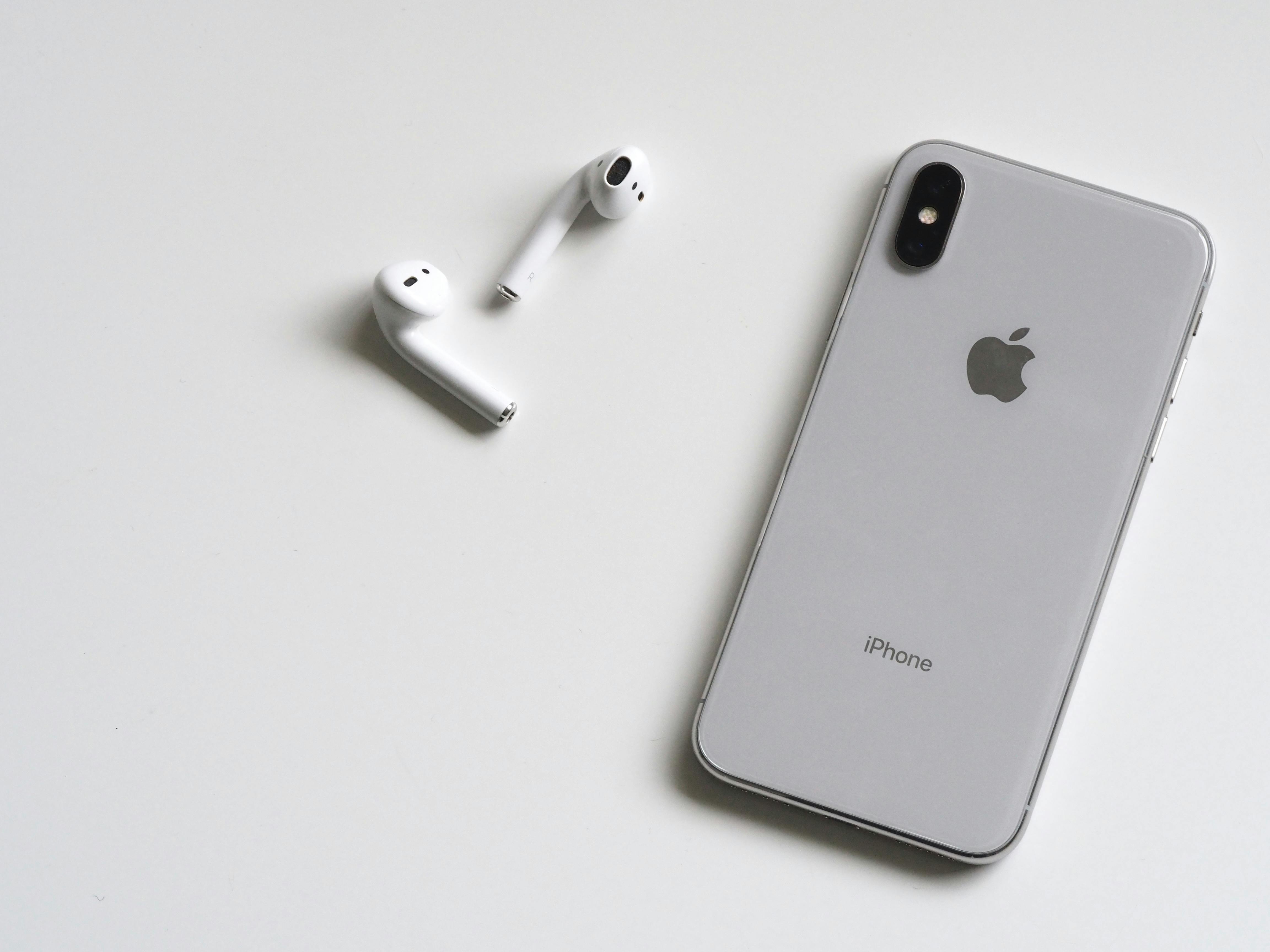



Developer Ecosystem: New APIs and Opportunities
Apple Intelligence is not only a user-facing shift; it is a major expansion of the platform for developers. By exposing certain models via APIs, Apple allows third-party apps to offer AI features without shipping large models themselves.
Expected API Directions
While specifics evolve with each beta and WWDC session, developers are anticipating:
- Text transformation APIs for rewriting, summarizing, and generating content within app-specific contexts.
- Semantic search APIs that can operate on local app data while respecting sandboxing.
- Vision and multimodal APIs for interpreting images and linking them to text or actions.
Apple’s challenge is balancing capability with constraints—offering rich AI primitives while ensuring consistent privacy guarantees across the ecosystem.
Complementary Tools and Learning Resources
Developers looking to deepen their understanding of ML and AI design patterns across platforms often combine Apple’s documentation with independent resources. For example, hands-on references like Hands-On Machine Learning with Scikit-Learn, Keras, and TensorFlow can help developers understand the fundamentals needed to evaluate and integrate on-device and cloud AI workflows effectively.
Meanwhile, talks from conferences such as WWDC sessions on YouTube and discussions on LinkedIn give additional insight into architectural patterns and case studies.
Challenges: Late Entry, Closed Ecosystem, and Trust
Despite the excitement, Apple’s AI strategy faces meaningful challenges—technical, strategic, and cultural.
Perception: Is Apple Too Late?
Critics argue that Apple is arriving late to the generative AI narrative, with OpenAI, Google, and Microsoft already entrenched in public consciousness. Skeptics question whether Apple can:
- Match rapidly evolving frontier models in quality and capability.
- Shift user habits away from standalone chatbots to embedded, invisible AI.
- Shape public discourse when others have defined much of the terminology and expectations.
Platform Policies and Experimentation
Developers also worry that Apple’s historically strict App Store policies may:
- Limit experimentation with alternative models or open-source AI stacks.
- Restrict data flows required for certain advanced enterprise or research applications.
- Make it difficult to transparently inspect and benchmark Apple’s closed-source models.
“Open ecosystems tend to drive faster iteration and more diverse experimentation in AI.”
Trust and Transparency
Even with a strong privacy narrative, Apple must address:
- Transparency about what is processed on-device vs. in the cloud.
- Explainability of AI-driven decisions, especially in sensitive domains (e.g., health, finance-related apps).
- Bias and fairness concerns, ensuring models work equitably across languages, regions, and demographics.
Researchers and policy experts are increasingly calling for independent evaluation of platform-level AI systems, including Apple’s, to build durable public trust.
Practical Implications for Users and Professionals
As Apple Intelligence propagates through iOS and macOS, different user groups will feel its impact in distinctive ways.
Everyday Users
- Less friction: Drafting messages, emails, and notes becomes faster, with AI handling boilerplate and tone.
- Better focus: Notification summaries reduce overload and surface what’s important.
- Higher privacy: Many AI benefits come without shipping personal data to remote servers.
Knowledge Workers and Creatives
- Enhanced productivity in Keynote, Pages, and Mail via auto-drafted outlines, summaries, and visuals.
- Richer search across documents, photos, and messages using semantic queries instead of keywords.
- Iterative design workflows in media apps, where AI suggests layout, color, or composition changes.
Developers and Technologists
- Xcode assistance can accelerate boilerplate coding but requires rigorous review.
- New app patterns emerge—apps designed around conversational or intent-based interfaces.
- Cross-platform thinking becomes critical as devs balance Apple’s closed models with open-source stacks elsewhere.
Many professionals augment Apple’s built-in tools with external resources like Designing Machine Learning Systems , which helps teams think through deployment, monitoring, and responsible use of AI across different environments.
Conclusion: Apple’s Bet on Personal, Private Intelligence
Apple’s AI push with iOS 18 and the next macOS release is not about racing to build the single most powerful chatbot. Instead, it is about redefining everyday computing through a layer of personal, private, context-aware intelligence that quietly amplifies what users already do on their devices.
By anchoring its strategy in on-device models, hybrid compute, and ecosystem integration, Apple is making a bold assumption: that users will value trust and seamlessness as much as raw generative prowess. Whether this bet pays off depends on execution—how robust Siri becomes, how helpful AI feels across apps, how transparent Apple is about privacy, and how well developers can plug in without feeling constrained.
What is certain is the scale of impact. With hundreds of millions of active devices, even incremental AI improvements ripple through global workflows, communication patterns, and digital literacy. Apple Intelligence is not just about keeping up with AI trends; it is about reshaping what users expect from their phones and computers in the decade ahead.
Additional Resources and Next Steps for Curious Readers
To stay ahead of the curve as Apple Intelligence rolls out, consider:
- Following Apple’s official AI research updates at machinelearning.apple.com.
- Watching WWDC sessions focused on ML and system intelligence on YouTube.
- Engaging with practitioner discussions on LinkedIn and Hacker News.
- Exploring broader AI literacy through accessible texts like the Artificial Intelligence: A Guide for Thinking Humans .
For developers, a practical next step is to prototype small, user-focused AI enhancements rather than sweeping redesigns—add contextual summaries, smarter search, or AI-assisted drafting to an existing workflow, then iterate based on user feedback. This mirrors Apple’s own strategy: incremental but deeply integrated intelligence that earns trust over time.
References / Sources
Selected sources for further reading and verification:
