
Inside the AI Assistant Wars: How OpenAI, Google, Anthropic, Meta, Microsoft and Apple Are Racing to Own Your Interface
Across the tech industry, a high‑stakes contest is unfolding: the battle to control the next interface for computing. OpenAI, Google, Anthropic, Meta, Microsoft and Apple are all racing to build AI assistants that understand language, images, audio and context well enough to become your default way of working, searching, communicating and even creating. This “AI assistant war” is not just about cool features—it is about who mediates your relationship with information, services and devices.
Tech journalism from outlets like The Verge, TechCrunch, Wired and Ars Technica now treats assistant launches as front‑page platform news, not just product updates. The emerging consensus is that whoever wins the assistant layer could reshape software ecosystems, advertising, developer business models and even the future of knowledge work.
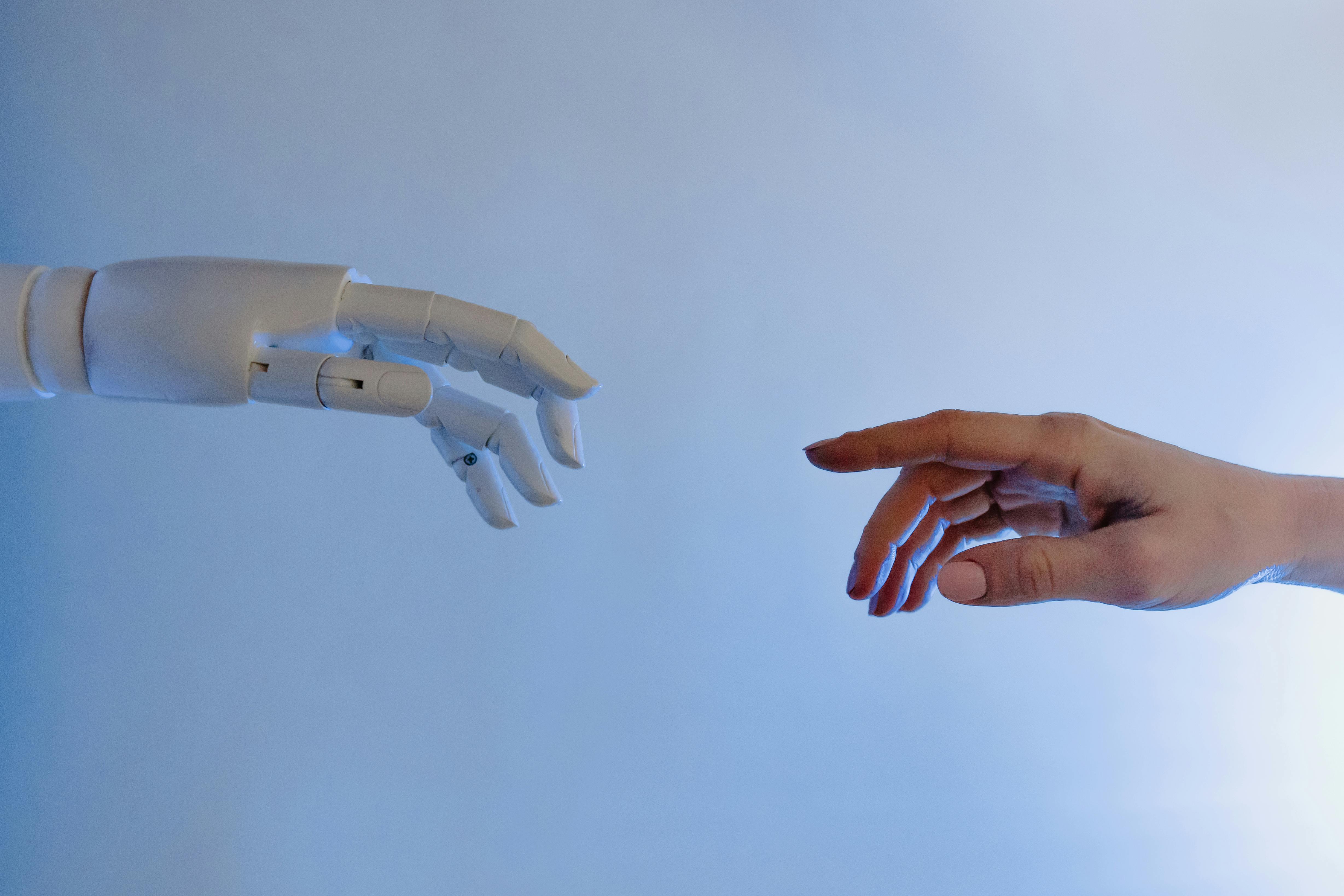
The shift is comparable to the arrival of the web browser or the smartphone home screen. Instead of tapping apps or typing search queries, users increasingly ask a conversational agent to “handle it”—whether that is drafting a report, summarizing a legal document, or planning a weekend trip.
Mission Overview: Owning the Interface Layer
Each major player shares a similar strategic mission: transform today’s chatbots into persistent, personalized operating layers that sit between users and the internet. The goal is for you to reach first for their assistant—on your phone, in your browser, in your office suite—whenever you want to think, create, search, or automate.
OpenAI: From Model Provider to Consumer Platform
OpenAI started as a model API company with GPT‑3, GPT‑4, and now GPT‑4‑class multimodal models that power many third‑party apps. But with ChatGPT and its app ecosystem, OpenAI is increasingly a consumer platform in its own right, competing directly with search engines and productivity tools.
- ChatGPT and ChatGPT apps (including mobile) serve as a general‑purpose assistant for writing, coding, analysis and learning.
- Multimodal capabilities (vision, speech, code) let ChatGPT interpret screenshots, documents, diagrams and audio.
- Partnerships with Microsoft bring OpenAI tech into Windows, GitHub Copilot and the Office ecosystem, blurring the lines between the two companies’ assistants.
Google: Re‑architecting Search and Workspace
Google’s mission is to keep its dominance in search and productivity as users adopt conversational interfaces. It is weaving AI into:
- Search Generative Experience (SGE) / AI‑powered search to answer complex queries with synthesized results and multimodal understanding.
- Gemini (and successor) models as integrated assistants across Android, Chrome, and Google Workspace.
- Android system‑level features, turning phones into proactive, context‑aware companions.
Anthropic: Constitutional AI and Safety‑First Positioning
Anthropic’s Claude family aims to differentiate on safety, reliability and long‑context reasoning. The company emphasizes “constitutional AI” to constrain behavior through explicit principles, appealing to enterprises and regulated industries that need trustworthy assistants.
“Our focus is building helpful, honest, and harmless AI systems that people can trust with increasingly consequential tasks.”
Claude is integrated via API, web and mobile apps, and is often chosen for tasks involving long documents, research, and sensitive workflows.
Meta: Open Ecosystems and Social Surfaces
Meta is pushing assistants into social platforms (Facebook, Instagram, WhatsApp, Messenger) and driving open‑source model development with its Llama series. The strategy is to make AI ubiquitous, customizable and community‑driven.
- In‑app assistants embedded in DMs, feeds, and creator tools.
- Open‑weight models that developers can fine‑tune and deploy on their own infrastructure.
- An emphasis on social connection, content creation and AR/VR interfaces over pure search or office work.
Microsoft: Copilot as the New Start Menu
Microsoft’s Copilot strategy is to make AI the front door to Windows, Microsoft 365, and developer tools.
- Windows Copilot as a system‑wide assistant for configuration, search, and task automation.
- Microsoft 365 Copilot to write documents, generate presentations, summarize meetings and parse spreadsheets.
- GitHub Copilot as the default AI pair‑programmer for millions of developers.
Apple: Privacy‑Centric, On‑Device Intelligence
Apple is gradually upgrading Siri and iOS/macOS with on‑device models and private cloud processing. While less vocal than competitors, Apple’s advantage is deep OS integration and a reputation for privacy.
Analysts expect tighter coupling between Siri, Spotlight, Messages, Mail, and third‑party apps, so that Apple’s assistant quietly coordinates tasks across your entire device ecosystem.
Technology: Multimodal, Contextual and Everywhere
Today’s assistants rely on large multimodal models (LMMs) that can ingest and generate text, images, code, and audio, plus surrounding infrastructure for memory, tools and safety. The frontier has shifted from “Can the model chat?” to “Can it orchestrate complex workflows and reason over long contexts reliably?”

Core Model Capabilities
- Multimodality: Models can read PDFs, screenshots, charts, and code; some can analyze short video clips or audio.
- Extended context windows: Hundreds of pages of text or long email threads can be processed in a single session.
- Tool use and APIs: Assistants can call external tools—browsers, databases, calendars, CRM systems—to execute tasks rather than only generating text.
- Agentic behavior: Early “agent” architectures let assistants break large goals into steps and iterate with feedback.
Infrastructure and Orchestration
Under the hood, assistant platforms require:
- Serving infrastructure for low‑latency inference, often with GPU/TPU clusters or specialized accelerators.
- Retrieval‑augmented generation (RAG) pipelines that connect models to fresh, proprietary and personal data.
- Memory systems to store user preferences, work artifacts and long‑term context.
- Guardrails & policy engines that filter harmful content and enforce usage constraints.
On‑Device vs Cloud Assistants
A key architectural battleground is whether intelligence runs primarily in the cloud or on‑device:
- On‑device: Better latency and privacy, but constrained by local compute and storage.
- Cloud: Access to frontier‑scale models and fresh data, but raises privacy, cost and reliability questions.
Hybrid approaches—in which lightweight local models handle simple tasks and sensitive data, while larger cloud models tackle complex reasoning—are becoming the norm, especially for smartphones and laptops.
Scientific Significance: Human–AI Interaction at Scale
The AI assistant wars are more than a commercial spectacle—they are a live experiment in human–AI interaction at planetary scale. For the first time, hundreds of millions of people are using advanced AI systems daily, generating invaluable data about how humans collaborate with algorithms.
Advances in Language and Multimodal Understanding
Research from OpenAI, Google DeepMind, Anthropic and academic labs shows steady gains in:
- Complex reasoning over structured and unstructured data (e.g., multi‑step math, code, contracts).
- Grounded generation that cites sources or works over retrieved documents.
- Cross‑modal alignment, enabling helpers that can “look” at interfaces, diagrams or design mocks.
New Data on Collaboration and Cognitive Offloading
Studies published in venues like Nature and PNAS are beginning to quantify how AI affects productivity, accuracy and bias in tasks from programming to legal analysis. Early patterns include:
- Significant productivity gains for routine tasks, especially for less experienced workers.
- Risks of over‑reliance, where users accept plausible but incorrect answers (“automation bias”).
- Shifts in skill profiles, with more emphasis on problem framing, verification and domain expertise.
As one research summary notes, “AI assistance appears to compress the learning curve for many knowledge tasks, but it does not eliminate the need for human judgment.”
Cultural and Cognitive Implications
Opinion pieces in Wired’s AI coverage and long‑form essays on The Verge argue that assistants may gradually reshape how people read, write, and even think. When summarization and drafting are always a prompt away, we may externalize large parts of memory and first‑draft creativity to machines.
Milestones in the AI Assistant Wars
The trajectory from simple chatbots to multimodal copilots has been marked by several notable milestones tracked obsessively by tech media and communities like Hacker News.
Key Milestone Categories
- Model Breakthroughs
Release of GPT‑4‑class and Claude‑class models, Llama open‑weight families, and Google’s Gemini‑family multimodal models demonstrated that a single system could handle code, legal text, diagrams and images with surprising fluency. - Interface Deep Integration
Assistants moved from web pages to system‑wide sidebars, OS shortcuts, IDE panels, and mobile‑OS surfaces. - Enterprise‑Grade Adoption
Enterprises adopted Microsoft 365 Copilot, Google Workspace AI, Anthropic and OpenAI APIs to power knowledge bases, customer support, and analytics. - Open‑Source Acceleration
Meta’s Llama series and other open‑weight models enabled a wave of customizable assistants, including those running on consumer hardware.

Platform Lock‑In, Ecosystems and Developer Impact
For developers and startups, the central question is whether AI assistants become highly centralized “super apps” or whether a rich long tail of specialized tools can thrive. Coverage in TechCrunch, The Next Web and developer forums highlights a mix of opportunity and risk.
How Big Platforms Seek Lock‑In
- Embedding in core workflows: Search, email, documents, meetings, customer support, code review.
- Preferential integration: Native hooks for their own services (Drive, OneDrive, iCloud, social graphs).
- Subsidized pricing: Free or discounted assistants bundled with existing subscriptions, making it hard for standalone tools to compete.
Opportunities for Startups and Niche Tools
At the same time, API access and open‑weight models enable:
- Vertical assistants specialized in law, medicine, engineering, design or customer support.
- On‑premises and private‑cloud deployments that satisfy strict compliance requirements.
- Innovative UX beyond chat—e.g., embedded assistants in Figma, CAD tools, IDEs and BI dashboards.
Many Hacker News discussions frame the moment as “a battle between integrated AI monopolies and a Cambrian explosion of AI‑powered micro‑tools.”
Regulatory, Ethical and Safety Challenges
As assistants become more proactive—reading emails, drafting replies, monitoring calendars, and summarizing proprietary documents—questions of privacy, consent, safety and liability move to the forefront.
Key Concern Areas
- Data Privacy and Usage: What data is stored, where, and for how long? Is it used for training? Are users and organizations fully informed?
- Hallucinations and Reliability: How often do assistants produce incorrect, fabricated or biased information, and who is accountable when they do?
- Security and Prompt Injection: How easily can adversaries trick assistants into exfiltrating data or performing unintended actions?
- Labor and Inequality: How will automation of knowledge work affect wages, job design and access to opportunities?
Emerging Regulatory Responses
Policymakers in the EU, US and other regions are drafting AI frameworks focused on transparency, risk management and accountability. Proposals often include:
- Mandatory documentation of model capabilities, limitations and training data provenance where feasible.
- Impact assessments for high‑risk use cases (e.g., employment, education, health, credit).
- Guardrails on biometric data, surveillance uses and deceptive synthetic media (deepfakes).
These debates are covered extensively by Recode‑style tech policy reporters and think tanks, signaling that the assistant wars will be shaped not only by engineering but also by law and ethics.
Cultural and Labor Implications
AI assistants are already changing how people learn, work and create. Students use them to draft essays and study, knowledge workers to summarize meetings, engineers to debug code, and creators to storyboard and edit content.
Shifts in Knowledge Work
- Routine drafting, summarization and translation are increasingly automated.
- Workers spend more time curating prompts, verifying outputs and integrating AI results into broader decisions.
- New roles emerge—AI product managers, prompt engineers, AI safety specialists, evaluation researchers.
Education and Creativity
Educators and institutions are grappling with:
- How to incorporate assistants as legitimate tools without enabling plagiarism.
- How to teach critical evaluation of AI outputs as a core literacy skill.
- How to ensure that foundational skills (writing, reasoning, coding) are still developed.
Public Discourse and Social Media
Discussions on X/Twitter, TikTok explainers and YouTube commentary channels amplify both the optimism and the anxiety. Influential technologists, including AI researchers like Yann LeCun and Geoffrey Hinton, often disagree on risk levels and regulatory approaches, reflecting deeper uncertainty about long‑term societal impacts.
Practical Tools: Hardware and Books for Navigating the Shift
For professionals and enthusiasts who want to take advantage of AI assistants, a mix of capable hardware and conceptual understanding goes a long way.
Hardware That Handles Local AI Workloads
Running smaller models locally, or handling heavy AI workloads in the browser, benefits from powerful GPUs and ample RAM. For example, the NVIDIA GeForce RTX 4070 GPU provides strong performance for local experimentation with open‑source models, AI‑assisted video editing, and coding tools.
Learning Resources
To understand the foundations and implications of modern AI systems, it is worth engaging with authoritative books and lectures. Works like “Artificial Intelligence: A Modern Approach” and open online courses from top universities clarify the core ideas behind today’s assistants and help separate hype from reality.
Conclusion: The Interface Is the Prize
The AI assistant wars are, at heart, a struggle over who mediates your attention, decisions and digital labor. OpenAI, Google, Anthropic, Meta, Microsoft and Apple are each executing distinct strategies—but all are converging on the idea of a ubiquitous, multimodal copilot embedded into every device and workflow.
The outcome will shape:
- How we search for and trust information.
- How organizations structure work and allocate responsibility.
- Which companies capture the next decade of software value.

For users, the best defense against lock‑in and unintended consequences is literacy: understanding how assistants work, where they can fail, and how to configure them to respect privacy and autonomy. For developers and organizations, the key will be balancing the convenience of big‑platform ecosystems with the flexibility and control of open, composable tools.
However the competitive landscape evolves, assistants are likely to become a permanent layer of the computing experience—our new default interface to knowledge, services and each other.
Additional Tips: Using AI Assistants Responsibly
To get the most from AI assistants while minimizing risk, consider the following practical guidelines:
- Keep a human in the loop: Always review outputs for accuracy, especially in high‑stakes domains like finance, health, law and HR.
- Separate sensitive data: Avoid pasting confidential information into consumer tools unless you fully understand and accept their data policies.
- Ask for sources: When using assistants for research, request citations and follow the links to verify claims.
- Customize settings: Explore privacy and personalization options; disable training on your data if that is important to you.
- Experiment broadly: Try multiple assistants (commercial and open‑source) to understand their strengths, weaknesses and biases.
References / Sources
The following sources provide deeper reporting and analysis on AI assistants, multimodal models, and their societal impact:
