
Why Spatial Computing and Mixed Reality Are Finally Ready for the Mainstream
Spatial computing—spanning augmented reality (AR), virtual reality (VR), and mixed reality (MR)—is once again at the center of technology coverage across outlets like Engadget, TechRadar, The Verge, Wired, and Ars Technica. The latest generation of devices is no longer framed as “gaming accessories” but as full-fledged, immersive computers that can host productivity suites, communication tools, rich media, and advanced enterprise workflows.
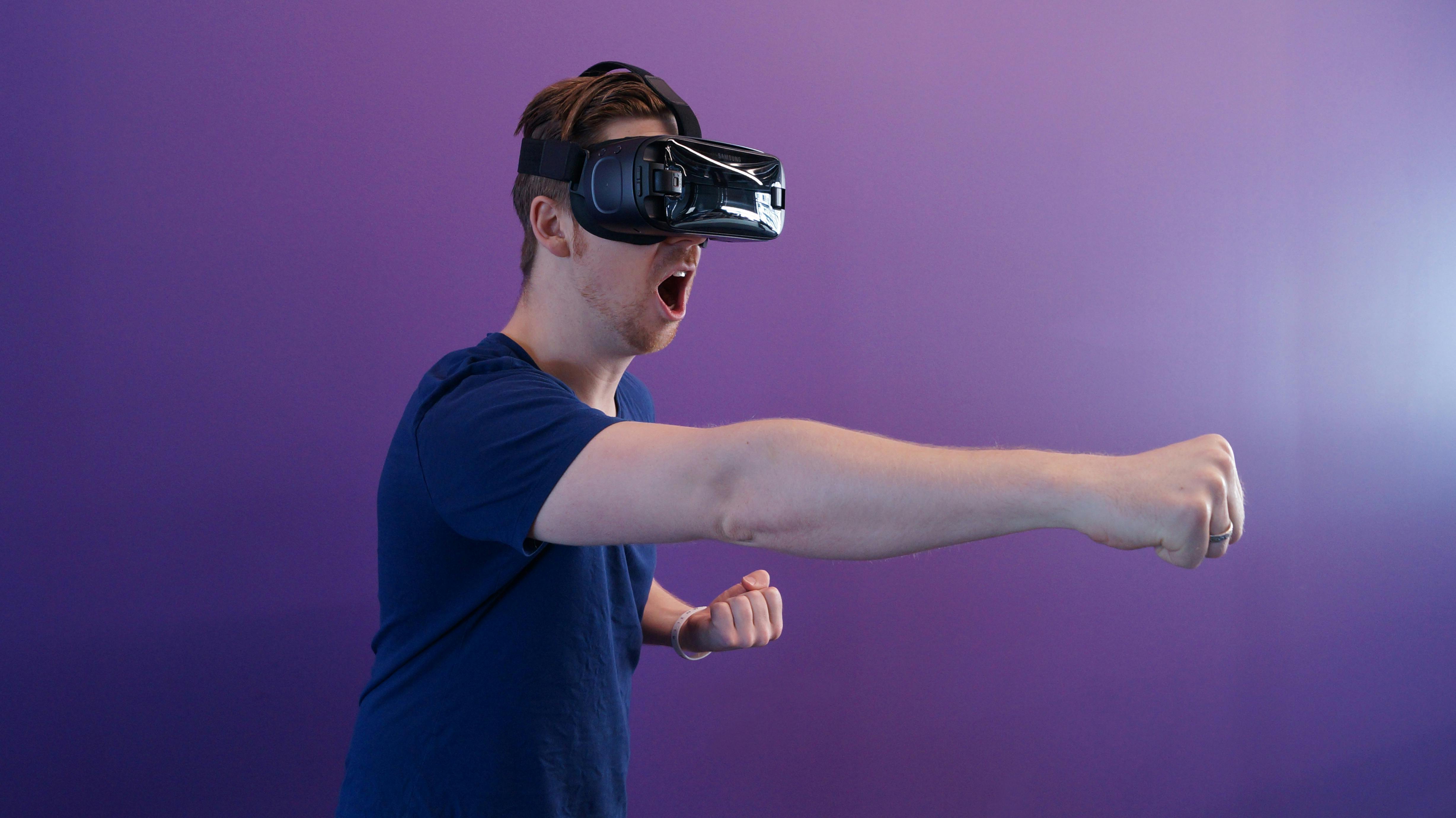
Reviews now evaluate whether headsets can replace multiple monitors, host complex multitasking, and support day-long work sessions. Developers, meanwhile, are experimenting with spatial user interfaces (SUIs) that leverage depth, spatial audio, and persistent digital content anchored in physical environments. The field is at a critical inflection point: technically impressive, increasingly versatile, but still searching for the right combination of price, comfort, and “killer apps” to push it into the mainstream.
Mission Overview: From Niche VR to Spatial Computing Platforms
The “mission” of current mixed reality and spatial computing efforts is to transform head-worn devices into general-purpose computing platforms. Where first-generation consumer VR headsets focused primarily on immersive gaming, today’s high-end MR systems pursue three strategic objectives:
- Enable immersive productivity with multiple floating windows, virtual monitors, and spatially organized workspaces.
- Support natural communication through spatial video calls, remote collaboration spaces, and lifelike avatars or volumetric presence.
- Deliver next-generation media experiences, from 3D cinema and volumetric sports to interactive educational content.
Media coverage increasingly reflects this shift. TechRadar and Engadget now benchmark headsets not only by frame rate and field-of-view for games, but also by:
- Readability of text and user interfaces at typical working distances.
- Battery life and thermal behavior over multi-hour sessions.
- Integration with mainstream ecosystems such as Windows, macOS, iOS, and Android.
- Availability of productivity apps like browsers, Office suites, design tools, and IDEs.
“The real test of spatial computing isn’t whether it can immerse you in a game—it’s whether you’ll actually want to write a report, design a product, or run a meeting in it for hours at a time.” — Technology columnist summarized from coverage in Wired.
This reframing—from “VR gaming” to “spatial computing”—is key to understanding why mixed reality is once again a leading storyline in 2024–2025 tech journalism.
Technology: What Makes the New Wave of Mixed Reality Different?
Under the hood, the current cohort of high-end MR headsets and spatial computing platforms differ significantly from earlier generations. Improvements span optics, displays, sensors, input, and system software.
Higher-Resolution, High-Density Displays
Modern headsets increasingly employ high-density OLED or fast-switching LCD panels, often exceeding 4K per eye in effective resolution. Paired with advanced lenses—such as pancake or aspheric designs—they:
- Reduce the “screen-door effect” that once plagued VR displays.
- Improve text legibility, which is critical for productivity apps.
- Allow smaller, lighter optical stacks compared with earlier Fresnel lenses.
Improved Passthrough and Mixed Reality Compositing
Mixed reality depends on high-quality passthrough video that allows virtual elements to be precisely overlaid on the real world. Recent devices integrate:
- Multiple high-resolution, low-latency RGB cameras.
- Depth sensors or stereo camera setups to reconstruct 3D geometry.
- On-device SLAM (Simultaneous Localization and Mapping) pipelines for accurate spatial anchoring.
This enables stable, low-jitter placement of virtual objects on tables, walls, and other surfaces, as well as persistent spatial anchors that survive app restarts or room changes.
Natural Input: Hands, Eyes, Voice
A defining characteristic of the latest platforms is reduced reliance on handheld controllers. Instead, devices combine:
- Hand tracking via multi-camera setups and machine-learning hand pose estimation.
- Eye tracking for foveated rendering and gaze-based selection, improving both performance and usability.
- Voice assistants and on-device speech recognition for command and control.
This multi-modal input ensemble supports a more intuitive user experience and opens up accessibility options for users who cannot rely on physical controllers.
Tighter Integration with Existing Ecosystems
Another difference from earlier VR cycles is how deeply headsets are tied into existing platforms:
- Desktop-class apps streamed or mirrored from PCs or Macs.
- Native apps built on familiar frameworks (Unity, Unreal, WebXR, React Native variants, proprietary SDKs).
- Cloud synchronization of workspaces, documents, and spatial layouts.
This ecosystem integration is essential for making spatial computing feel like an extension of current workflows instead of a separate, isolated gadget.
Scientific Significance: Human–Computer Interaction in 3D
From a research perspective, spatial computing is a living laboratory for human–computer interaction (HCI), perception, ergonomics, and cognitive science. The questions tech companies and academics are working through extend far beyond rendering performance.
Perception, Comfort, and Cybersickness
Long-duration comfort is a persistent challenge. Researchers study:
- Motion-to-photon latency and its role in motion sickness.
- The impact of vergence–accommodation conflict caused by fixed-focus displays.
- Optimal frame rates and motion smoothing to minimize discomfort.
- Ergonomic factors such as weight distribution and pressure points.
“The science of comfort in XR is as important as the science of graphics. If users can’t stay in the experience for more than 20 minutes, you don’t have a platform—you have a demo.” — Paraphrased from extended reality research discussions in the HCI community.
Spatial User Interfaces (SUIs)
Developers and UX researchers are exploring new paradigms for managing windows, tools, and information in 3D space. Threads on The Next Web and Hacker News frequently discuss:
- How to arrange multiple apps around a user without overwhelming them.
- How depth and occlusion affect attention and task-switching.
- How spatial audio cues guide focus in complex scenes.
- Design patterns for “infinite desktops” where walls, ceilings, and tables can all become work surfaces.
These experiments could influence not only MR, but also conventional desktop and mobile UI design, as insights about spatial memory and cognitive load feed back into 2D systems.
Data Visualization and Cognitive Offloading
Spatial computing also offers a powerful medium for high-dimensional data visualization. 3D representations, volumetric plots, and immersive analytics dashboards let users:
- Explore complex scientific, financial, or engineering datasets.
- Use spatial metaphors (clusters, paths, layers) to encode relationships.
- Collaboratively inspect the same 3D data structures from different vantage points.
This has implications for fields like genomics, climate science, and systems engineering, where traditional 2D charts are often insufficient.
Enterprise and Industrial Use: Where Spatial Computing Already Delivers
While consumer adoption is still emerging, enterprise and industrial deployments provide clear value propositions and real-world case studies, often highlighted by Wired and Ars Technica.
Training and Simulation
Mixed reality training scenarios allow workers to:
- Practice complex or hazardous procedures in a risk-free environment.
- Receive real-time guidance via overlays and step-by-step spatial instructions.
- Repeat rare but critical emergency drills without disrupting operations.
Industries including aviation, healthcare, manufacturing, and energy report reduced training time and fewer on-the-job errors when immersive simulations are incorporated.
Remote Collaboration and Field Service
In field service and maintenance, MR headsets can stream the wearer’s view to remote experts, who annotate the environment in real time. Persistent annotations, 3D CAD overlays, and spatial instructions help:
- Diagnose issues faster.
- Reduce expert travel costs.
- Capture institutional knowledge as reusable procedures.
Design, Prototyping, and Digital Twins
Product design teams are increasingly using spatial computing to:
- View full-scale prototypes before physical fabrication.
- Co-edit designs in real-time virtual studios across geographies.
- Visualize “digital twins” of factories, buildings, or vehicles for optimization.
These workflows lower prototyping costs and enable faster iteration cycles.
These enterprise successes are one reason analysts argue that, even if spatial computing never fully replaces smartphones in the consumer market, it is likely to become a staple tool in professional and industrial contexts.
Consumer Experiences: Gaming, Media, and Everyday Computing
Consumer-facing coverage on The Verge, Engadget, and YouTube focuses heavily on how headsets perform in everyday scenarios: games, entertainment, and core computing tasks like browsing and writing.
From VR Gaming to Immersive Productivity
Gaming remains a flagship use case—high refresh rates and advanced graphics pipelines are table stakes. But reviewers increasingly evaluate:
- How well headsets handle multi-window productivity (e.g., browser + code editor + chat).
- Whether virtual monitors are good enough to replace or supplement physical displays.
- How comfortable it is to type, read, and edit in spatial environments for several hours.
Some power users experiment with setups where a single headset replaces a triple-monitor rig, especially in small apartments or highly mobile work lifestyles.
Immersive Video and 3D Content
Streaming services and tech platforms now invest in:
- 3D and 180/360-degree films and concerts.
- Immersive sports broadcasts with multiple vantage points.
- Educational experiences that put viewers “inside” historical events or scientific phenomena.
Social media is full of spatial computing app demos, cinematic experiences, and “day-in-the-life” experiments, especially on TikTok and YouTube.
Creator Ecosystems and App Discovery
For consumers, the richness of available apps is everything. Popular channels like Marques Brownlee (MKBHD) on YouTube and Linus Tech Tips regularly:
- Review new headsets and mixed reality apps.
- Test productivity workflows (video editing, coding, office work) inside immersive environments.
- Explore experimental content ranging from creative tools to fitness experiences.
Their findings shape consumer perception—especially around whether current devices justify their price tags.
Developer Ecosystem and Methodologies
On the developer side, spatial computing requires rethinking assumptions from 2D apps. Discussions across The Next Web, Hacker News, and specialized XR communities emphasize:
Core Development Stacks
Most MR and spatial applications today are built with:
- Unity and Unreal Engine for real-time 3D and game-like interactions.
- WebXR for browser-based immersive experiences.
- Platform-specific SDKs for system integration, hand tracking, and eye tracking APIs.
Developers must balance visual richness with strict performance budgets to maintain comfort and battery life.
Design Methodologies for Comfortable Experiences
To avoid overwhelming users and to reduce motion sickness, common best practices include:
- Favoring teleportation or dash movement over continuous locomotion.
- Locking UI elements to stable spatial anchors to avoid jitter.
- Maintaining high frame rates and using foveated rendering where eye tracking is available.
- Using gaze + pinch or gaze + dwell selection to reduce arm fatigue.
The challenge is to design spatial workflows that are genuinely superior to their 2D equivalents, not just visually novel.
Learning and Prototyping Resources
Developers exploring the space can benefit from:
- Official documentation from major platforms (Meta, Apple, Microsoft, Valve, and others).
- Academic HCI literature on VR/AR interaction techniques.
- Online courses and tutorials focused on Unity XR, WebXR, and spatial UX.
For hands-on experimentation, affordable devices like certain standalone VR headsets provide a practical entry point into spatial app development.
Hardware Considerations and Buying Guidance
For professionals and enthusiasts considering entry into spatial computing, hardware choices are critical. Key factors include comfort, display quality, tracking robustness, and ecosystem support.
Comfort, Fit, and Use Duration
Mixed reality headsets remain bulkier than laptops or tablets. When evaluating devices, consider:
- Weight distribution between front and back to minimize neck strain.
- Adjustability for different head shapes, hairstyles, and eyewear.
- Padding materials and heat management around the face.
Display and Optics
For productivity-heavy use, prioritize:
- High pixel density for crisp text.
- Good color accuracy and contrast for media and design work.
- Low glare and minimal optical distortions at the edges.
Popular Headsets and Accessories
If you’re looking for a capable starting point in the U.S. market, consider established standalone VR/MR devices that support both gaming and productivity modes. Many users also invest in accessories such as:
- Comfort headstraps and counterweights for longer sessions.
- Prescription lens inserts for glasses wearers.
- Carrying cases to protect the hardware while traveling.
For example, a widely used comfort upgrade for certain standalone headsets is the elite-style head strap with built-in counterbalance , which many users report significantly improves fit during multi-hour productivity sessions.

As hardware matures, comfort and ergonomics will likely become as important to buyers as raw graphics performance.
Privacy, Ethics, and Social Acceptance
Alongside technical advances, privacy and social norms are central to the debate about spatial computing’s future.
Always-On Sensors and Environmental Mapping
MR headsets rely on cameras, depth sensors, and IMUs that continuously map:
- The geometry of your surroundings (walls, furniture, people).
- Your body position, posture, and hand movements.
- Potentially, your eye movements and facial expressions.
This generates sensitive datasets that could reveal behavioral patterns, emotional states, and social interactions if misused.
Data Handling and Platform Trust
Policy discussions focus on:
- Where sensor data is processed (on-device vs. in the cloud).
- How long mapping data and eye-tracking logs are stored.
- How anonymization and aggregation are implemented.
- What third-party apps can access via the platform APIs.
Regulators and privacy advocates argue that spatial computing needs guardrails comparable to, or stricter than, those of smartphones and web platforms.
Social Barriers and Aesthetics
Beyond data, there is a social hurdle: wearing a bulky headset changes how you relate to people around you. Questions include:
- Will users feel comfortable wearing headsets in public or shared offices?
- How do you maintain eye contact and social presence when your eyes are obscured?
- Can device designs become lightweight and transparent enough to feel socially acceptable?
“The success of spatial computing depends as much on fashion and etiquette as on field-of-view and resolution.”
Until these issues are resolved, mainstream adoption will likely remain uneven across contexts—strong in private or industrial environments, slower in public and social settings.
Milestones: How We Reached the Current Inflection Point
Spatial computing’s current momentum is the result of iterative progress over more than a decade, rather than a single breakthrough moment.
Key Technological Milestones
- Early consumer VR headsets that proved the viability of immersive gaming.
- Introduction of inside-out tracking, removing the need for external sensors.
- Launch of self-contained, standalone headsets, untethering users from PCs.
- Hybrid MR devices with high-quality passthrough and advanced hand tracking.
Along the way, each cycle brought new lessons about motion sickness, content discovery, and user expectations for everyday use.
Media and Community Milestones
Coverage cycles on Engadget, TechRadar, The Verge, Wired, and Ars Technica—combined with YouTube creator ecosystems—have:
- Shifted narrative from “VR fad” to “long-term computing platform bet.”
- Highlighted success stories in enterprise, design, and education.
- Exposed shortcomings in comfort, app ecosystems, and pricing.
Hacker News and developer forums have acted as a reality check, scrutinizing claims, sharing benchmarks, and debating whether current devices meaningfully improve productivity.
Challenges: What Still Stands Between Spatial Computing and the Mainstream?
Despite sustained progress, spatial computing faces substantial hurdles before it can achieve smartphone-like ubiquity.
Cost and Accessibility
Premium mixed reality headsets remain expensive, especially for students or casual users. Challenges include:
- Balancing high-end components with consumer-friendly price points.
- Making devices robust enough for schools and public labs.
- Ensuring accessibility features for users with disabilities.
Battery Life and Thermal Limits
Running high-resolution displays, advanced sensors, and complex rendering pipelines is demanding. This leads to:
- Limited battery life for fully standalone devices.
- Heat buildup around the face during intensive sessions.
- Trade-offs between portability and performance.
Content and “Killer Apps”
Many reviewers agree that while current headsets are technically impressive, they still lack the kind of must-have applications that smartphones enjoyed (e.g., messaging, navigation, social media). The open questions:
- What everyday experiences are better in spatial form than on a phone or laptop?
- Can MR headsets become indispensable at work or at home?
- Will there be a “gravity app” that compels mass adoption?
Fragmentation and Standards
The ecosystem remains fragmented across:
- Different app stores and distribution models.
- Incompatible tracking, input, and spatial data schemas.
- Proprietary frameworks versus open standards like OpenXR and WebXR.
Progress on standards will be crucial for developers to target multiple platforms efficiently and for users to move between devices without losing their content and spatial layouts.
Conclusion: An Inflection Point, Not a Foregone Conclusion
Mixed reality and spatial computing have clearly outgrown their origins as a VR gaming novelty. High-end headsets now offer credible, if still imperfect, alternatives to traditional computing setups for specific workflows, particularly in enterprise, design, and immersive media.
At the same time, skepticism about cost, comfort, social acceptance, and privacy remains justified. Spatial computing is at an inflection point: it possesses the technical capability to be transformative, but it must still earn its place as a mainstream medium by solving real problems better than phones and laptops can.
Over the next several years, the pace of optimization—in optics, battery technology, silicon efficiency, and ecosystem integration—will determine whether spatial computing becomes a niche professional tool, a premium entertainment device, or a ubiquitous everyday interface.
Practical Next Steps for Curious Readers
If you want to engage more deeply with mixed reality and spatial computing, consider three complementary paths:
1. Experience It First-Hand
- Try a demo at an electronics retailer, XR lab, or tech conference.
- Borrow or rent a headset to test your everyday workflows—email, writing, browsing, or coding.
- Explore productivity-focused apps in addition to games.
2. Follow High-Quality Analysis
Stay updated through:
- The Verge’s VR/AR coverage
- Wired’s immersive tech tag
- Ars Technica’s gaming & XR reporting
- Specialized XR newsletters and LinkedIn posts from XR researchers and product leaders.
3. Build Something Small
Even if you are not a professional developer, beginner-friendly frameworks like Unity with XR templates or WebXR allow you to:
- Prototype simple spatial interfaces.
- Experiment with hand tracking or basic environmental anchoring.
- Understand first-hand where current tools shine and where they fall short.
This hands-on perspective will make you a more informed participant in discussions about the future of computing—whether you’re a researcher, engineer, designer, educator, or simply a curious technologist.
References / Sources
Further reading and sources referenced or aligned with this overview:
- Engadget – Virtual Reality & Mixed Reality Coverage
- TechRadar – VR Headsets News and Reviews
- The Verge – VR/AR Section
- Wired – Virtual Reality Tag
- Ars Technica – Gaming & XR Reporting
- Meta (Oculus) Developer Documentation
- Apple – Augmented Reality for Developers
- OpenXR – Open Standard for XR Development
- Immersive Web / WebXR Community
- Microsoft Research – Mixed Reality and AI
