
Why the Battle for the AI PC Will Redefine Laptops, Phones, and Every Device You Own
The phrase “AI PC” has moved from marketing buzzword to strategic battleground. From TechRadar and Engadget to The Verge and Ars Technica, coverage is converging on a single storyline: the most important AI race in consumer tech is no longer only in the cloud. It is playing out inside laptops, smartphones, tablets, and wearables that can run powerful models locally—without constantly phoning home to a data center.
This article explores the battle for the AI PC and next‑gen consumer devices: the mission behind on‑device AI, the hardware and software technologies that make it possible, the scientific and societal significance, and the milestones, trade‑offs, and challenges that will determine which platforms win.

Analysts increasingly frame this shift as the largest redesign of the personal computing stack since the move from single‑core to multi‑core CPUs and from spinning disks to SSDs. Now, CPUs, GPUs, and dedicated NPUs (neural processing units) are being co‑designed with operating systems and apps for “AI‑first” experiences—real‑time transcription, summarization, translation, creative tools, and assistants that run even when you are offline.
Mission Overview: Why AI Is Moving On‑Device
Two converging forces are driving the AI PC and AI‑device revolution:
- Cost and scalability of cloud AI: Running large language models and generative AI workloads purely in the cloud is expensive and latency‑prone at global scale.
- User expectations of immediacy and privacy: Consumers expect near‑instant responses and want sensitive data—documents, photos, audio—to stay on their own devices whenever possible.
The mission behind the AI PC is therefore clear:
- Push as much AI computation as possible to the “edge” (your laptop, phone, or wearable).
- Reserve the cloud for heavy lifting: model training, large‑scale personalization, or complex queries.
- Deliver genuinely useful features, not just an “AI” sticker on the box.
“The future of AI is hybrid—somewhere between massive cloud models and small models running on the devices we carry everywhere.” — Paraphrased from public comments by Sam Altman, OpenAI CEO
Practically, this means your next laptop may ship with a dedicated NPU capable of tens or even hundreds of trillions of operations per second (TOPS) while sipping power—enough to run speech, vision, and language models locally throughout the day.
Technology: Inside the AI PC and Next‑Gen Devices
The AI PC is not just a faster CPU. It is a tightly integrated stack spanning silicon, memory, firmware, operating system, and applications. Reviews on outlets like TechRadar and The Verge now spend as much time on AI acceleration and NPU performance as on raw CPU benchmarks.
CPUs, GPUs, and NPUs: A Three‑Way Alliance
Modern AI‑centric systems distribute work across three main engines:
- CPU (Central Processing Unit) for control logic, light inference, and system orchestration.
- GPU (Graphics Processing Unit) for parallel numerical operations and heavy AI workloads like large‑scale training or high‑throughput inference.
- NPU (Neural Processing Unit) for highly efficient, always‑on inference, designed around matrix operations, low‑precision arithmetic (INT8, INT4), and aggressive power management.
Leading chipmakers are rapidly iterating:
- Intel is pushing its “AI PC” vision via Core Ultra and next‑gen platforms with integrated NPUs and Xe graphics, emphasizing Windows‑level AI features.
- AMD is embedding powerful NPUs alongside Ryzen CPUs and RDNA graphics, targeting creators and heavy multitaskers.
- Apple integrates its “Neural Engine” into M‑series and A‑series SoCs, tightly coupling hardware with macOS, iPadOS, and iOS AI features.
- Qualcomm and other ARM vendors focus on ultra‑mobile AI devices—Windows on ARM laptops, Android phones, and wearables—with strong NPU performance per watt.

Memory Bandwidth and Storage: Feeding the Models
Power users on communities like Reddit and Hacker News often focus on an under‑appreciated bottleneck: memory bandwidth and capacity.
- Running a 7B–13B parameter model locally can easily consume 8–24 GB of RAM, depending on quantization and context length.
- Higher bandwidth memory (LPDDR5X, GDDR6, HBM) helps keep NPUs and GPUs fed so they do not stall.
- Fast NVMe SSDs allow streaming parts of large models from disk, but this is still slower than RAM.
As a result, mid‑to‑high‑end AI PCs are trending toward:
- At least 16 GB of unified or system memory for serious local AI use.
- 512 GB–1 TB NVMe SSDs to store models, embeddings, and media.
Software, Toolchains, and Quantization
On‑device AI depends as much on software as on silicon. Critical techniques include:
- Quantization: Compressing models from 16‑bit or 32‑bit floating point down to 8‑bit or 4‑bit integer formats to save memory and power, often with minimal loss in accuracy.
- Pruning and distillation: Removing redundant parameters and training smaller “student” models to mimic larger “teacher” models.
- Runtime frameworks: ONNX Runtime, Core ML, TensorRT, and platform‑specific SDKs that map neural nets onto CPU, GPU, and NPU efficiently.
“Model compression—quantization, pruning, distillation—is what makes modern on‑device AI viable on consumer‑grade hardware.” — Summary of views from multiple Google AI researchers
Open‑source projects like llama.cpp and Ollama have become de‑facto testbeds for running local LLMs on consumer hardware, often used by reviewers to validate vendor claims.
Scientific Significance: A New Edge for AI
The shift to on‑device AI is not just a commercial trend. It has deep scientific and societal implications.
Human–Computer Interaction Redefined
With low‑latency, on‑device models, interfaces become more conversational, multimodal, and context‑aware:
- Real‑time speech‑to‑text and translation even in airplane mode.
- On‑device vision models that understand your screen, documents, and environment.
- Assistants that track your workflow across apps without shipping data to the cloud.
This enables research into continuous, privacy‑preserving personalization—models that adapt to you without centralizing all your data.
Privacy, Security, and Data Minimization
On‑device inference promises stronger privacy:
- Sensitive data (health records, legal documents, private photos) can be processed locally.
- Only aggregated signals or anonymized updates need to reach the cloud for model improvement.
However, media outlets increasingly scrutinize how well this promise holds. Telemetry, crash logs, and feature usage statistics may still be uploaded, and users need transparent controls.
Environmental and Energy Considerations
Moving inference to the edge can reduce the load on energy‑hungry data centers, but it also increases:
- Device‑level energy usage and battery drain.
- Embodied energy and e‑waste if upgrade cycles accelerate too aggressively.
Researchers are therefore focusing on “green AI” approaches: more efficient architectures, low‑precision arithmetic, and better power‑performance tuning across CPUs, GPUs, and NPUs.
Mission Overview: What Each Player Wants
The AI PC battleground aligns (and sometimes clashes) the incentives of several groups:
- Chipmakers want to prove clear AI performance and efficiency leadership with each generation of silicon.
- Device OEMs (laptop, phone, and wearable makers) want compelling features that justify upgrades and differentiate their products.
- Platform vendors (Microsoft, Apple, Google, others) want AI woven throughout their operating systems and cloud services, creating lock‑in and ecosystem stickiness.
- Developers want stable APIs and runtimes that make it easy to target heterogeneous hardware without rewriting their apps for every new chip.
- Consumers want tangible benefits—speed, creativity, productivity, privacy—without confusing complexity or inflated prices.
Editorial coverage increasingly asks whether these missions align with real user value. Reviews on Engadget or Ars Technica often test AI PCs by:
- Running real‑world workloads (video conferencing, document processing, code assistance).
- Measuring battery impact of “always‑on” AI features.
- Evaluating whether AI experiences feel genuinely new or just repackaged.
Technology in Practice: What AI PCs Actually Do
Operating systems are being redesigned for AI‑first workflows. Common on‑device capabilities now include:
- Real‑time meeting transcription and translation without sending audio to the cloud.
- Summarization of documents, web pages, and PDFs inline in productivity suites.
- Contextual assistants that understand apps, windows, and on‑screen content.
- Creativity tools for image generation, upscaling, and audio cleanup.
- Personal knowledge bases that index your local files with semantic search.

Hybrid AI: Splitting Work Between Device and Cloud
Most serious implementations use a hybrid pattern:
- On‑device: Fast, private tasks like wake word detection, basic chat, image enhancement, and summarization of local documents.
- Cloud: Larger or more complex reasoning tasks, multi‑step planning, or heavy multimodal generation.
This hybrid model reduces latency and cloud cost while preserving the option for highly capable, centralized models when needed.
Milestones: How We Got Here
The road to AI PCs and AI‑centric devices has several major inflection points:
- Early smartphone NPUs (mid‑2010s): Apple, Huawei, and Qualcomm introduced mobile NPUs for camera features and basic on‑device ML.
- Dedicated AI accelerators in consumer hardware: Apple’s Neural Engine, Google’s Tensor chips in Pixel phones, and other SoCs normalized the idea of dedicated AI blocks.
- Generative AI breakthrough (2022 onward): Large language models and diffusion models created mainstream demand for AI‑augmented apps, kick‑starting the AI PC marketing wave.
- First “AI PC” branded laptops: Major OEMs launched systems explicitly marketed around NPU TOPS and AI features in Windows and other platforms.
- OS‑level assistants: System‑integrated copilots and assistants began shipping, baking AI into search, settings, and multi‑app workflows.
Each milestone shifted coverage in tech media from curiosity to critical evaluation—especially around real‑world performance vs. vendor claims.
Challenges: Benchmark Wars, Hype, and Real Trade‑Offs
The AI PC story is not frictionless. Several challenges dominate industry and community discussions.
1. Benchmark Wars and Meaningful Metrics
Vendors love to advertise TOPS (trillions of operations per second), but:
- TOPS figures are often measured at low‑precision modes not widely used in apps yet.
- They may ignore memory bottlenecks and thermal constraints in thin‑and‑light laptops.
- Real workload performance—e.g., tokens per second in LLMs, frames per second in video upscaling—is what matters to users.
Independent benchmarks by outlets like Ars Technica and community testers help cut through marketing noise by comparing:
- Battery‑normalized AI performance (tokens/sec per watt).
- Thermal behavior during sustained, multi‑minute AI workloads.
- Cross‑platform behavior of the same models on different AI PCs and phones.
2. Battery Life and Thermal Constraints
Running AI workloads locally can be intensive:
- Continuous transcription or vision tasks can keep NPUs active for long periods.
- Thin devices have limited cooling, forcing throttling under sustained load.
- Some AI features are “always on” unless users explicitly turn them off.
Designers must balance aggressive AI experiences with:
- Thermal envelopes suitable for fanless or near‑silent devices.
- Battery targets (e.g., 10–20 hours for ultrabooks, all‑day phones).
- Accessibility—ensuring AI does not overload devices used by people who need reliable assistive technologies.
3. Privacy, Security, and Transparency
On‑device AI does not automatically mean “no data leaves the device.” Responsible implementations must:
- Clearly indicate when data is processed locally vs. in the cloud.
- Offer granular privacy controls and opt‑outs.
- Minimize telemetry that could reconstruct sensitive content.
“Security is about trade‑offs. On‑device AI can reduce some risks while creating new ones, especially around local attacks and model manipulation.” — Bruce Schneier, security technologist (paraphrased from public commentary)
4. Hype vs. Real Utility
Tech reviewers increasingly push back on shallow AI branding. Many ask:
- Does this AI feature save meaningful time or cognitive load?
- Is it accurate enough that users can rely on it for serious work?
- Would I upgrade my hardware just for this?
Devices that cannot answer “yes” to these questions risk becoming examples of “AI washing”—features added to justify price hikes rather than to deliver user value.
AI‑Ready Hardware: What Consumers Should Look For
As productivity apps, creative tools, and even games integrate on‑device AI, many consumers now ask: “Is my laptop or phone AI‑ready?” Editors across major outlets treat this as a recurring theme.
When evaluating an AI PC or AI‑centric phone, pay particular attention to:
- NPU performance and software support: Are apps and the OS actually using the NPU, or are they falling back to CPU/GPU?
- Memory: 16 GB RAM is quickly becoming a practical baseline for multi‑app AI use on PCs.
- Thermals and battery life: Look for reviews that include sustained AI workloads, not just burst tests.
- Update policy: Long‑term OS and firmware updates are essential as on‑device models and runtimes evolve.
For power users interested in local LLMs and offline assistants, specialized accessories can also help. For example, an external high‑speed SSD like the SanDisk 1TB Extreme Portable SSD provides fast, durable storage for local models, datasets, and AI project files without taxing your internal drive.
Beyond PCs: Phones, Wearables, and Ambient Devices
The “AI PC” narrative extends to a much broader category of next‑generation consumer devices.
- Smartphones use on‑device AI for photography, real‑time translation, spam detection, and keyboard prediction.
- Wearables (watches, earbuds, AR glasses) rely on low‑power models for activity recognition, health insights, and ambient assistance.
- Smart home hubs integrate local voice models to reduce latency and avoid sending every command to the cloud.
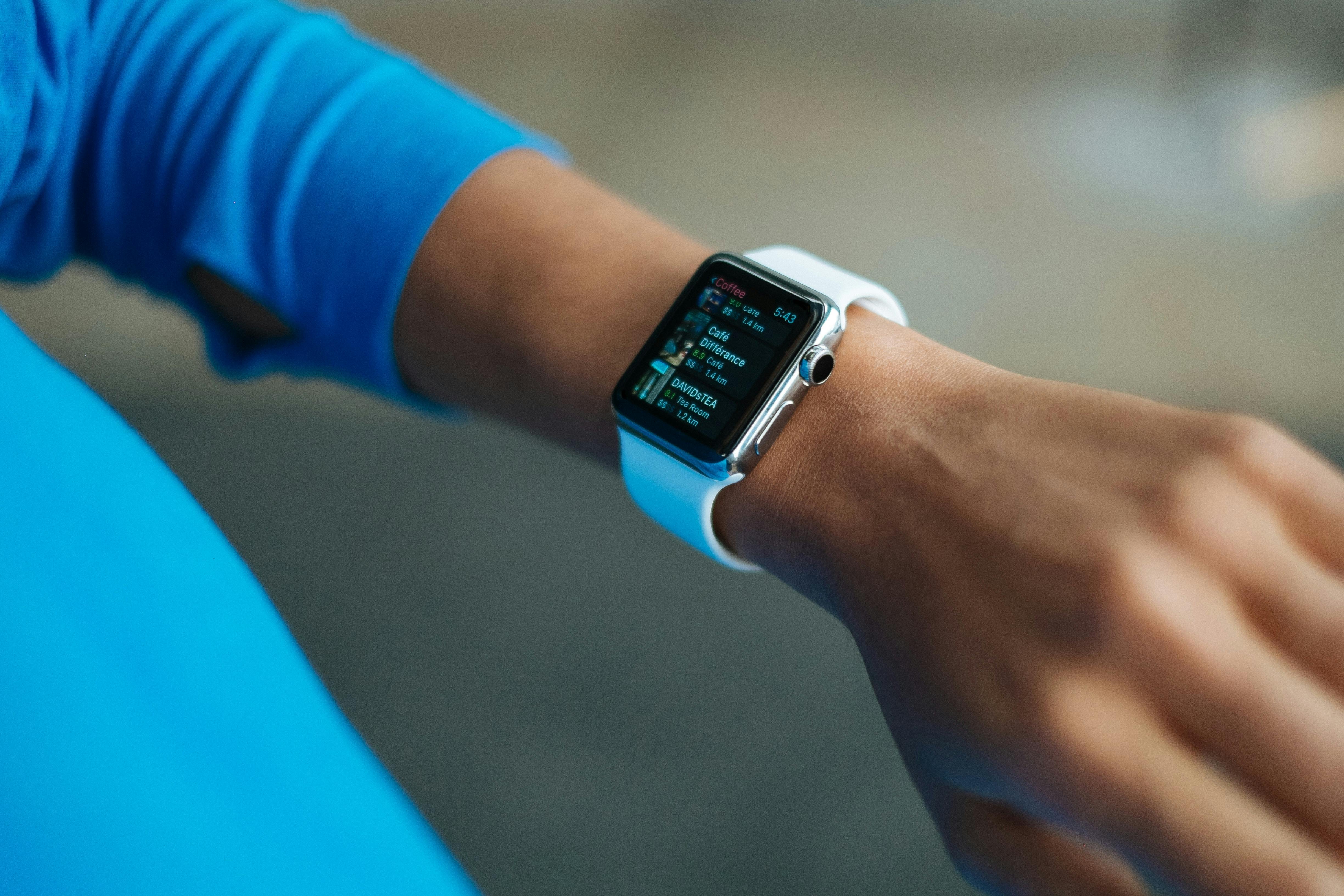
Many of the same issues apply—battery, privacy, and meaningful utility—but the constraints are tighter. Wearables and low‑power devices especially depend on:
- Ultra‑efficient NPUs.
- Tiny models specifically designed for edge deployments.
- Careful UX design to surface AI in ways that feel intuitive, not intrusive.
Conclusion: The AI PC as the New Baseline
The battle for the AI PC and next‑gen consumer devices is ultimately about redefining what “baseline computing” means. In much the same way that SSDs and multi‑core CPUs are now taken for granted, dedicated AI acceleration and on‑device models will soon be an expectation rather than a premium feature.
Over the next few years, expect:
- More capable, yet more efficient NPUs integrated across price tiers.
- A maturing software ecosystem that hides hardware complexity behind stable AI APIs.
- Regulatory and standards efforts around transparency, privacy, and safety of on‑device AI.
- Growing user literacy on when to keep data local and when to use cloud AI.
For consumers and professionals alike, the most important question is less “Do I need an AI PC?” and more “Which AI‑enabled device best matches my workflows, privacy needs, and budget?” The winners in this battle will be the platforms that answer that question honestly—with capabilities that feel indispensable, not ornamental.
Further Reading, Videos, and References
To dive deeper into AI PCs and on‑device AI, the following resources provide up‑to‑date analysis, teardowns, and technical context:
- Tech outlet coverage:
- Technical and research perspectives:
- Developer and enthusiast resources:
Practical Tips Before You Buy an AI Device
As a final checklist, before investing in an AI‑centric PC, phone, or wearable, consider:
- Does the device have a recent‑generation NPU or equivalent accelerator with good software support?
- Is there at least 16 GB of RAM (for PCs) or sufficient memory for your anticipated workflows?
- How do independent reviews rate AI features, thermals, and battery life under real workloads?
- What is the vendor’s stated policy on privacy, on‑device processing, and telemetry?
- How long will the device receive OS and firmware updates that improve AI models and runtimes?
Taking these factors into account will help you choose hardware that stays capable across multiple generations of AI software—turning marketing buzzwords into long‑term value.
References / Sources
