
Inside the AI PC Revolution: How Next‑Gen Hardware Is Rewiring Personal Computing
Mission Overview: What Is an “AI PC” Really?
Tech media like Engadget, TechRadar, The Verge, and Ars Technica increasingly use the term AI PC to describe a new class of computers that place AI workloads at the center of their design. This is not just marketing for “faster laptops”; it refers to systems with:
- Dedicated NPUs (Neural Processing Units) built into CPUs or system‑on‑chips (SoCs).
- GPUs optimized for matrix math and tensor operations common in deep learning.
- Firmware and operating systems tuned for low‑latency AI inference and power efficiency.
In practice, an AI PC is any laptop or desktop that can run advanced AI models locally—voice assistants, copilots, vision models, and even compact large language models (LLMs)—without constantly offloading computation to the cloud.
“We are entering a new era where the PC is not just a tool you use, but a partner that understands your context and anticipates your needs.”
— Satya Nadella, CEO of Microsoft
Why AI PCs Are Emerging Now
The rapid shift toward AI‑centric hardware is driven by three intersecting forces: user demand, vendor differentiation, and platform‑level AI integration.
User Demand for On‑Device AI
Users increasingly expect AI features to be instant, private, and always available—even offline. Common scenarios include:
- Real‑time meeting transcription and translation without uploading audio.
- Background noise removal and voice isolation for calls.
- Automatic image enhancement, upscaling, and video stabilization.
- Local copilots for coding, writing, or spreadsheet analysis.
- Offline chatbots powered by compact LLMs for travel or privacy‑sensitive work.
Traditional CPU‑only designs can run these workloads, but not efficiently. NPUs dramatically improve performance per watt, making all‑day AI‑enhanced workflows feasible on battery power.
Chip Vendors Seeking Differentiation
Intel, AMD, and Qualcomm are in a new performance race—this time measured not only in FPS or Cinebench scores, but in TOPS (tera‑operations per second) for AI workloads.
- Intel is integrating NPUs into its Core Ultra chips and heavily promoting “AI Boost” capabilities.
- AMD emphasizes powerful integrated GPUs and NPUs in its Ryzen AI‑branded mobile processors.
- Qualcomm is pushing Arm‑based Windows laptops with high NPU performance and strong battery life.
Platform & Ecosystem Feedback Loop
Operating systems are being rebuilt around AI:
- Microsoft adds Windows‑level copilots, recall features, and AI‑powered search.
- Apple integrates on‑device models (e.g., in iOS/macOS “Apple Intelligence”) that rely on Secure Enclave, GPU, and NPU‑like engines.
- Linux distributors and open‑source projects are exposing standard APIs (e.g., ONNX Runtime, DirectML, ROCm) for local inference.
As OS‑level features rely more on local AI, users with older, NPU‑less hardware are nudged toward upgrading, accelerating the replacement cycle.
Technology: Inside the AI PC Hardware Stack
Under the hood, AI PCs combine several specialized components, each tuned for a subset of AI workloads.
CPUs: Hybrid Architectures and Instruction Sets
Modern CPUs from Intel and AMD use hybrid cores—“performance” and “efficiency” cores—to balance bursty interactive tasks with background workloads. For AI:
- New instruction sets like AVX‑512, VNNI, and BF16 support faster integer and mixed‑precision matrix operations.
- Schedulers are being tuned to offload stable AI inference to NPUs or GPUs while the CPU handles orchestration and I/O.
NPUs: The New Centerpiece
NPUs are specialized accelerators optimized for dense linear algebra and low‑precision arithmetic. Their advantages include:
- High energy efficiency (TOPS per watt) for always‑on tasks like background transcription.
- Hardware support for low‑bit quantization (e.g., INT8, INT4) that shrinks model size and memory bandwidth needs.
- Tight OS integration, allowing Windows, macOS, or Linux to dispatch AI jobs without user intervention.
“As models become larger and more ubiquitous, specialized accelerators are essential to deliver AI to the edge without exceeding power and thermal budgets.”
— Jensen Huang, CEO of NVIDIA
GPUs and Integrated Graphics
While NPUs handle continuous, power‑sensitive workloads, GPUs remain crucial for:
- Training or fine‑tuning smaller models locally.
- High‑resolution image generation and video processing.
- Multi‑modal models that blend vision, speech, and text.
Memory and Storage Considerations
Running local models efficiently depends heavily on memory bandwidth and storage:
- LPDDR5/5X and similar high‑bandwidth RAM improve inference throughput.
- Fast NVMe SSDs reduce load times for multi‑gigabyte models and datasets.
- Compression and quantization reduce VRAM and RAM requirements, making sub‑10 GB LLMs feasible on consumer hardware.
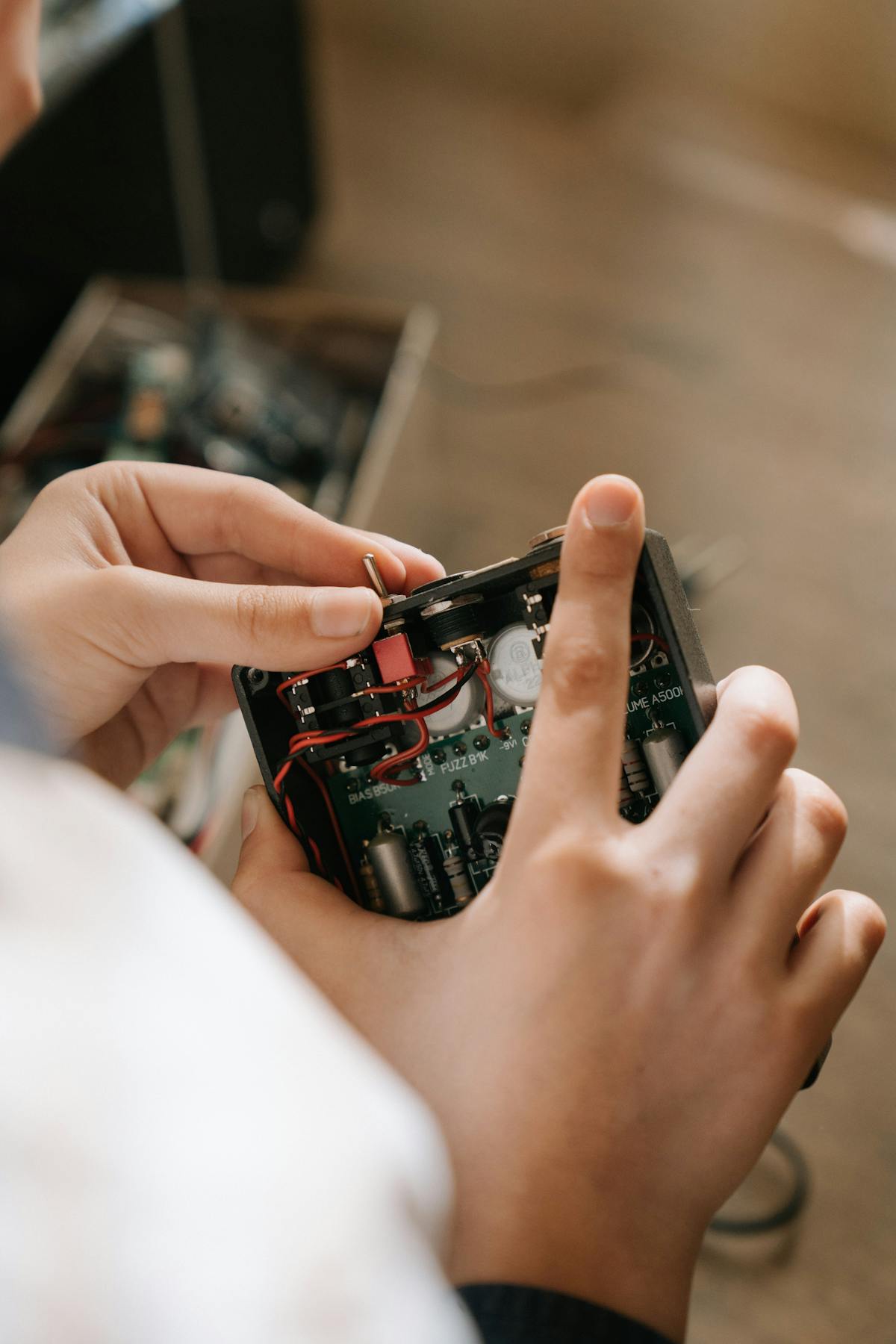
Visualizing the AI Hardware Shift


Scientific and Technical Significance of On‑Device AI
Moving AI from centralized data centers to edge devices is more than a user‑experience upgrade; it is a shift in the computational topology of AI systems.
Latency, Privacy, and Resilience
- Latency: Local inference bypasses network round‑trips, enabling real‑time experiences such as live translation or frame‑by‑frame video enhancement.
- Privacy: Sensitive data—health records, legal documents, personal photos—can be processed without leaving the device.
- Resilience: AI features continue working in low‑connectivity environments, critical for fieldwork, travel, and remote areas.
Algorithm–Hardware Co‑Design
Researchers now design models with hardware awareness. Techniques like:
- Post‑training quantization (e.g., 8‑bit, 4‑bit, or mixed precision).
- Pruning and sparsity to exploit NPU and GPU compression features.
- Distillation to produce compact, edge‑optimized models from large foundation models.
This co‑design loop is a hallmark of modern computer architecture and will influence both academic and industrial AI research for years.
Developer Ecosystem: From Benchmarks to Real‑World Workflows
AI PCs would be meaningless without software exploiting their capabilities. A rich ecosystem is forming across tooling, frameworks, and community projects.
Frameworks and Runtimes
- ONNX Runtime and TensorRT for efficient deployment on NPUs and GPUs.
- PyTorch and TensorFlow with increasingly mature mobile/edge backends.
- GGML / GGUF‑based runtimes (e.g., llama.cpp, ollama) for running quantized LLMs on consumer hardware.
Benchmarks vs. Reality
YouTube and TikTok creators, along with independent reviewers, test:
- Local chatbots with 7B–13B parameter LLMs.
- 4K video editing with AI denoising, color grading, and upscaling.
- IDE‑integrated coding copilots running partly or fully on‑device.
These real‑world tests often reveal a gap between vendor marketing and everyday experience, driving more honest coverage by outlets such as The Verge and Ars Technica.
“The edge is rapidly becoming a first‑class citizen in AI deployment, requiring new methods for compression, robustness, and hardware‑aware optimization.”
— From recent edge AI surveys on arXiv
The Hardware Arms Race: Intel, AMD, Qualcomm, Apple, and Beyond
Major silicon vendors now position AI performance as a core metric, alongside battery life and graphics.
Intel
Intel’s AI PC narrative revolves around:
- Core Ultra chips with integrated NPUs.
- Deep collaboration with Microsoft on Windows features that prioritize Intel’s AI accelerators.
- Developer tools that target Intel GPUs and NPUs via oneAPI and related toolchains.
AMD
AMD leverages strong integrated graphics and Ryzen AI NPUs to pitch:
- Superior performance for creator workloads—video editing, 3D rendering, and AI‑assisted graphics.
- Competitive AI throughput at attractive price points for OEM partners.
Qualcomm and Arm‑Based PCs
Qualcomm’s Windows on Arm push seeks to combine:
- Smartphone‑class power efficiency.
- High‑TOPS NPUs inspired by mobile SoC design.
- Tight integration with 5G and always‑connected laptop form factors.
Apple’s Vertical Integration
Apple does not use the “AI PC” label, but its M‑series chips integrate powerful “Neural Engine” blocks. Combined with OS‑level features (e.g., Apple Intelligence, on‑device dictation), macOS devices effectively function as AI PCs, but within Apple’s tightly controlled ecosystem.
From Marketing Buzz to Practical Buying Decisions
Hacker News and similar forums frequently debate whether “AI PC” is a real category or a slogan. The truth lies in the middle: the term is heavily marketed, but there are concrete specs that matter.
What to Look For When Buying an AI PC
- NPU performance: Check TOPS ratings and, more importantly, independent benchmarks for local transcription and LLM inference.
- GPU capabilities: For creators and developers, a strong integrated or discrete GPU can still matter more than the NPU.
- Memory: Aim for at least 16 GB RAM if you plan to run local models; 32 GB is preferable for heavier workflows.
- Thermal design: Thin‑and‑light machines may throttle under sustained AI loads; look for well‑designed cooling.
- Battery life: AI background tasks can drain poorly optimized systems quickly; reviews from outlets like TechRadar can help separate hype from reality.
Example AI‑Ready Laptops (US Market)
For readers actively shopping, several well‑reviewed models illustrate where the market is heading:
- ASUS Zenbook 14 OLED (Intel Core Ultra series) – Combines an NPU with an OLED display and strong portability for AI‑assisted productivity.
- Lenovo Yoga Slim / Slim Pro series with Ryzen AI – AMD‑powered creator‑oriented laptops with capable integrated GPUs and NPUs for mixed media and AI workflows.
Always cross‑check specifications against independent reviews on sites like Engadget or Notebookcheck.
Milestones in the AI PC and Edge AI Journey
The AI PC movement builds on a decade of incremental advances in edge computing and mobile AI.
Key Milestones
- Early smartphone NPUs introduced in high‑end mobile SoCs for camera enhancement and on‑device assistants.
- Unified memory architectures in Apple’s M‑series chips, enabling efficient sharing of data between CPU, GPU, and Neural Engine.
- Standardized model formats such as ONNX, allowing developers to deploy across heterogeneous hardware.
- Emergence of quantized LLMs running on laptops with tools like llama.cpp, making local conversational AI accessible to hobbyists.
- Integration of AI‑first features directly into mainstream OS releases from Microsoft and Apple.
Challenges: Hype, Fragmentation, and Long‑Term Risks
Despite the excitement, the AI PC era faces technical, economic, and societal challenges.
Hype vs. Substance
Many systems labeled as AI PCs offer only modest NPU capabilities or limited real‑world benefit today. Users should be wary of:
- Proprietary benchmarks that overstate gains.
- Features that require cloud connectivity despite “on‑device AI” marketing.
- Thin software ecosystems that do not yet use the NPU meaningfully.
Platform Fragmentation
Developers must navigate differing:
- Driver stacks (DirectML, CUDA, ROCm, proprietary NPU SDKs).
- Model deployment formats and runtime quirks.
- Operating system policies on access to low‑level accelerators.
This fragmentation raises development costs and can slow the rollout of truly cross‑platform AI apps.
Security and Model Integrity
On‑device models introduce new attack surfaces:
- Model tampering: Adversaries may attempt to replace or corrupt local models.
- Prompt injection and data exfiltration: Even local AI can be tricked into mishandling sensitive data if not sandboxed correctly.
Hardware‑rooted trust, secure enclaves, and signed model bundles are becoming more important in response.
Environmental Considerations
While AI PCs may reduce some cloud compute usage, they also risk faster device churn. Extending hardware life through modular design, repairability, and energy‑efficient software will be key to avoiding unnecessary e‑waste.
Looking Ahead: Toward Ambient, Hybrid AI
The most likely future is not “all local” or “all cloud” but a hybrid AI fabric where:
- Small to medium models run locally for privacy and responsiveness.
- Large foundation models live in the cloud for tasks requiring global context or massive capacity.
- Personal “profiles” and embeddings are synced securely across devices, but raw data stays local whenever possible.
For end users, this will feel like ambient intelligence: AI quietly enhances documents, meetings, media, and workflows without manual prompting. For developers and hardware designers, it is a complex coordination problem—and a fertile ground for innovation.
To explore practical implications, many professionals share hands‑on experiments and benchmarks on platforms like LinkedIn and in long‑form breakdowns on YouTube AI PC benchmark channels.
Conclusion: How to Prepare for the AI PC Era
The AI PC and next‑gen hardware arms race marks one of the most important shifts in personal computing since the arrival of multi‑core CPUs and GPUs for general‑purpose compute. Whether you are a consumer, developer, or IT decision‑maker, the key steps are:
- Educate yourself on NPUs, quantization, and edge AI capabilities, not just CPU model numbers.
- Prioritize balanced systems—CPU, NPU, GPU, RAM, and thermal design that match your workload.
- Adopt hybrid strategies that blend local and cloud AI for resilience, privacy, and scalability.
- Track independent testing from reviewers, open‑source communities, and academic benchmarks, not just vendor slides.
As more of our daily work, creativity, and communication passes through AI filters, the capabilities inside our personal machines will matter more than ever. Choosing and understanding AI PCs wisely is a strategic decision, not just a spec sheet comparison.
Additional Resources and Further Reading
To go deeper into the technical and practical aspects of AI PCs and edge AI, consider:
- Edge AI survey papers on arXiv for an academic perspective on on‑device inference and optimization.
- llama.cpp and related GitHub projects to experiment with running LLMs locally on consumer hardware.
- Vendor documentation for Windows AI and DirectML, Apple Core ML, and AMD ROCm.
Staying current with this rapidly evolving field will help you make better hardware purchases, design more efficient AI applications, and understand the broader implications of bringing intelligence to the edge.
