
Why Mixed Reality Headsets Could Be the Next iPhone Moment for Spatial Computing
Introduction: The New Reality Layer Over Our World
Mixed reality (MR) and spatial computing have re‑entered the spotlight with every major headset launch from companies like Apple and Meta. Unlike earlier waves of virtual reality, today’s devices promise persistent digital content that can live in, on, and around the physical world: virtual monitors hovering over your desk, 3D models anchored to your living room table, and collaboration spaces that feel more like a shared room than a chat window.
Tech media including The Verge, Engadget, TechCrunch, and The Next Web now cover spatial computing as a serious contender for “the next platform” after smartphones. Meanwhile, social feeds are full of clips showing passthrough AR, hand‑tracking interactions, and experimental productivity setups. Yet a core question remains: are these just impressive demos for enthusiasts, or the early signs of a mainstream shift in how we compute?
A Glimpse of the Spatial Computing Landscape

From premium standalone headsets to PC‑tethered professional rigs, the ecosystem is diversifying quickly. This variety reflects the many bets being placed: gaming, fitness, simulation training, creative work, and full‑blown “spatial computers” intended to replace laptops in some workflows.
Mission Overview: What Spatial Computing Is Trying to Achieve
At its core, spatial computing is about making digital information behave like a first‑class citizen in 3D space. Instead of apps living only on 2D screens, windows, objects, and agents can be:
- Anchored to real‑world surfaces and locations
- Responsive to your gaze, hands, and body position
- Shared with other people in real time, even when remote
- Context‑aware, adapting to your environment and tasks
Flagship mixed‑reality headsets attempt to deliver this vision by combining high‑resolution displays, advanced sensors, and spatial operating systems that treat your room like a canvas rather than a background.
“Spatial computing is the idea that digital objects should share the same space as physical objects, following the same rules of perception and interaction.” – Adapted from Microsoft Research discussions on mixed and augmented reality
Flagship Headset Launches and Updates
Each new headset generation is dissected by reviewers and early adopters across tech media and YouTube. The focus has shifted from basic immersion to practical questions: Can you wear this for hours? Is passthrough good enough to trust while moving around? Does the app library justify the price?
Core Evaluation Criteria
- Display and optics – micro‑OLED or fast‑switch LCD, pixel density (PPD), field of view, lens design, and color accuracy.
- Tracking and input – inside‑out tracking, hand and eye tracking accuracy, and latency for controllers or controller‑free gestures.
- Passthrough quality – resolution, depth accuracy, and color fidelity for mixed‑reality experiences.
- Comfort and ergonomics – weight distribution, heat, strap design, and long‑term wearability.
- Battery life and compute – hours of active use, thermal constraints, and on‑device silicon performance.
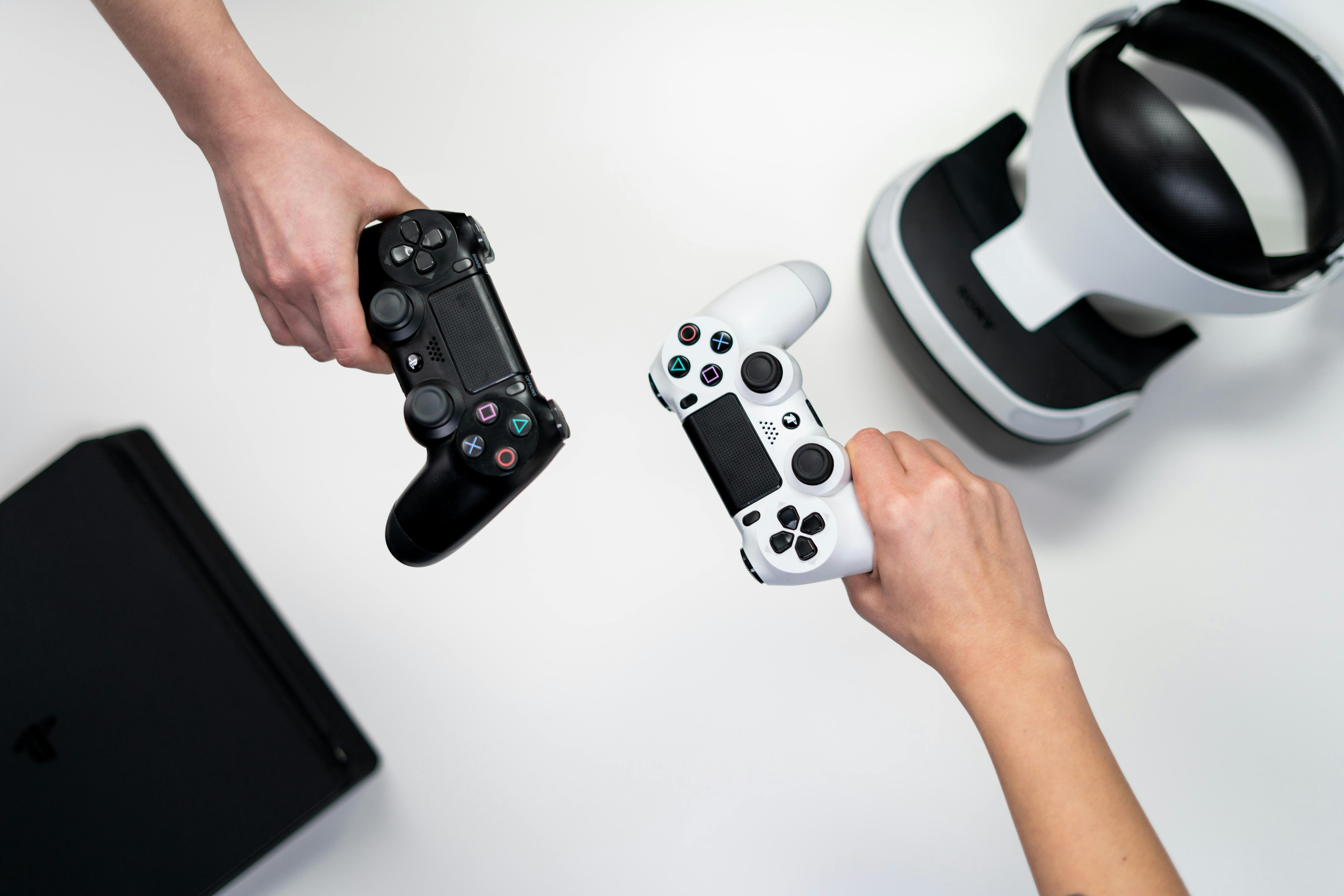
Influencers on platforms like YouTube and TikTok amplify these launches with side‑by‑side comparisons, real‑world tests, and cinematic demos. Their content significantly shapes public perception—particularly around whether these devices feel like “futuristic toys” or legitimate work tools.
Technology: How Mixed Reality and Spatial Computing Actually Work
Mixed‑reality headsets are dense stacks of hardware and software designed to maintain a real‑time, low‑latency model of your surroundings and your body. Several subsystems work together:
Key Hardware Components
- Displays and optics – High‑resolution micro‑OLED or LCD panels are magnified by pancake or Fresnel lenses to fill your field of view while minimizing glare and distortion.
- Sensor suite – Multiple cameras for inside‑out tracking, depth sensors or structured‑light systems, IMUs (gyro, accelerometer), and sometimes LiDAR for precise spatial mapping.
- Compute – Custom SoCs optimized for graphics, vision processing, and machine learning inference, often paired with dedicated ISP (image signal processor) hardware.
- Audio and haptics – Spatial audio through open‑ear speakers or headphones, and haptic feedback via controllers to reinforce presence.
Core Software Stack
On the software side, spatial computing systems must continuously:
- Track head and hand pose in 3D space using SLAM (Simultaneous Localization and Mapping).
- Reconstruct a spatial mesh of the environment for occlusion and physics.
- Render stereoscopic frames at high refresh rates (often 90 Hz or higher) to avoid discomfort.
- Interpret input from gaze, gestures, controllers, and voice to drive interaction.
“Presence in virtual and mixed environments is as much about latency and stability as it is about resolution. When the world responds exactly as you move, the brain accepts the illusion.” – Paraphrased insight from VR research discussions at Stanford
Developer tools—like Unity, Unreal Engine, WebXR, and proprietary spatial SDKs—wrap this complexity with higher‑level abstractions for anchors, hand meshes, scene understanding, and shared sessions.
Spatial Productivity and Collaboration
One of the most discussed promises of spatial computing is the idea of a “virtual office” that travels with you: multiple screens, 3D whiteboards, and data visualizations floating wherever you need them. Tech media frequently profile designers and developers who have replaced—or at least augmented—traditional monitors with MR headsets.
Emerging Workflows
- Virtual multi‑monitor setups – Large curved displays and dashboards anchored around a physical desk.
- 3D design and engineering – CAD models and architectural designs visualized at true scale in the room.
- Remote collaboration – Shared virtual rooms for brainstorming, code reviews, or design critique with presence indicators and spatial audio.
- Data visualization – Complex multidimensional data represented as 3D charts or node graphs for exploratory analysis.
Early adopters report mixed results. Some find that spatial layouts increase focus and reduce context‑switching; others struggle with ergonomics and prefer the familiarity of physical monitors.
“Remote collaboration in XR holds real promise, but productivity gains hinge on frictionless onboarding and comfort over hours, not minutes.” – Synthesized from enterprise XR case studies often referenced in Harvard Business Review
For readers interested in experimenting at a smaller scale, pairing a headset with a high‑quality, ergonomic Bluetooth keyboard like the Logitech MX Keys Advanced Wireless Illuminated Keyboard can make spatial work sessions more comfortable and familiar.
Content Ecosystems and the Elusive ‘Killer App’
Headsets live or die based on what you can actually do with them. While gaming remains the largest driver of consumer interest, the MR narrative is expanding into fitness, creativity, and learning.
Current Content Pillars
- Gaming and simulation – Immersive titles, rhythm games, co‑op adventures, and realistic simulators for aviation, driving, and sports.
- Fitness and wellness – Guided workouts, boxing and dance apps, and mindfulness experiences that leverage embodiment and presence.
- Creative tools – 3D sculpting, spatial painting, music composition in 3D, and mixed‑reality video capture for social sharing.
- Education and training – Anatomy explorers, historical reconstructions, lab simulations, and enterprise training modules.
Popular coverage by outlets like The Verge and TechRadar often highlights standout apps, yet journalists routinely note that a single, universal “must‑have” application—akin to email on early PCs or web browsing on smartphones—has not clearly emerged.
On the developer side, conferences and APIs for spatial computing increasingly emphasize cross‑platform engines and input paradigms. Talks, such as those available on YouTube XR dev playlists, focus on:
- Designing for hands‑first, controller‑optional interactions.
- Adapting 2D UX patterns to 3D environments.
- Performance budgets for mobile‑class chipsets in headsets.
Hardware Trade‑offs, Supply Chains, and Pricing
High‑end mixed‑reality headsets are, for now, expensive. Analysts point to several cost drivers:
- Micro‑OLED or high‑density LCD panels produced in relatively low volumes.
- Custom silicon optimized for graphics and vision workloads.
- Complex, multi‑camera sensor arrays that must be carefully calibrated.
- Premium materials and mechanical design to achieve acceptable comfort.
Journalists frequently question whether mainstream consumers will accept four‑figure price tags, or whether MR will remain focused on enthusiasts and enterprise deployments (e.g., training, design, field service) until economies of scale and new manufacturing techniques reduce costs.
For enterprises, spending on robust hardware can make sense if it replaces specialized simulators or reduces travel. For consumers, however, value is judged in terms of daily utility—does this device meaningfully augment games, fitness, or work compared with a console, TV, or laptop?
Health, Ergonomics, and Social Norms
Beyond the specs, MR adoption depends heavily on how it feels to wear these devices—and how it feels to be seen wearing them. Studies and user reports highlight several recurring themes:
Physiological Considerations
- Eye strain and vergence–accommodation conflict caused by focusing on displays at a fixed distance while convergence changes with virtual depth.
- Motion sickness when latency or tracking errors cause visual motion that does not match inner‑ear signals.
- Neck and facial pressure from prolonged use of relatively heavy front‑loaded headsets.
Many users mitigate discomfort by limiting continuous session length, adjusting IPD (interpupillary distance), and optimizing fit. Some also choose lighter straps or accessories, such as counterbalance weights, to improve ergonomics.
In terms of social norms, people remain hesitant to wear headsets in public or around family for extended periods. Concerns about isolation, eye contact, and recording privacy are common topics in opinion pieces across mainstream media.
“We’re not just designing a new display; we’re designing a new social object that will sit on people’s faces. That’s a much higher bar.” – Synthesized from interviews with XR designers in Wired and similar outlets
If you plan on longer mixed‑reality sessions, pairing your headset with a supportive chair such as the Herman Miller Aeron Ergonomic Office Chair can reduce back and neck strain during both virtual and traditional computer work.
Scientific Significance and Research Directions
Mixed reality is not just a consumer gadget story; it is also a rich area for research across computer science, human–computer interaction (HCI), perception, and cognitive science.
Key Research Themes
- Human perception and presence – Understanding how visual, auditory, and haptic cues combine to create convincing spatial experiences.
- Embodied cognition – Investigating how learning and problem‑solving change when information is organized in space around the body.
- Collaborative sense‑making – Studying how teams perform when they share spatial views of data, simulations, or design artifacts.
- Accessibility – Exploring how spatial interfaces can support users with visual, motor, or cognitive differences through alternative modalities.
Research labs at universities such as MIT, Stanford, and University College London regularly publish peer‑reviewed papers on XR and spatial computing , proposing new interaction techniques and evaluation methods.
“Spatial interfaces give us an opportunity to rethink decades of 2D UI conventions from first principles, grounded in how people naturally move and perceive.” – Paraphrased from talks by researchers at MIT Media Lab
Milestones: Where Spatial Computing Stands Today
The path to today’s spatial computers spans decades of incremental progress. Some notable milestones include:
- Early head‑mounted displays and CAVE systems pioneered in research labs in the 1980s and 1990s.
- The resurgence of consumer VR in the 2010s, which drove advances in low‑persistence displays and inside‑out tracking.
- Introduction of commercial mixed‑reality devices that could map rooms and anchor holograms to physical surfaces.
- Launch of premium “spatial computing” headsets with high‑resolution passthrough, eye tracking, and hand‑tracking as default input.
- Emergence of cross‑platform XR engines, WebXR, and cloud‑backed shared spatial anchors for persistent, multi‑user experiences.
These steps have transformed MR from a lab curiosity into a viable tool across gaming, training, design, healthcare, and field service—though still with substantial room for growth and refinement.
Challenges on the Road to Mainstream Adoption
Whether mixed reality becomes as ubiquitous as smartphones depends on solving a combination of technical, economic, and cultural challenges.
Technical and UX Barriers
- Reducing weight and heat while maintaining performance.
- Improving passthrough fidelity to feel indistinguishable from natural vision in many scenarios.
- Standardizing intuitive input methods that work across apps and devices.
- Ensuring robust privacy protections for always‑sensing devices.
Economic and Ecosystem Hurdles
- Bringing costs down without compromising quality.
- Creating sustainable business models for developers beyond one‑time app purchases.
- Interoperability between platforms to avoid fragmented, isolated ecosystems.
Social and Ethical Considerations
- Norms around recording and sharing spatial captures of homes, offices, and public spaces.
- The psychological impact of spending long periods in mediated environments.
- Ensuring accessible design so MR broadens participation rather than deepening digital divides.

Conclusion: Transitional Gadget or New Computing Paradigm?
Mixed reality and spatial computing are at a familiar inflection point in technology history. Like early smartphones or PCs, current devices feel both magical and limited—capable of transformative experiences, yet constrained by price, comfort, and software maturity.
Tech outlets will continue to revisit the state of MR with every firmware update and headset release, while developers push the boundaries of what spatial interfaces can do. Social media, meanwhile, will keep feeding the public with short, viral glimpses of what’s possible.
Whether this becomes the next mass‑market platform or a powerful niche will depend on:
- Clear, everyday use cases that justify wearing a headset for more than novelty.
- Affordable, comfortable hardware that feels natural and socially acceptable.
- Robust ecosystems of content and tools that reward long‑term investment.
For now, mixed reality stands as one of the most ambitious attempts to merge the digital and physical worlds—a frontier where hardware engineering, design, and social norms all evolve together.
Practical Tips for Exploring Mixed Reality Today
If you are considering diving into spatial computing, here are a few pragmatic guidelines:
- Start with your primary use case – Decide whether you care most about gaming, fitness, creativity, or productivity before choosing hardware.
- Check comfort and fit – If possible, try a headset in person; small differences in weight distribution and padding make a big difference.
- Plan for short sessions at first – Gradually increase duration to allow your body to adapt and reduce discomfort.
- Use high‑quality accessories – Good controllers, keyboards, and chairs can significantly improve the experience.
- Stay informed – Follow XR‑focused channels on YouTube and experts on LinkedIn to watch how best practices evolve.
Aspiring developers can experiment using widely available engines such as Unity or Unreal, leveraging free tutorials and open‑source samples to prototype spatial experiences before investing heavily in hardware fleets.
References / Sources
Further reading and resources on mixed reality and spatial computing:
- The Verge – XR and Mixed Reality Coverage: https://www.theverge.com/virtual-reality
- Engadget – Virtual and Augmented Reality: https://www.engadget.com/tag/virtual-reality/
- TechCrunch – AR/VR Section: https://techcrunch.com/tag/augmented-reality/
- The Next Web – Mixed Reality Articles: https://thenextweb.com/topic/virtual-reality
- ACM Digital Library – XR and HCI Research: https://dl.acm.org/topic/ccs2012/10003120.10003121.10003129
- Google Scholar – Mixed Reality and Spatial Computing: https://scholar.google.com/scholar?q=mixed+reality+spatial+computing
- MIT Media Lab – Spatial Computing and HCI: https://www.media.mit.edu/groups/mediated-matter/overview/
