
Why AI PCs Are the Next Big Shift After the Cloud
Throughout late 2024 and 2025, the term “AI PC” has moved from marketing buzzword to a concrete architectural trend: personal computers designed to run generative AI workloads locally on a neural processing unit (NPU). These systems no longer assume that all AI intelligence lives in hyperscale data centers. Instead, they treat the laptop or desktop itself as a capable inference engine for large language models (LLMs), vision transformers, and multimodal models.
This article examines how AI PCs and local generative AI are driving a post-cloud shift in personal computing—covering the mission behind AI PCs, the enabling technologies, scientific and societal significance, key milestones, major challenges, and what this all means for developers, enterprises, and everyday users.

Mission Overview: What Is an AI PC and Why Now?
The mission behind AI PCs is straightforward but ambitious: bring powerful, context-aware generative AI directly onto consumer and professional devices so that key tasks can be executed locally, securely, and efficiently, without always depending on the cloud.
AI PCs combine three pillars:
- Specialized hardware – NPUs and advanced GPUs designed for transformer-based inference.
- Optimized software stacks – runtimes like ONNX Runtime, Core ML, DirectML, and TensorRT that automatically schedule workloads across CPU, GPU, and NPU.
- OS-level AI features – assistants, recall/search, transcription, translation, and creative tools tightly integrated into Windows, macOS, and Linux distributions.
“We are moving from an era where the cloud was the only brain to an era where every device has a capable brain of its own.”
While remote models will remain essential for the largest, most capable systems, the emerging equilibrium is hybrid: small to medium models on-device for responsiveness and privacy, with optional connections to large cloud models for complex or open-ended tasks.
Technology: NPUs, Architectures, and Local Generative Models
At the heart of the AI PC is the NPU, a domain-specific accelerator optimized for dense linear algebra operations (matrix multiplications) and tensor workloads that dominate transformer inference. Unlike CPUs and traditional GPUs, NPUs are architected for high throughput per watt in low-precision formats such as INT8, INT4, and sometimes mixed-precision FP16/BF16.
Key Hardware Platforms Driving AI PCs
- Qualcomm Snapdragon X Elite / X Plus – ARM-based SoCs with integrated NPUs targeting Windows on ARM Copilot+ PCs, optimized for on-device LLMs and real-time translation.
- Intel Core Ultra & Lunar Lake – Hybrid x86 architectures with integrated NPUs and Xe graphics, enabling AI acceleration for Windows and Linux laptops while improving battery life.
- AMD Ryzen AI series – Ryzen mobile chips with dedicated “Ryzen AI” blocks to accelerate generative tasks in creative applications and productivity suites.
- Apple M-series (M3, M4 and successors) – Unified memory SoCs with Neural Engine accelerators, deeply integrated with Core ML for on-device inference across macOS, iOS, and iPadOS.
These NPUs are typically rated in trillions of operations per second (TOPS). While marketing numbers can be optimistic, independent benchmarks from outlets like Ars Technica, AnandTech, and Tom’s Hardware show real-world benefits in tasks like:
- Real-time on-device speech recognition and transcription.
- Background removal and super-resolution in video calls.
- Local LLM chat with models like Llama and Phi variants.
- Image generation and editing (e.g., Stable Diffusion-style models) at laptop-friendly speeds.
Software Stack and Model Optimization
Running generative AI locally depends on a rich software stack:
- ONNX Runtime – Used across Windows and cross-platform apps to run models converted into ONNX, with execution providers targeting NPUs.
- Apple Core ML – Converts PyTorch / TensorFlow models into highly optimized bundles for Apple’s Neural Engine.
- TensorRT and DirectML – Optimize workloads for NVIDIA GPUs and Windows graphics stacks, respectively.
- Quantization and pruning – Techniques that reduce model size and compute needs while maintaining reasonable accuracy, critical for fitting models into limited local memory.
“The story of local AI is the story of efficient models: smaller, faster, more specialized networks that achieve near state-of-the-art performance without data-center scale resources.”
Scientific Significance: From Cloud-Centric AI to Distributed Intelligence
Scientifically, AI PCs signify a shift from monolithic, cloud-centric AI to a distributed model of intelligence where billions of edge devices host generative capabilities. This has several implications for research and application design.
1. Privacy-Preserving AI
Local inference means sensitive data—emails, documents, medical notes, source code, browsing history—can be processed on-device without leaving the user’s control. This aligns with:
- GDPR and similar regulations’ emphasis on data minimization.
- Enterprise security policies requiring strict data residency.
- Healthcare and finance workflows where PHI and PII cannot be freely uploaded to external servers.
2. Lower Latency and New Interaction Patterns
When inference happens on-device, latency drops from hundreds of milliseconds (plus network jitter) to tens of milliseconds. This enables:
- Real-time code completion and IDE copilots that feel instantaneous.
- Live captioning and translation for meetings without network dependency.
- Interactive creative tools—brush-based inpainting, real-time style transfer, and audio synthesis—embedded directly in applications.
3. Edge-Heavy, Cloud-Assisted Architectures
AI PCs contribute to hybrid architectures where:
- A small, personal model runs locally, continuously learning user preferences.
- Occasional calls are made to large cloud models for complex, open-domain reasoning.
- Federated learning or on-device fine-tuning is used to adapt models without uploading raw data.
“The future of AI is neither purely centralized nor purely local; it is a spectrum of intelligence distributed across cloud and edge.”
Mission Overview: What Vendors Are Actually Doing
Major platform owners are converging on similar narratives, but with distinctive implementations:
- Microsoft Copilot+ PCs – Windows devices branded with guaranteed NPU performance thresholds, offering on-device features like Recall (semantic timeline search), offline transcription, and local image generation. Coverage by The Verge, TechRadar, and Ars Technica has closely tracked their rollout and privacy debates.
- Apple ecosystem – Gradual expansion of on-device Siri capabilities and offline LLM tasks on M-series Macs and iPhones. Apple tends to emphasize privacy guarantees and tight integration with its Neural Engine.
- PC OEMs (Dell, Lenovo, HP, ASUS, etc.) – Using “AI PC” branding to differentiate laptops by NPU TOPS, battery life improvements, and embedded AI utilities for creators and knowledge workers.
Tech media and communities like Hacker News have been actively debating what truly qualifies as an “AI PC”: Is an NPU required? What baseline of TOPS and local model capability should be expected? These discussions are helping to refine the definition beyond vague marketing terms.

Milestones: How We Reached the AI PC Era
The AI PC moment did not arrive overnight; it is the result of several converging milestones in hardware and software.
Hardware and Platform Milestones
- Smartphone NPUs (mid‑2010s) – Early acceleration of mobile AI tasks like face unlock and camera enhancements on devices from Apple, Huawei, and Qualcomm.
- Unified memory and SoCs (late‑2010s) – Apple’s M1 and similar designs demonstrated the benefits of tightly integrated CPU-GPU-NPU architectures for performance per watt.
- Consumer laptop NPUs (~2023–2024) – Intel, AMD, and Qualcomm began shipping Windows laptops with NPUs designed for AI workloads, followed by Microsoft’s Copilot+ PC branding in 2024.
Software and Ecosystem Milestones
- Transformer dominance – The transformer architecture became the standard for NLP and vision, creating a predictable target for hardware optimization.
- Open-source LLMs (LLaMA, Mistral, Phi, etc.) – Freely available models encouraged experimentation with quantization, distillation, and on-device deployment.
- ONNX and cross-platform runtimes – Made it practical to build once and deploy to different NPUs and GPUs without per-device rewriting.
“The democratization of model weights has accelerated innovation in efficient inference far more than any single hardware breakthrough.”
Challenges: Hype, Fragmentation, and Responsible Design
The rise of AI PCs brings substantial challenges that researchers, developers, and policymakers must grapple with.
1. Defining “AI PC” Beyond Marketing
Different vendors advertise wildly different capabilities under the same label. Some have highly capable NPUs; others rely mainly on GPUs. Benchmarks from independent labs and outlets like Notebookcheck are crucial to distinguish genuine capability from branding.
2. Software Fragmentation
Developers face:
- Multiple toolchains (Core ML, ONNX, TensorRT, DirectML) with varying maturity.
- Differing NPU instruction sets and performance characteristics.
- Drivers and runtime versions that affect stability and speed.
Cross-platform abstractions and standardized model formats help, but ensuring consistent behavior across Intel, AMD, Qualcomm, Apple, and NVIDIA hardware remains non-trivial.
3. Security, Misuse, and Local Threat Models
Local generative AI introduces new risks:
- On-device jailbreaks – Even if cloud models are tightly controlled, local models may be more vulnerable to prompt injection or manipulation if not properly sandboxed.
- Malware using local models – Malicious software could leverage on-device LLMs for phishing, obfuscation, or code generation.
- Data exfiltration through side channels – Cached embeddings and vector stores must be secured like any other sensitive asset.
4. Energy and Thermal Constraints
While NPUs are efficient, sustained generative workloads can still push thermals and reduce battery life, especially on ultra-thin laptops. Intelligent scheduling (e.g., bursts of high NPU activity followed by idle periods) and adaptive quality settings are active areas of optimization.
Technology in Practice: How Developers Target AI PCs
For developers building AI-first desktop applications, AI PCs open design patterns that were previously impractical.
Core Methodologies
- Model specialization – Instead of using one large general-purpose model, developers create:
- Small task-specific LLMs (e.g., documentation assistants, code reviewers).
- Domain-specific vision models (e.g., quality inspection, design assistance).
- Hybrid on-device + cloud routing – Applications decide dynamically:
- Run locally when inputs are sensitive or latency-critical.
- Escalate to cloud when the local model is insufficient.
- Incremental personalization – Use on-device fine-tuning or adapter layers (LoRA, QLoRA) on top of base models to encode user style and preferences without uploading private data.
Open-source tools like Ollama, LM Studio, and projects on GitHub make it easier for power users to experiment with local models and measure performance on different AI PCs.

Scientific and Industrial Use Cases of Local Generative AI
AI PCs are already enabling compelling applications across domains:
Research and Engineering
- Local coding copilots integrated into IDEs for sensitive repositories.
- On-device analysis of simulation logs or experimental data.
- Document summarization and literature review tools for offline environments.
Healthcare and Life Sciences
- Drafting clinical notes while preserving patient privacy.
- Local imaging assistance (e.g., rough segmentation, annotation suggestions).
- Educational tools for medical students without sending case data to third parties.
Media, Design, and Content Creation
- Real-time video filters, color grading, and upscaling in editing suites.
- On-device image generation and layout exploration in creative workflows.
- Podcast and music tools for noise suppression, mastering, and transcription.
Many of these workflows benefit both from privacy and from the “always available” nature of local AI, which does not depend on network connectivity or subscription access to cloud APIs.
Practical Buyer’s Guide: Choosing an AI PC in 2025
For professionals and enthusiasts planning hardware purchases, several technical criteria matter more than the AI PC badge on the box.
Key Specifications to Evaluate
- NPU performance (TOPS) – Look for both peak TOPS numbers and independent benchmarks for LLM and Stable Diffusion-style workloads.
- Unified vs. discrete memory – Systems with unified, high-bandwidth memory can keep model inference smooth, especially for larger models.
- Thermals and sustained performance – Thin devices may throttle under sustained AI workloads; workstation-class laptops and desktops maintain higher continuous throughput.
- Software ecosystem – Ensure your target tools (e.g., Adobe, IDEs, local LLM apps) explicitly support your CPU/GPU/NPU combination.
To get a feel for AI workflows, some users pair an AI PC with accessories that enhance productivity and performance. For example, many creators and developers use a fast external SSD such as the SanDisk 2TB Extreme Portable SSD , which offers high-speed storage for local models, project assets, and datasets.
Future Outlook: When Every Device Has a Local Model
As 2025 progresses, discussions in communities like Hacker News, X (Twitter), and leading YouTube channels are shifting from “What is an AI PC?” to “What happens when every device ships with a competent local model?” Several trajectories emerge:
- Deep personalization – Systems that gradually learn your writing style, coding patterns, and workflows, becoming truly “personal” assistants.
- Context-rich productivity – Assistants that understand your recent files, meetings, and browsing history strictly on-device to produce better suggestions and plans.
- New offline-first applications – Tools that treat connectivity as an enhancement, not a requirement, making AI more robust in low-bandwidth or regulated environments.
“The AI PC era won’t kill the cloud; it will force the cloud to specialize in what only hyperscale can do, while your personal devices handle everything else.”
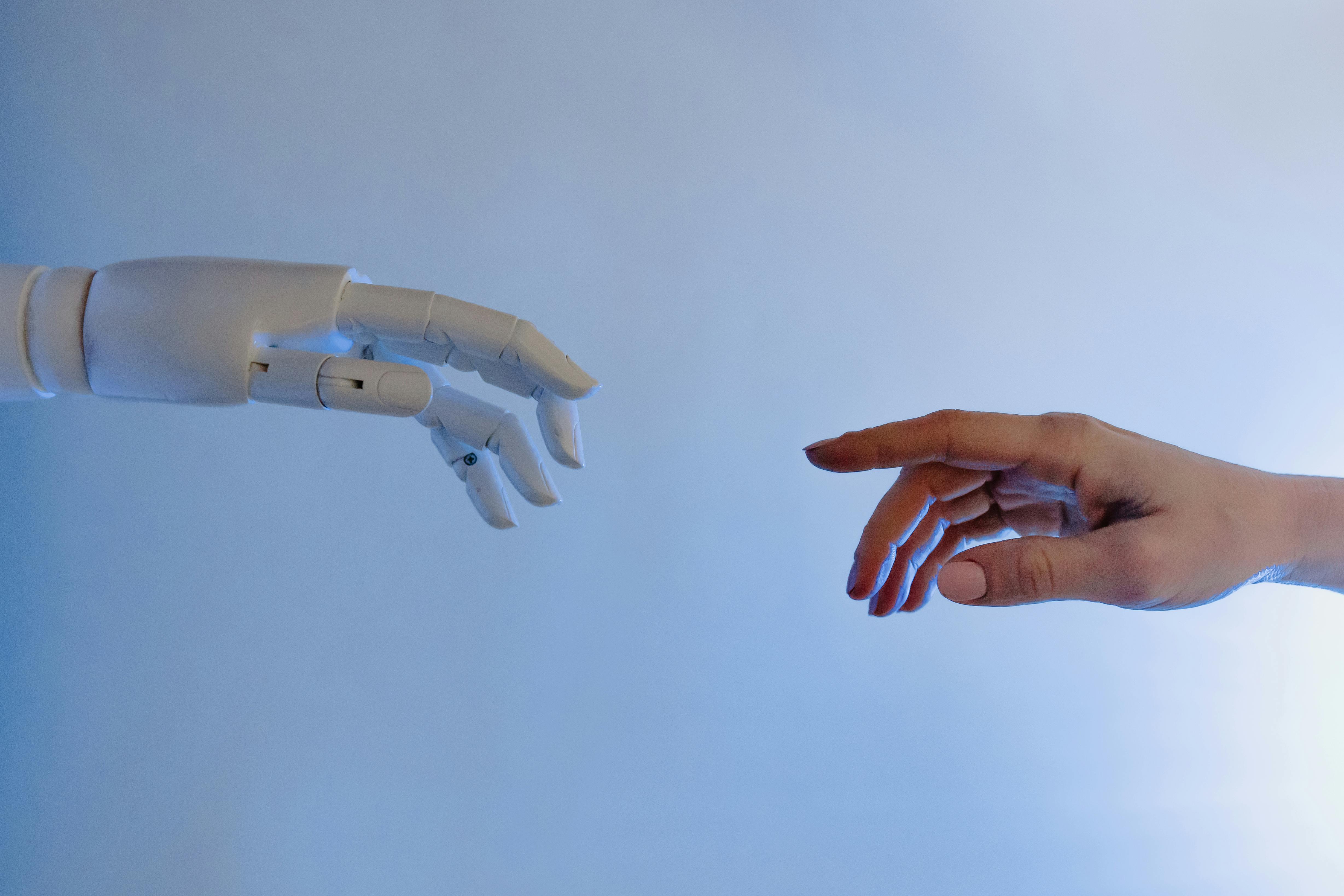
Conclusion: The Post-Cloud Shift in Personal Computing
AI PCs and local generative AI mark a fundamental transformation in how intelligence is delivered to end users. Dedicated NPUs, efficient models, and hybrid architectures are turning laptops and desktops into self-contained AI engines capable of powerful, privacy-preserving inference.
The benefits—reduced latency, improved privacy, and richer offline capabilities—are substantial, but must be balanced against challenges like ecosystem fragmentation, security risks, and overhyped marketing. As standards mature and practical benchmarks become widely trusted, the term “AI PC” will likely evolve from a logo on a box to a clear set of expectations about what your computer can do on its own.
For scientists, engineers, developers, and everyday users, the key opportunity is to rethink workflows with local intelligence in mind—designing tools that are more personal, resilient, and respectful of data sovereignty in a world where AI is no longer just in the cloud, but in every device you own.
Extra Value: How to Prepare Your Workflow for AI PCs
To make the most of the post-cloud shift, consider the following practical steps:
- Audit your data – Decide what information is safe and beneficial to keep locally for AI tools (e.g., notes, documentation, project archives).
- Experiment with local models – Use platforms like Ollama or LM Studio to benchmark different models on your hardware and understand trade-offs between speed and quality.
- Secure your endpoints – Treat local vector databases, model caches, and AI app config files as sensitive—encrypt disks and use strong OS-level security features.
- Stay updated – Follow reputable sources (e.g., Ars Technica, The Verge, academic conferences) for developments in NPU capabilities and local AI frameworks.
By proactively adapting your tools and practices, you can harness AI PCs not just as faster laptops, but as platforms for a new generation of intelligent, privacy-preserving applications.
References / Sources
Further reading and sources related to AI PCs, NPUs, and local generative AI:
- Ars Technica – Gadgets & Hardware Coverage
- The Verge – Tech / AI PC and Copilot+ Coverage
- TechRadar – Laptop and AI PC Reviews
- Microsoft – ONNX Runtime
- Apple – Machine Learning and Core ML
- Hugging Face – Documentation and Model Deployment Guides
- ACM Digital Library – Research on Edge AI and Federated Learning
- Hacker News – Community Discussions on AI PC Benchmarks and Ecosystem
