
Mixed Reality Meets the Real World: How Spatial Computing Is Escaping the Early-Adopter Bubble
Mixed reality (MR) and spatial computing are entering a pivotal phase. After years of hype cycles dominated by gaming demos and futuristic concept videos, a more grounded wave is taking hold: spatial headsets as work tools. From virtual multi‑monitor desktops to immersive industrial training, these systems are increasingly framed as “spatial computers” that augment or even replace traditional screens.
Major tech outlets such as TechRadar, The Verge, and Engadget now review MR devices as productivity platforms rather than niche gaming gadgets. YouTube and TikTok creators, meanwhile, are showcasing “day in the life” workflows where spatial headsets serve as portable offices for coders, designers, and remote teams.

Mission Overview: From Gaming Toy to Spatial Workstation
The mission behind modern spatial computing is straightforward but ambitious: make digital content behave like part of the physical world and make head‑worn devices as normal as laptops or phones for everyday tasks.
- Early phase: VR/AR marketed primarily for immersive gaming and novelty experiences.
- Current phase: “Spatial computers” pitched as alternatives to monitors, conference rooms, and physical prototypes.
- Near future: Lightweight, glasses‑like devices that seamlessly blend spatial apps into daily life, from productivity to education and healthcare.
“Spatial computing is about making the world itself a canvas for computing, where digital objects share the same space as physical ones.” — Adapted from discussions in Microsoft Research on spatial computing.
Defining Spatial Computing and Mixed Reality
Spatial computing is an umbrella term for technologies that let digital content exist, move, and interact in 3D space anchored to the real world. Mixed reality, a key subset, blends physical and virtual objects so they can co‑exist and respond to each other in real time.
Key Concepts
- Spatial mapping: Head‑worn or room sensors build a 3D map (often a mesh) of your environment—walls, tables, people—so virtual content can be placed accurately.
- Spatial anchoring: Digital objects are “pinned” to real‑world coordinates, so a virtual screen can stay fixed above your desk or a 3D model can remain on a meeting table.
- Mixed reality continuum: Experiences range from fully virtual (VR) to lightly overlaid (AR) with MR in the middle, where physical and digital elements can interact.
In practical terms, a spatial computer might let you:
- Arrange multiple floating monitors around your desk.
- Walk through a full‑scale architectural model with teammates.
- Run a training simulation that overlays step‑by‑step instructions onto real machinery.
Technology: What Makes Modern Spatial Computing Possible?
The latest generation of mixed reality devices combines advances in optics, sensing, silicon, and software. Much of the industry’s focus is on achieving high visual fidelity and low latency while keeping headsets comfortable and battery‑efficient.
Core Hardware Components
- Displays and optics
Headsets now ship with high‑resolution OLED or fast‑switch LCD panels, often using pancake lenses to reduce bulk. Higher pixel density and improved optics help mitigate “screen‑door” effects and eye strain. - Passthrough cameras
High‑quality outward‑facing cameras provide color passthrough, letting users see the real world with virtual overlays. Devices like the Meta Quest line and others are pushing for near‑true‑to‑life passthrough to support comfortable long‑term use. - Inside‑out tracking
Onboard cameras and IMUs (inertial measurement units) track head and controller motion without external base stations. This “inside‑out” approach simplifies setup but demands sophisticated computer vision. - Hand, eye, and face tracking
Computer vision and inward‑facing cameras enable natural hand interactions, gaze‑based UI focus, and expressive avatars for meetings. These features are also at the center of new privacy debates. - On‑device compute + cloud offload
Custom XR SoCs (system‑on‑chips) handle rendering, sensor fusion, and AI inference. For high‑fidelity scenes, some platforms support cloud‑rendered streaming, trading bandwidth and latency against lighter hardware.

Software Stacks and Standards
Developers building spatial experiences currently navigate a fragmented ecosystem:
- Proprietary SDKs: Vendor SDKs expose low‑level tracking, hand input, and rendering optimizations, but can lock apps to a single platform.
- Game engines: Unity and Unreal Engine dominate spatial app development, offering physics, lighting, and cross‑platform abstractions.
- Open standards: WebXR aims to make VR/AR accessible from browsers, while OpenXR provides a common API layer for native apps.
“OpenXR is designed to solve the problem of application portability across the diversity of hardware platforms and form factors in the XR space.” — Khronos Group, OpenXR specification
Mission Overview: Spatial Computing for Productivity and Collaboration
The most important shift in the current cycle is strategic repositioning: spatial devices are being sold as work tools rather than entertainment accessories.
Virtual Desktops and Immersive Workspaces
Virtual desktop apps let knowledge workers create multi‑monitor setups in mid‑air, anchor them around real desks, and switch contexts without physical screens. Digital nomads use MR headsets as portable offices: one device plus a keyboard can simulate a bank of monitors in a hotel room or a small apartment.
- Focus mode: Large, curved virtual monitors that block distractions.
- Spatial organization: Apps and documents pinned to different corners of a room.
- Context persistence: Workspaces that “remember” where everything goes when you return.
Remote Collaboration and Virtual Meeting Rooms
Instead of flat video grids, teams can gather in virtual rooms where 3D models, whiteboards, and shared documents occupy the same persistent space.
- Participants join as avatars or volumetric captures.
- Shared objects (slides, CAD models, data visualizations) are co‑manipulated.
- Spatial audio makes conversation more natural and less fatiguing.
“Immersive collaboration can reduce miscommunication in complex projects and accelerate decision cycles, especially when 3D assets are central.” — Synthesized from multiple McKinsey Digital analyses on immersive technologies.
Technology in Action: Sector‑Specific Use Cases
Spatial computing is seeing its strongest traction in domains where 3D understanding, hands‑on practice, or complex spatial reasoning are essential.
Manufacturing and Industrial Training
- Onboarding and safety drills: New hires can rehearse hazardous procedures virtually, where errors are educational rather than costly or dangerous.
- Assembly guidance: MR overlays show technicians exactly which component to pick, where to place it, and which tool to use, reducing error rates.
- Remote expert assistance: Field technicians share their view via passthrough; remote experts annotate the scene with arrows and instructions.
Healthcare and Medical Education
Surgeons and clinicians use MR to visualize anatomy, plan procedures, and rehearse complex operations on patient‑specific models. Medical students can explore organ systems in 3D, interactively “dissecting” without cadavers.
- Pre‑operative planning with 3D scans rendered spatially.
- Guided procedures with overlays indicating incision paths or catheter routes.
- Simulation‑based training that records performance metrics for feedback.
Architecture, Engineering, and Construction (AEC)
Architects and engineers step inside digital twins of buildings at true scale, walking clients through proposed spaces.
- Import BIM or CAD files into a spatial visualization tool.
- Conduct collaborative walkthroughs with clients and stakeholders.
- Capture annotations and design changes in real time, reducing rework later.

Education and Skills Training
Immersive learning tends to enhance retention, especially for procedural and spatial skills. Spatial computing supports:
- Virtual labs where chemistry experiments or physics demos can run safely.
- Language learning in simulated environments like markets or hospitals.
- Soft‑skills training (public speaking, negotiation) with responsive virtual audiences.
Consumer Trends: Creators, Digital Nomads, and Everyday Use
While enterprises drive much of the investment, consumer‑driven workflows are emerging organically on platforms like YouTube, TikTok, and Reddit.
“Day in the Life” Spatial Workflows
Creators demonstrate how MR fits into daily routines:
- Freelancers using virtual screens for editing video, writing, or coding in tiny apartments.
- 3D artists sculpting and painting models in fully immersive studios.
- Data scientists pinning dashboards around their workspace for ambient awareness.
Analytics platforms such as BuzzSumo show strong engagement for content demonstrating practical workflows—how to actually get work done—rather than pure entertainment.
Digital Art and Spatial Design Communities
Artists, architects, and game designers share workflows that move fluidly between 2D and 3D tools. Online communities on platforms like ArtStation and Twitter/X highlight MR‑created concept art, virtual sculptures, and interactive installations.
Scientific Significance: Human Perception, Cognition, and Data
Spatial computing is more than a flashy interface; it is a powerful experimental platform for human–computer interaction (HCI), cognitive science, ergonomics, and data visualization.
Embodied Cognition and Presence
Research suggests that learning and problem‑solving can improve when information is grounded in bodily movement and spatial context. MR enables controlled experiments on:
- How spatial memory aids recall of complex workflows.
- Whether “presence” affects decision‑making and empathy in simulations.
- Fatigue and motion sickness under different display and locomotion schemes.
Visualizing High‑Dimensional Data
Scientists and analysts use spatial environments to explore large datasets: genomic networks, financial markets, climate models, and more. Instead of reading static 2D plots, teams can walk among data clusters, highlight relationships, and annotate findings collaboratively.
“Immersive analytics aims to use virtual and augmented reality to make complex data perceptually manageable.” — Summarized from coverage in Nature on immersive analytics.
Milestones: Ecosystem Maturation and Media Coverage
Recent years have seen several milestone trends that signal a maturing ecosystem rather than a speculative bubble.
1. Headset Generations with Practical Improvements
Successive hardware generations have delivered:
- Higher resolution with reduced motion blur.
- Substantially better passthrough quality for MR scenarios.
- Improved weight distribution and ergonomics for longer sessions.
- Dedicated productivity modes and apps shipping on day one.
2. Deep Integration with Productivity Suites
Spatial platforms increasingly integrate directly with:
- Office suites (documents, spreadsheets, slides).
- Cloud collaboration tools like Slack, Teams, and Zoom.
- 3D content platforms such as Autodesk, Blender, and game engines.
3. Serious Media and Developer Attention
Tech outlets such as TechRadar, Engadget, The Verge, Wired, Ars Technica, Recode, and The Next Web now treat spatial computing as an enduring technology trend. On forums like Hacker News, discussions emphasize:
- Rendering pipelines and low‑latency reprojection.
- Trade‑offs between local compute and cloud streaming.
- Open standards vs. proprietary vendor silos.
Developer Perspective: Methodologies and Design Patterns
For developers, spatial computing introduces both opportunities and design headaches. Traditional 2D UI paradigms often fail in 3D space, forcing teams to rethink fundamentals.
Methodologies for Building Spatial Apps
- Rapid prototyping in game engines: Use Unity/Unreal with XR templates, focusing early on locomotion and interaction comfort.
- User testing in short cycles: Run frequent, small usability tests; discomfort or confusion often emerges only in‑headset.
- Cross‑platform abstraction: Where possible, build on OpenXR or WebXR layers to avoid hard vendor lock‑in.
- Metrics and telemetry: Collect anonymized data on session length, motion, and interactions to refine ergonomics.
Common Interaction Patterns
- Direct manipulation: Grab and move objects with hands or controllers, mimicking real‑world interactions.
- Ray‑casting and gaze: Use laser pointers or eye‑tracking to target distant UI elements, with click by pinch or button.
- World‑locked UI panels: Keep core controls anchored to the environment rather than the user’s head to reduce motion sickness.
- Diegetic interfaces: Embed controls directly into virtual objects (e.g., a dial on a machine) to reduce clutter.
Challenges: Privacy, Ethics, and Societal Impact
As Wired, Ars Technica, and others have emphasized, always‑on spatial devices introduce unprecedented surveillance potential. These systems continuously collect:
- High‑resolution spatial maps of homes, offices, and public spaces.
- Biometric data such as eye movements, pupil dilation, and facial expressions.
- Interaction logs that can reveal habits, preferences, and even intentions.
Consent and Data Ownership
Spatial environments complicate consent. When one person wears an MR headset in a shared space:
- What rights do bystanders have regarding capture of their images or voices?
- Who owns the resulting spatial map of a shared office—individuals, employers, or platform vendors?
- How can people opt out when sensors are nearly invisible?
“XR devices are capable of collecting some of the most sensitive data we have — about our bodies, movements, and surroundings — and that data needs strong protections.” — Paraphrased from analyses by privacy advocates at the Electronic Frontier Foundation (EFF).
Regulation and Best Practices
Emerging best practices include:
- On‑device processing of sensitive biometric signals wherever feasible.
- Clear, user‑controllable recording indicators and permissions.
- Granular data retention policies and robust anonymization.
- Interoperable avatars and identities that respect user control across platforms.
Challenges: Performance, Comfort, and Fragmentation
On the technical front, Hacker News and developer forums regularly dissect several persistent pain points.
Latency and Motion Sickness
To feel comfortable, head‑tracked rendering must keep motion‑to‑photon latency extremely low (typically under ~20 ms). Techniques include:
- Foveated rendering: Use eye‑tracking to render only the gaze region in full resolution, saving GPU cycles.
- Asynchronous reprojection: Adjust frames just before display based on latest head pose.
- Prediction filters: Anticipate head movement slightly ahead of time using IMU data.
Battery Life and Thermal Constraints
Wearable computers must balance:
- Compute performance for rendering and AI.
- Battery capacity and weight.
- Heat dissipation without noisy fans.
Some platforms experiment with split architectures, where lightweight headsets connect to belt‑worn compute packs or PCs, or offload heavy tasks to the cloud.
Platform Fragmentation
A proliferation of vendor‑specific SDKs and app stores makes it hard for developers to reach all users. OpenXR, WebXR, and web‑technology‑based solutions are attempts to mitigate this, but not all hardware features are exposed consistently.
Beyond the “Metaverse” Hype: Spatial Computing as Infrastructure
Media outlets like Recode and The Next Web now frame spatial computing less as a singular, all‑encompassing “metaverse” and more as a pragmatic layer of 3D experiences across work, play, and social life.
From Monolithic Worlds to Interoperable Layers
Instead of chasing a single dominant virtual world, the trend is toward:
- Domain‑specific spaces: Dedicated environments for work, education, entertainment, and healthcare.
- Shared identity and assets: Avatars and digital items that can, at least conceptually, move between compatible services.
- APIs and standards: Protocols for persistent spatial anchors, object formats, and permissions across platforms.
This reframing emphasizes spatial computing as infrastructure—akin to the web or cloud—rather than a single destination.
Tools, Accessories, and Recommended Gear
For professionals and enthusiasts exploring mixed reality for productivity and creation, the right accessories can significantly improve comfort and usability.
Comfort and Ergonomics
- Adjustable head straps and counterweights: Many users add aftermarket straps or counterweights to distribute pressure and allow longer sessions without discomfort.
- Prescription lens inserts: If you wear glasses, prescription inserts can improve clarity and reduce eye strain.
Input Devices and Peripherals
- Mechanical keyboards: Tactile keyboards are popular with VR coders and writers. For example, the Keychron K2 Wireless Mechanical Keyboard is frequently recommended for compact, travel‑friendly setups.
- Bluetooth mice and trackpads: Precise pointing devices remain invaluable for traditional desktop workflows projected into MR.
Practical Tips for First‑Time Users
- Start with short sessions (15–20 minutes) and gradually increase duration.
- Use built‑in calibration (IPD, room boundaries) for better comfort and safety.
- Keep lighting even; inside‑out tracked devices usually perform better in well‑lit spaces.
- Take frequent eye and neck breaks, just as you would with monitors.
Conclusion: Will Spatial Computing Escape the Niche?
Spatial computing is clearly transitioning from speculative technology to concrete tool, especially in enterprise contexts. The combination of maturing hardware, richer ecosystems, and compelling professional use cases—training, design, collaboration—suggests that head‑worn spatial devices will occupy an increasingly central role in the computing landscape.
The two biggest open questions remain:
- Consumer acceptance: Will mainstream users accept head‑worn devices for daily computing, or will spatial computing remain concentrated in professional and enthusiast segments?
- Interoperability and governance: Will standards, regulation, and industry collaboration prevent a future of isolated, incompatible vendor silos and unchecked data extraction?
If developers, hardware makers, policymakers, and users can collectively navigate these challenges—especially around privacy, ergonomics, and standards—mixed reality is poised to become not just a new way to play but a new way to think, work, and collaborate.
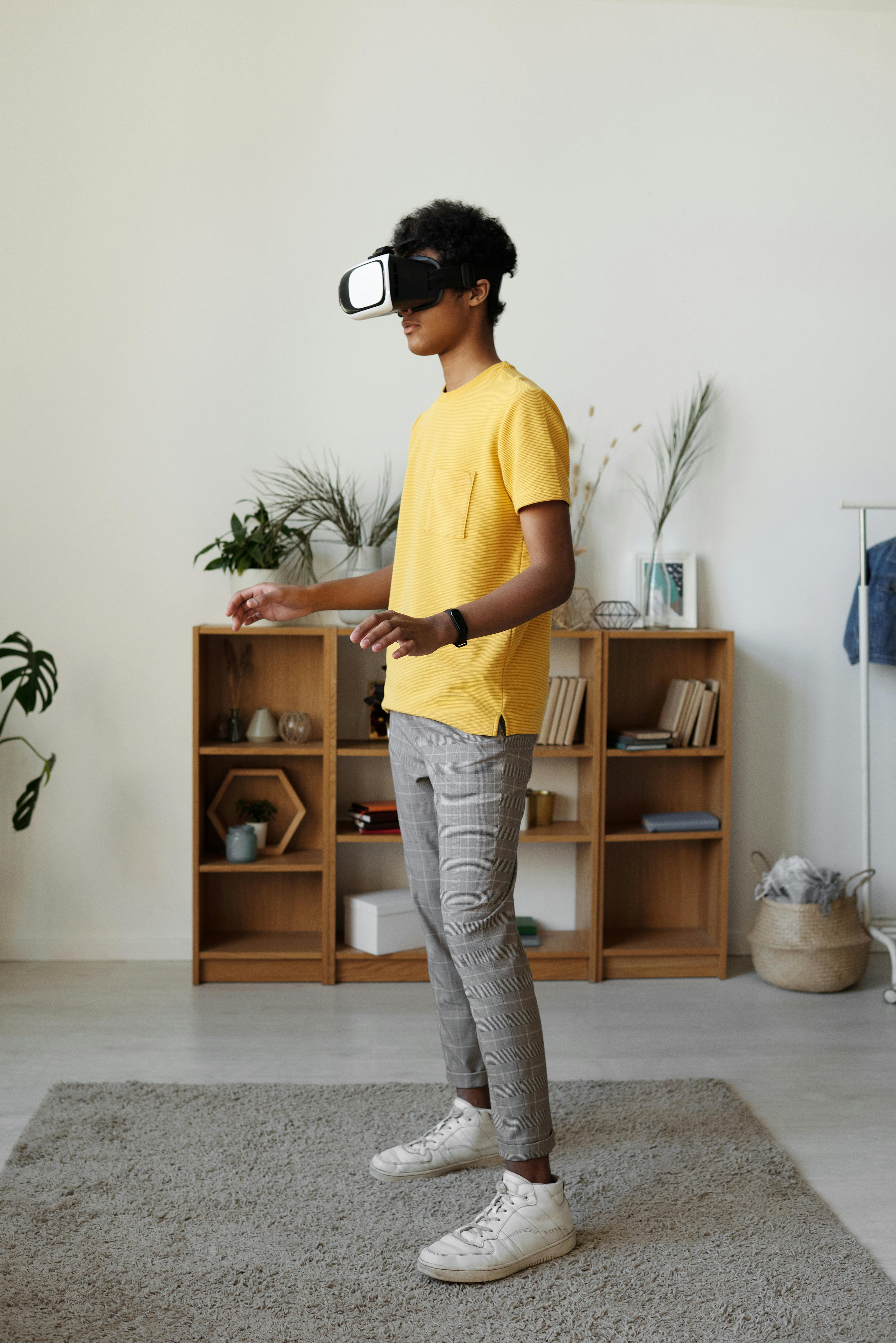
Additional Resources and Next Steps
To dive deeper into mixed reality and spatial computing, consider the following practical next steps:
- Experiment with WebXR demos in a compatible browser to understand basic interactions.
- Follow HCI and XR researchers on platforms like LinkedIn and X/Twitter who share design insights and study results.
- Explore open‑source XR projects on GitHub to learn implementation patterns.
- Watch developer‑oriented YouTube channels that walk through building MR apps with Unity, Unreal, and WebXR.
For organizations, a prudent strategy is to start with targeted pilots—for example, an immersive training module or a virtual collaboration space—and instrument them carefully. Measure outcomes (error reduction, training time, satisfaction) and build an internal playbook before scaling widely.
References / Sources
- TechRadar – Mixed reality and headset coverage
- The Verge – VR, AR, and mixed reality
- Engadget – VR & AR news
- TechCrunch – VR, AR, and spatial startups
- Wired – Virtual reality and spatial computing coverage
- Ars Technica – XR technology and analysis
- Recode – Tech industry and metaverse analysis
- The Next Web – Emerging tech and spatial computing
- Khronos Group – OpenXR standard
- W3C – WebXR Device API specification
- Nature – Virtual reality and immersive analytics research
- Electronic Frontier Foundation – XR privacy and security
