
Inside Apple’s AI Push: How On‑Device Intelligence Is Rewiring the iPhone, Mac, and the Privacy Debate
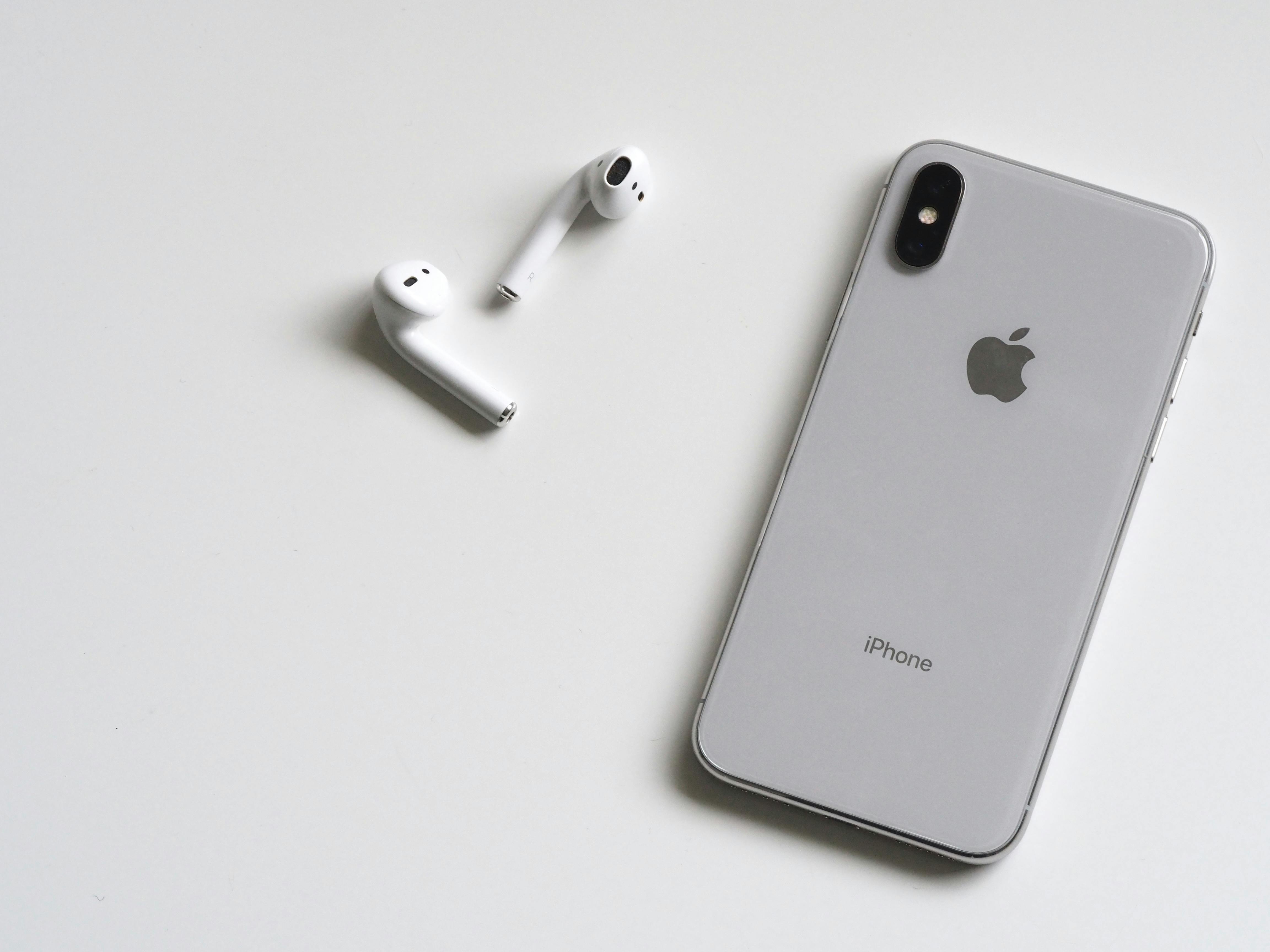
Figure 1: Modern mobile and desktop devices increasingly rely on integrated AI for everyday tasks. Image credit: Pexels (royalty‑free).
Mission Overview: Apple’s AI Push and the New On‑Device Era
Apple’s artificial intelligence strategy is shifting from quiet, behind‑the‑scenes optimization to a visible, headline feature of iOS, iPadOS, and macOS. Instead of prioritizing massive cloud models alone, Apple is betting on on‑device intelligence—models that run locally on the Neural Engine inside Apple silicon—to power smarter experiences while keeping personal data on the user’s devices whenever possible.
This approach stands in deliberate contrast to cloud‑first AI providers like OpenAI and Google. While Apple has begun partnering with external model providers for certain generative features, the company continues to frame the device—not the data center—as the primary “brain” of personal computing. Coverage from outlets such as The Verge, Wired, and Ars Technica increasingly treats Apple’s AI stack as a central lens for understanding the company’s future.
“Apple wants AI to feel less like a separate product and more like the fabric of the operating system itself—ambient, context‑aware, and private by design.”
For developers, this evolution matters because Apple’s frameworks—Core ML, Create ML, and newer generative APIs—define what is possible inside the famously curated App Store. For users, it determines how capable Siri becomes, how smart Photos and Messages feel, and how much personal data ever leaves their devices.
Background: From Quiet ML Optimizations to Full‑Spectrum AI
Long before the current wave of generative AI, Apple was quietly deploying machine learning across its ecosystem:
- Camera and Photos: Scene detection, Deep Fusion, and semantic understanding of people, pets, and objects.
- Accessibility: VoiceOver improvements, on‑device speech recognition, and real‑time captioning.
- System intelligence: App suggestions, keyboard predictions, and battery/power management.
These features were powered by a mix of traditional ML and smaller neural networks. The turning point came with the introduction and rapid scaling of the Apple Neural Engine (ANE) across A‑series and M‑series chips, making it possible to run much larger and more complex models directly on devices.
Meanwhile, the rise of highly capable chatbots and image generators raised user expectations. People now want:
- Conversational natural‑language interfaces.
- Generative creativity tools (images, video, music, code).
- Automatic summarization, transcription, and translation.
- Personal automation that feels more like a smart assistant than a set of scripted rules.
Apple’s AI push is in large part a response to this new baseline, driven by competition with services like ChatGPT, Google Gemini, and others—while still honoring its long‑standing privacy branding.

Figure 2: Dedicated neural hardware in modern chips enables powerful on‑device AI. Image credit: Pexels (royalty‑free).
Technology: Inside Apple’s On‑Device Intelligence Stack
Apple’s AI capabilities are the result of tight integration between hardware, operating systems, and developer frameworks. Several components are central to the company’s on‑device strategy.
Apple Silicon and the Neural Engine
Each generation of A‑series (for iPhone and iPad) and M‑series (for Mac) chips includes an enhanced Neural Engine designed for matrix and tensor operations. Its key characteristics are:
- High TOPS throughput: Trillions of operations per second dedicated to neural workloads.
- Power efficiency: Optimized for mobile form factors, enabling real‑time inference without draining battery.
- Secure execution: Model weights and sensitive computations can be protected via hardware‑level security features.
This tight hardware–software co‑design lets Apple run models locally that would have previously required a data center, especially when combined with quantization and pruning techniques.
Core ML and the ML Tooling Ecosystem
For developers, the primary entry point to on‑device AI is Core ML, Apple’s machine‑learning framework that allows trained models from ecosystems like PyTorch or TensorFlow to be converted and optimized for iOS, iPadOS, and macOS.
Key elements include:
- Core ML conversion: Tools like
coremltoolsconvert standard model formats into Core ML models, optimizing for the ANE. - Create ML: A higher‑level Mac app and framework for training certain models (e.g., image classification, sound analysis) without deep ML expertise.
- Metal Performance Shaders (MPS): GPU‑accelerated primitives to complement ANE workloads, particularly for training or large inference tasks on Mac.
On top of this, Apple has been layering newer APIs for generative and conversational AI, making it easier to plug language and multimodal models into apps while delegating optimization and scheduling to the system.
On‑Device vs. Cloud: A Hybrid Model
Despite its on‑device emphasis, Apple is increasingly adopting a hybrid AI architecture:
- On‑device: Real‑time tasks, highly personal data, and latency‑sensitive interactions (e.g., keyboard predictions, basic image enhancement, offline dictation).
- On‑device with optional cloud assist: Tasks that start on the device and escalate to larger cloud models only with user consent and appropriate privacy controls.
- Cloud‑based: Very large generative models and compute‑intensive workflows that exceed current on‑device capabilities.
“The future is not purely edge or purely cloud—it’s a negotiation between the two, where privacy, latency, and capability all have a vote.”
Scientific Significance: Personal AI at the Edge
From a research and systems‑design perspective, Apple’s AI push is a large‑scale experiment in edge intelligence—moving sophisticated models closer to where data is generated. This has several important implications.
Privacy and Data Minimization
By keeping inference on the device whenever possible, Apple reduces the need to transmit raw data such as personal photos, messages, or health metrics to the cloud. This aligns with principles of:
- Data minimization: Only collect what is necessary.
- Local processing first: Run models where the data already lives.
- Differential privacy and anonymization: When aggregate analytics are needed, apply statistical techniques to reduce identifiability.
Privacy advocates and regulators in the EU, US, and elsewhere are watching closely, as on‑device processing can both mitigate and introduce new risks depending on how models are updated and how telemetry is handled.
Human–Computer Interaction (HCI)
Deeply embedded AI changes the way people interact with their devices:
- Natural language as a primary interface: Instead of tapping through menus, users can ask more complex, conversational queries.
- Contextual assistance: AI can infer intent based on location, activity, and past behavior.
- Multimodal understanding: Combining text, voice, image, and sensor data for richer interactions.
For HCI researchers, the Apple ecosystem is a massive testbed for evaluating how people trust, rely on, and adapt to AI‑mediated interfaces at scale.
Platform Power and Competition
Because Apple controls the silicon, OS, and App Store, any AI capability it chooses to expose—or restrict—affects the entire developer landscape. This has drawn scrutiny from antitrust regulators and competition authorities, especially around:
- Which AI APIs are system‑level and free vs. monetized or limited.
- How Apple’s own apps compete with or privilege themselves over third‑party offerings.
- Whether developers can integrate external AI engines with the same depth and system access.
Mission Overview in Practice: How AI Shows Up in iOS and macOS
For everyday users, Apple’s “mission” for AI is experienced through dozens of small but meaningful features stitched throughout the OS rather than a single AI app.
Siri and System‑Wide Assistants
Siri’s evolution is central to Apple’s AI narrative. Recent updates focus on:
- Improved speech recognition: More robust, on‑device dictation and mixed voice+keyboard input.
- Deeper app integration: Richer shortcuts and app intents, enabling Siri to interact with third‑party apps more reliably.
- Context retention: Gradual improvements in multi‑turn dialogue and follow‑up questions.
While critics argue Siri still trails leading chatbots in flexibility, Apple’s trajectory suggests a gradual fusion of generalized language models with the highly structured, privacy‑sensitive world of device commands and personal data.
Photos, Camera, and Creative Tools
AI is now fundamental to imaging on Apple devices:
- Smart capture: Features like Night mode, Deep Fusion, and Photographic Styles rely heavily on ML to optimize exposure, noise, and detail.
- Semantic search: Users can search for “dogs at the beach” or “red car” without manual tagging.
- Generative editing: Expanding capabilities in object removal, background tweaks, and intelligent cropping.
YouTube and TikTok are full of “AI on iPhone” tutorials demonstrating how these capabilities compare with Android counterparts in real‑world workflows—from vlog production to mobile journalism.
Technology for Developers: Frameworks, Tooling, and Best Practices
For developers who want to harness Apple’s AI stack, the company’s WWDC sessions and documentation provide an increasingly mature set of patterns.
Key Methodologies for On‑Device ML on Apple Platforms
- Model selection and compression: Start with architectures that are edge‑friendly (e.g., MobileNetV3, DistilBERT‑style transformers), then apply quantization (INT8 or lower where possible) and pruning.
- Core ML conversion and benchmarking: Convert models using
coremltools, then profile using Xcode and on‑device tests to ensure latency, memory, and energy targets are met. - Neural Engine offloading: Explicitly opt into ANE acceleration where appropriate, while providing CPU/GPU fallbacks for older devices.
- Privacy‑aware data flows: Keep sensitive inference local, and when using cloud APIs, clearly disclose what leaves the device and why.
- Progressive enhancement: Offer baseline functionality without AI features so older devices remain usable, then add AI‑powered enhancements where hardware allows.
For deeper technical dives, Apple’s WWDC videos on Core ML and Metal are recommended viewing, and independent experts often provide commentary on platforms like YouTube and LinkedIn.

Figure 3: Cross‑device continuity and AI features are central to Apple’s ecosystem strategy. Image credit: Pexels (royalty‑free).
Milestones: How Apple’s AI Strategy Has Evolved
Apple’s AI story is marked by a series of visible and invisible milestones. While exact dates and internal decisions are often opaque, public releases trace a clear arc.
Selected Milestones in Apple’s AI Journey
- Early Siri Integration: Bringing a voice assistant to iPhone, setting expectations for conversational interaction.
- Introduction of the Neural Engine: Starting with A11 and progressing across A‑series and M‑series chips, enabling hardware‑accelerated ML.
- Core ML Launch and Expansion: Providing a standardized way to ship and run models on Apple devices.
- On‑Device Dictation and Translation: Demonstrating that even complex language tasks can run locally with acceptable performance.
- Generative AI Integrations: Gradual, OS‑level support for image editing, smart summaries, and more context‑aware assistant features.
Each milestone reflects a broader industry trend: models are shrinking and becoming more efficient, while devices are gaining specialized hardware. Apple’s integration of both is what turns these capabilities into consumer‑ready features.
Challenges: Balancing Capability, Privacy, and Openness
Apple’s AI strategy is not without friction. Developers, power users, and regulators have all raised difficult questions.
Capability vs. Caution
While Apple’s focus on reliability and safety is widely praised, some in the AI community argue that this can slow down feature parity with more experimental platforms. For example:
- New generative features may arrive later on Apple devices than in web‑first products.
- Restrictions on background processes and system hooks can limit how far third‑party AI assistants can go.
- Closed‑source models limit external auditing, reproducibility, and research collaboration.
This tension is often debated on forums like Hacker News, where developers weigh Apple’s polish and stability against the raw experimental energy of more open ecosystems.
Regulatory and Ethical Concerns
Regulators and privacy advocates are particularly attuned to:
- Transparency: How clearly does Apple explain when and how AI is used? Can users opt out of certain AI‑driven “personalization” without losing core functionality?
- Competition: Does integration of AI at the OS level give Apple’s own apps an unfair advantage over third‑party developers?
- Bias and fairness: How does Apple evaluate and mitigate bias in on‑device models, particularly for features like photo categorization or language understanding?
“Edge AI can reduce some privacy risks, but it does not eliminate the need for strong accountability, explainability, and user agency.”
Developer Constraints and Fragmentation
Not all devices are equal. Developers must design AI features that:
- Scale down gracefully for older hardware lacking the latest Neural Engine capabilities.
- Respect battery and thermal limits in mobile environments.
- Handle differences between iOS, iPadOS, and macOS in terms of interface and user expectations.
This makes careful profiling, model optimization, and feature tiering essential for successful AI‑powered apps in Apple’s ecosystem.
Ecosystem and Tools: Hardware, Accessories, and Learning Resources
For users and developers who want to fully exploit Apple’s AI capabilities, the right hardware and learning resources matter. Because AI workloads benefit from newer Neural Engines and unified memory, investing in up‑to‑date Apple silicon can significantly change the experience.
Recommended Hardware for AI‑Heavy Workflows
- MacBook Air / Pro with Apple Silicon: For developers training or fine‑tuning smaller models locally, or running intensive inference, newer M‑series machines provide substantial ML performance. For example, the Apple 2023 MacBook Air with M2 chip offers strong Neural Engine performance in a portable form factor.
- iPad Pro with Apple Silicon: For mobile creative workflows like AI‑enhanced drawing, photo editing, and video post‑processing, newer iPad Pro models leverage advanced ML for features like Stage Manager and powerful camera pipelines.
- iPhone with Recent A‑Series Chip: Everyday AI features—camera enhancements, dictation, on‑device search—perform best on the latest iPhones with improved Neural Engines.
Learning Resources and Communities
To dive deeper into Apple’s AI technologies, consider:
- Apple Developer Documentation: The official machine learning portal explains Core ML, Create ML, and best practices.
- WWDC Sessions: Annual talks on Core ML, Metal, and system intelligence provide implementation details and sample code.
- Independent Courses and Channels: Many creators on YouTube and platforms like Udemy and Coursera offer guided introductions to on‑device ML on Apple hardware, often with hands‑on projects.

Figure 4: Creators on TikTok and YouTube showcase AI workflows on iPhone and Mac. Image credit: Pexels (royalty‑free).
Social Media, Culture, and Public Perception
Beyond the technical architecture, Apple’s AI push is shaped by how people experience and talk about it online. Tech YouTubers, TikTok creators, and Twitter/X commentators play a outsized role in framing the narrative.
Real‑World Workflows
Popular content themes include:
- “AI on iPhone” photography and video tests: Side‑by‑side comparisons of computational photography against Android flagships.
- Productivity setups: Using AI‑enhanced note‑taking, transcription, and summarization on Mac and iPad for study or work.
- Accessibility workflows: Demonstrations of live captions, VoiceOver improvements, and haptic feedback enhanced by machine learning.
These demos often highlight subtle but important advantages of on‑device AI, such as lower latency, better offline behavior, and more seamless integration with the OS.
Critiques and Debates
At the same time, social media is full of debates about:
- Whether Apple is moving fast enough compared to cloud‑first AI companies.
- How transparent Apple is about what runs locally vs. in the cloud.
- Whether Apple’s curation helps protect users or simply reinforces platform lock‑in.
Influential technologists and journalists on platforms like X (Twitter) and LinkedIn frequently weigh in, shaping how both developers and mainstream users interpret Apple’s AI announcements.
Future Outlook: Where On‑Device Intelligence Is Headed
Looking ahead, several trends seem likely to define the next phase of Apple’s AI evolution.
More Capable On‑Device Models
As Apple silicon continues to improve, we can expect:
- Larger language models running locally: Optimized transformer architectures fine‑tuned for short, device‑centric tasks.
- Richer multimodal understanding: Direct processing of combinations of text, images, and sensor data for context‑aware assistance.
- Improved federated learning: Techniques that leverage on‑device training signals while preserving individual privacy.
Deeper Cross‑Device Intelligence
Apple’s ecosystem advantage suggests more intelligence flowing across devices:
- Context handoff between iPhone, iPad, Mac, and Apple Watch.
- Unified models that understand a user’s behavior across form factors without centralizing raw data.
- More sophisticated continuity features—e.g., a document you summarized on Mac continuing to get updated context on iPhone.
Greater Scrutiny and Governance
As AI becomes more embedded, external expectations will also grow:
- Stronger demands for explainability and user controls.
- More formal auditing of AI models for bias, safety, and competition concerns.
- International coordination on AI regulation affecting how features can roll out globally.
Apple’s challenge will be finding a sustainable balance between pushing the envelope on device intelligence and maintaining the trust that has been central to its brand.
Conclusion: Apple’s AI Strategy as a Window into the Future of Personal Computing
Apple’s AI push is more than a feature race. It is a defining experiment in what it means for a personal device to be truly intelligent while remaining private and trustworthy. By prioritizing on‑device processing, Apple is betting that the future of AI will be as much about where computation happens as about how powerful models can become.
Whether this approach keeps pace with cloud‑centric rivals will depend on advances in chip design, model efficiency, and developer tooling. But one thing is clear: AI is no longer a single app or assistant on Apple platforms—it is the fabric of iOS, iPadOS, and macOS, and a central arena in which debates over privacy, competition, and digital autonomy will continue to play out.
Practical Tips: How Users and Developers Can Engage with Apple’s AI Today
For Everyday Users
- Explore Settings → Privacy & Security to understand and adjust AI‑related options such as analytics and personalization.
- Experiment with Shortcuts to create personal automations that combine system intelligence with your favorite apps.
- Use on‑device dictation and translation when traveling or working offline to see edge AI in action.
For Developers and Power Users
- Start with small, well‑defined ML use cases—such as classification or recommendation—before attempting full generative experiences.
- Profile your apps on multiple device generations to ensure AI features degrade gracefully on older hardware.
- Follow researchers and practitioners working on efficient models (e.g., distillation, quantization) to keep your deployments edge‑ready.
Engaging thoughtfully with Apple’s AI capabilities—rather than treating them as black boxes—will help you make the most of the ecosystem while keeping user trust and privacy at the center of your design.
References / Sources
Further reading and sources related to Apple’s AI strategy, on‑device intelligence, and edge computing:
- Apple Machine Learning – Official Developer Site: https://developer.apple.com/machine-learning/
- Apple Neural Engine overview (Apple Platform Security & silicon docs): https://support.apple.com/guide/security/welcome/web
- Core ML Tools on GitHub: https://github.com/apple/coremltools
- The Verge – Apple coverage and AI features: https://www.theverge.com/apple
- Wired – Analysis of Apple’s AI and privacy stance: https://www.wired.com/tag/apple/
- Ars Technica – Deep dives on Apple silicon and system design: https://arstechnica.com/gadgets/
- Academic perspective on edge AI and privacy (survey paper): https://arxiv.org/abs/1905.10059
