
4 surprising ways to control your kid's screen time on iPhone and iPad
Innovative Strategies for Managing Screen Time on the iPhone and iPad
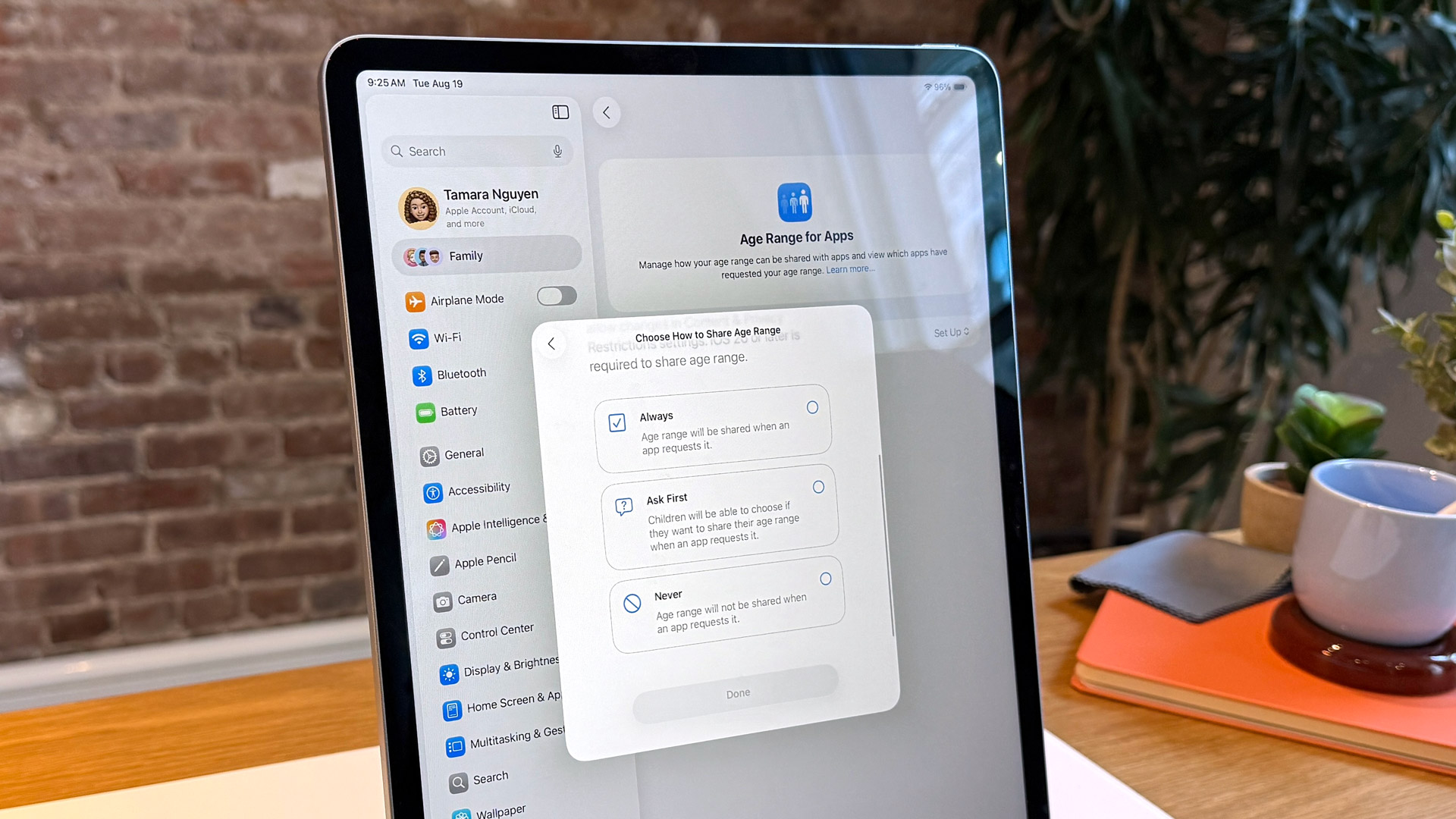
With the fast-paced evolution of digital technology, it's imperative for parents to find new ways to manage their children's screen time. New updates to the iPhone and iPad, particularly with the upcoming release of iOS 26, bring a suite of features designed to enhance parental controls, offering a safer and more age-appropriate online experience for kids.
Setting Up Screen Time Restrictions
Apple's Screen Time feature allows parents to set daily app limits and monitor usage effectively. By navigating to Settings > Screen Time, you can select your child's device and adjust the limits and content restrictions in alignment with their daily lifestyle.
Creating Downtime Regimes
Implementing structured downtime allows your children to have dedicated periods free of device usage. This can be adjusted via the Screen Time menu, ensuring that family time or study sessions go uninterrupted. As Steve Jobs once noted, "It's not about the tools. It's about the connection."
Utilizing Family Sharing for Added Control
Family Sharing enables parents to approve purchases and identify which apps are suitable for their children to download. This collaborative method fosters an environment where digital interactions are proactively managed.
Leverage Educational Apps
Using educational apps can balance entertainment with learning. Popular choices include Montessori Crosswords and Endless Alphabet, which combine fun with foundational skills.
Additional Insights on iOS 26 Features
With iOS 26, Apple introduces location-based restrictions and a subtle shift towards age-appropriate app categorization. Parents can now have peace of mind with these automated, real-time adjustments that refine how screen time is managed.
For more comprehensive insights, check out Apple's official resources on parental controls and technology in education. Meanwhile, planning ahead with these strategies ensures a balanced digital experience for your child's growing needs.
```
